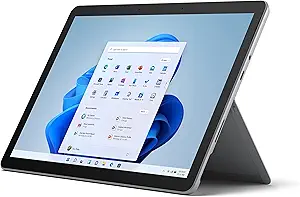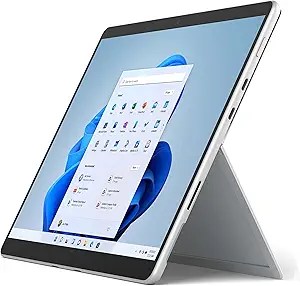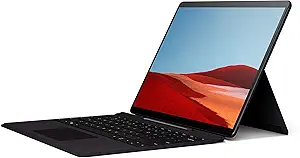







Samsung vs Microsoft: Overview & Brand Philosophy
The tablet market has evolved beyond simple media consumption slates into powerful computing devices capable of replacing laptops. At the forefront of this convergence are Samsung and Microsoft, two tech titans approaching the category from fundamentally different philosophical origins. Samsung views the tablet as the ultimate evolution of mobile hardware, leveraging its supremacy in display technology, mobile processing, and mobile operating systems to deliver ultra-portable, entertainment-rich devices that scale up into productivity workstations.
Microsoft, conversely, approaches the tablet space from the perspective of enterprise computing and desktop legacy. Through its Surface line, Microsoft pioneered the modern 2-in-1 detachable form factor, driven by the belief that a tablet should compromise nothing when it comes to running full desktop-class software. While Samsung focuses on streamlining mobile workflows and maximizing hardware aesthetics via Android and One UI, Microsoft concentrates on versatility, input precision, and the boundless utility of Windows 11.
Choosing between these two brands is not merely a matter of comparing spec sheets; it is a choice of operating philosophies. Samsung offers seamless integration within the broader mobile and smart home ecosystem, emphasizing lightweight agility, exceptional battery efficiency, and best-in-class screens. Microsoft delivers a bona fide PC experience wrapped in a tablet chassis, aimed squarely at professionals, developers, and students who require uncompromised software compatibility alongside digital inking capabilities.
Key Differences & Technological Comparison
The primary battleground between Samsung and Microsoft lies in the operating system. Samsung tablets run on Android, heavily customized with Samsung’s proprietary One UI. To bridge the gap between mobile and desktop computing, Samsung includes DeX mode, an interface layer that transforms the mobile screen into a multi-window, desktop-like environment. Microsoft Surface tablets run full 64-bit Windows 11, giving users native access to legacy win32 applications, enterprise security suites, PC gaming platforms, and complete browser environments with desktop extensions.
In terms of display technology, Samsung holds an undeniable lead. Flagship Galaxy Tab S-series devices feature Dynamic AMOLED 2X panels that provide infinite contrast ratios, deep inky blacks, and blistering 120Hz refresh rates with HDR10+ certification. Microsoft Surface devices employ proprietary PixelSense LCD or OLED displays with a productivity-oriented 3:2 aspect ratio. While Microsoft’s screens are color-accurate and offer superior vertical canvas space for reading documents and editing spreadsheets, they generally lack the sheer vibrancy, brightness, and multimedia impact of Samsung's panels.
Input technology and out-of-the-box value also diverge significantly. Samsung bundles its low-latency S Pen with almost every mid-range and premium tablet, requiring no additional investment for digital artists or note-takers. The S Pen relies on Wacom EMR technology, meaning it never requires charging for basic writing and drawing input. Microsoft, on the other hand, sells the Surface Slim Pen 2 and the essential Type Cover keyboard separately, substantially increasing the total cost of ownership. However, the Surface Slim Pen 2 features built-in haptic feedback that realistically mimics the tactile friction of pen on paper, a sensation the S Pen cannot fully replicate.
Under the hood, silicon configurations define their respective use cases. Samsung predominantly relies on Qualcomm Snapdragon or proprietary Exynos ARM-based processors, optimizing thermal efficiency, system standby times, and instant-on capabilities. Microsoft relies heavily on high-performance Intel Core processors (alongside select Qualcomm-powered Snapdragon X Elite ARM models). Intel-powered Surface tablets generate significantly more computational power for heavy data manipulation and photo/video editing, but suffer from active fan noise, higher thermal output, and comparatively mediocre battery life.
Pros & Cons Comparison
Samsung Tablets
- Pro: Industry-leading Dynamic AMOLED displays offer the best video playback and multimedia experience on the market.
- Pro: S Pen stylus is included in the box at no extra cost and does not require battery power to write or sketch.
- Pro: Samsung DeX provides a capable, lightweight desktop interface for multitasking on the go.
- Pro: Superior battery longevity and passive, fanless thermal management across all models.
- Con: Android still lacks the deep desktop-class creative and productivity software ecosystem found on Windows.
- Con: Multi-monitor support and external peripheral driver compatibility remain limited compared to full PC OS environments.
Microsoft Surface Tablets
- Pro: Runs full Windows 11, enabling complete compatibility with desktop software, enterprise tools, and PC peripherals.
- Pro: 3:2 aspect ratio provides significantly better vertical screen real estate for office productivity and web browsing.
- Pro: Surface Type Cover offers one of the best typing and trackpad experiences available for a detachable tablet.
- Pro: Surface Slim Pen 2 features advanced tactile haptics that authentically simulate writing on paper.
- Con: Expensive total cost of ownership, as stylus and keyboard attachments must be purchased separately.
- Con: Intel-based configurations suffer from lower battery life, thermal throttling, and audible fan noise under heavy loads.
- Con: Touch-first user experience can still feel clunky when navigating traditional Windows legacy desktop menus.
Performance, Durability & Value Analysis
From an architectural durability and build quality standpoint, both manufacturers represent the pinnacle of modern engineering. Samsung employs its specialized Armor Aluminum casings, giving its tablets remarkable rigidity despite being impossibly thin and light. Furthermore, high-end Galaxy Tabs boast IP68 water and dust resistance—an exceptional engineering feat that is virtually unheard of in full-sized tablets. Microsoft builds its Surface hardware using premium anodized aluminum and platinum magnesium alloys, centered around its world-class, continuous-friction kickstand. While the Surface feels like a robust precision instrument, it lacks ingress protection ratings, making it vulnerable to liquid spills and outdoor elements.
Value assessment heavily depends on lifecycle expectations and usage requirements. Samsung provides high upfront hardware value: purchasing a Galaxy Tab nets you the device, the display panel of the year, and an elite stylus out of the box. Its long-term value shines in personal productivity, media consumption, and standard mobile operations, supported by four to seven years of guaranteed software patches depending on the generation. Microsoft Surface, however, preserves enterprise value. Because it is a legitimate computer, its obsolescence window is dictated by desktop software standards rather than mobile app store parameters. While the upfront investment is noticeably higher once you tally up required accessories, a Surface can serve as your sole computing device at home, at work, and on the road, effectively replacing both a tablet and a laptop.
Final Verdict: Which Brand Should You Choose?
Select a Samsung tablet if your computing habits lean toward media consumption, illustration, mobile-first tasks, and lightweight travel. It is the premier choice for artists who want an exceptional out-of-the-box stylus, students who need effortless note-taking and all-day battery life, and smartphone power users already invested in the Android or Samsung Galaxy ecosystems. If your workflow consists of web surfing, streaming HDR video, social media, reading, and running mobile productivity applications with occasional DeX desktop sessions, Samsung delivers an unbeatable, cost-effective package.
Choose a Microsoft Surface if you require a genuine primary computer that can effortlessly transition into a tablet. It is the mandatory selection for corporate professionals reliant on proprietary Windows enterprise software, full-scale Microsoft Excel spreadsheets with complex macros, local programming environments, or desktop-grade creative suites. While it commands a higher price tag once accessorized and concedes ground in battery life and pure touch usability, the Surface has no equal if your goal is to eliminate your traditional laptop entirely in favor of a single, highly flexible 2-in-1 device.
Affordability
When evaluating affordability, Samsung establishes a definitive competitive edge over Microsoft through sheer portfolio diversity and a lower barrier to entry. Samsung’s Galaxy Tab lineup spans the entire pricing spectrum, from the budget-conscious Galaxy Tab A series, often priced under $200, to the mid-tier Galaxy Tab S FE (Fan Edition) models, up to the flagship Galaxy Tab S Ultra series. In contrast, Microsoft primarily positions its Surface line within the premium productivity segment. While Microsoft does offer the entry-level Surface Go, its baseline price point sits noticeably higher than Samsung’s budget tier, and historically, the base-spec configurations of the Surface Go have struggled with underpowered Intel processors and slower eMMC storage. Samsung, by contrast, manages to integrate highly optimized octa-core chipsets, respectable RAM allocations, and vivid display engineering even into its economical tiers, delivering far superior baseline value for media consumption and casual multitasking.
The total cost of ownership further highlights a stark divergence in ecosystem philosophy, particularly regarding out-of-the-box utility versus accessory upselling. A critical technical and financial strength of Samsung’s flagship and FE tiers is the inclusion of the S Pen directly in the box, utilizing battery-free Wacom EMR technology that requires no ongoing maintenance or charging costs. Conversely, Microsoft treats its core input peripherals—the Surface Slim Pen and the essential Type Cover keyboard—as separate, premium-priced purchases. For a consumer seeking a hybrid computing experience, adding these proprietary accessories to a Surface Pro can inflate the baseline price by $250 to $350. While Microsoft justifies this premium by engineering the Surface Pro as a full, x86-based Windows 11 desktop replacement with superior thermal design, enterprise manageability, and high-performance computing capabilities, this architecture requires substantial investment that many general tablet users simply do not require.
Ultimately, the practical trade-offs regarding affordability hinge on intended utility and operating system requirements. Samsung offers vastly superior consumer affordability, providing high refresh-rate AMOLED displays, generous bundled hardware, and the desktop-like Samsung DeX interface at mid-range price points that undercut Microsoft significantly. However, consumers investing in Samsung face the functional limitations of Android, which still struggles with desktop-class application parity in niche professional workflows. Microsoft’s higher initial and total cost provides native legacy software execution, enterprise-grade security, and unmatched laptop-replacement versatility, meaning that for business professionals, the Surface line may eliminate the need for a secondary laptop, amortizing its steep cost over time. For the broader market, however, Samsung is the undisputed leader in delivering accessible, feature-dense hardware across diverse budget brackets.
Battery Life
When evaluating battery life between Samsung and Microsoft tablets, the underlying architecture and operating systems play the most decisive role. Samsung’s Galaxy Tab lineup (most notably the flagship S-series) leverages ARM-based Qualcomm Snapdragon or proprietary Exynos chipsets paired with Google’s battery-optimized Android OS. This integration yields exceptional energy efficiency, particularly during media consumption, standby states, and casual browsing. Samsung supplements this hardware synergy with massive physical cell capacities—often exceeding 10,000 to 11,200 mAh in their larger "Ultra" variants—which consistently deliver 10 to 14 hours of continuous video playback. Furthermore, Samsung's software includes granular power-management tools, allowing users to cap maximum charge at 85% to preserve long-term battery health, alongside adaptive display refresh rates that drop to save power during static tasks.
Conversely, Microsoft’s flagship Surface Pro lineup largely relies on full x86-64 Intel processors to deliver an uncompromised desktop computing experience via Windows 11. While this provides desktop-grade multitasking and legacy software compatibility, it demands significantly more wattage and generates more heat, inherently straining the battery. In real-world productivity scenarios involving complex multitasking, office suites, and web browsing, Intel-based Surface devices often yield between 6 to 9 hours of uptime—falling short of Microsoft’s lab-tested claims. However, Microsoft has made monumental strides with its ARM-based devices, such as the Surface Pro powered by Qualcomm Snapdragon X-series chips. These ARM iterations rival and occasionally surpass Samsung's endurance by providing sustained, cool-running 14-plus hour battery lifespans while running native Windows applications.
The practical trade-off between the two brands comes down to media-centric efficiency versus enterprise utility. Samsung delivers more predictable, all-day longevity for streaming, digital art, and document review, bolstered by 45W wired fast charging (though chargers are typically sold separately). Microsoft, while offering convenient magnetic Surface Connect charging and versatile USB-C Power Delivery, incurs severe battery penalties on its traditional x86 models when executing resource-heavy background processes. For consumers prioritizing unwavering unplugged longevity and efficient idle standby, Samsung holds the technical edge; however, for professional users seeking a full PC replacement, Microsoft’s latest ARM-based Surface units present an increasingly competitive, high-endurance alternative.
Display
When evaluating display technology, Samsung and Microsoft cater to fundamentally different user priorities through distinct engineering philosophies. Samsung leverages its industry-leading position in panel manufacturing to equip its flagship Galaxy Tab S-series with proprietary Dynamic AMOLED 2X displays. These screens deliver unmatched contrast ratios, near-infinite black levels, and vibrant, DCI-P3 color saturation that makes them the gold standard for multimedia consumption, HDR streaming, and creative illustration. Furthermore, Samsung consistently delivers ultra-smooth 120Hz adaptive refresh rates across its premium lineup, accompanied by exceptionally low latency when paired with the S Pen. In contrast, Microsoft’s Surface Pro line relies on PixelSense LCD and, more recently, advanced OLED technology in select flagship models, calibrated primarily for color accuracy across sRGB and enhanced profiles. Microsoft utilizes a signature 3:2 aspect ratio, deliberately engineered to emulate the physical proportions of a legal pad, offering significantly more vertical screen real estate for spreadsheets, text processing, and multi-window multitasking than Samsung's wider, media-centric 16:10 panels.
The technical trade-offs between the two ecosystems become apparent when assessing specific use cases and ambient operating conditions. Samsung holds a decisive edge in peak brightness and outdoor visibility, utilizing features like Vision Booster to map tones aggressively against direct sunlight, alongside an ultra-wide form factor that minimizes letterboxing during 16:9 video playback. However, this same elongated aspect ratio can feel cramped and awkward when holding the device vertically for reading or productivity. Microsoft offsets this with dynamic refresh rates up to 120Hz on its PixelSense panels, coupled with a customized haptic feedback layer beneath the glass that introduces mechanical resistance when writing with the Surface Slim Pen 2, convincingly mimicking pen-on-paper friction. While Microsoft's panels excel at professional calibration and utilitarian desktop workflows, Samsung remains superior in pure cinematic immersion and panel-level energy efficiency during dark-mode operation, making the choice dependent on whether the display will primarily serve as a mobile canvas and media hub or a desktop-grade productivity workstation.
Performance
When evaluating performance between Samsung and Microsoft tablets, the fundamental divergence stems from their underlying computing architectures and intended workloads. Samsung’s flagship Galaxy Tab S series leverages top-tier ARM-based silicon, typically customized Qualcomm Snapdragon processors, engineered specifically for high-efficiency mobile environments. This architecture yields exceptional graphical prowess, instant-on responsiveness, and elite power efficiency, making Samsung tablets industry leaders for media consumption, high-framerate mobile gaming, and stylus-driven creative workflows via the bundled S Pen. Samsung optimizes this hardware using its One UI and DeX environments, providing pseudo-desktop multitasking that runs native Android applications with virtually no thermal throttling or fan noise. However, despite Samsung's silicon engineering achievements, the platform remains bound to a mobile operating system, meaning performance is inherently bottlenecked when attempting to execute complex data science workflows, specialized professional CAD suites, or desktop-class x86 software.
Conversely, Microsoft’s Surface Pro line approaches performance from a traditional personal computing standpoint, equipping its devices with full-fledged Intel Core or cutting-edge Qualcomm Snapdragon X Elite processors paired with a 64-bit Windows 11 architecture. This hardware configuration transforms the Surface from a passive slate into an enterprise-grade workstation capable of raw compute heavy-lifting, multi-threaded productivity, and uncompromised legacy application support. While Intel-powered Surface models may experience thermal headroom limitations—manifesting as audible fan activity and potential thermal throttling under sustained rendering or compiling tasks—their ceiling for professional productivity far outstrips Samsung. The newer ARM-based Surface units close the efficiency gap, offering high-throughput NPU capabilities for native AI workloads alongside long battery endurance. Ultimately, the trade-off is clear: Samsung delivers the superior, thermally frictionless mobile performance benchmark, whereas Microsoft provides the brute-force processing versatility required for desktop-level productivity.