





Microsoft vs reMarkable: Overview
Comparing Microsoft and reMarkable helps you determine which brand is best suited for your needs in Tablets. Both brands offer strong choices depending on your budget and key feature requirements.
Key Features & Comparison
Evaluate factors such as build quality, warranty, customer satisfaction, and total value before making your final purchase choice between Microsoft and reMarkable.
Affordability
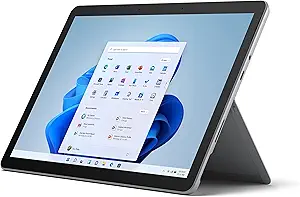
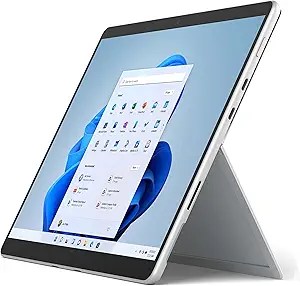
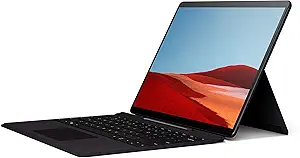
When evaluating affordability, Microsoft and reMarkable present fundamentally divergent value propositions based on their architectural complexity and target utilities. Microsoft’s Surface line, ranging from the entry-level Surface Go to the premium Surface Pro, operates within a standard PC pricing tier. While the base entry prices may seem competitive on paper, Microsoft’s modular business model frequently requires users to purchase the Type Cover keyboard and Surface Slim Pen separately, driving the total cost of ownership significantly higher. However, from a cost-per-feature metric, a Microsoft Surface represents a high-return investment because it serves as a fully functional Windows workstation, capable of replacing both an everyday laptop and an enterprise desktop dock.
Conversely, reMarkable positions itself as a luxury, single-utility device, which makes its pricing structure more difficult to justify on a sheer capability-per-dollar basis. The reMarkable 2 (and its color-focused successors) carries a hardware cost comparable to entry-level full-fledged laptops and mid-tier iPads, yet it is solely engineered for digital note-taking and document markup. When factoring in the mandatory Marker stylus, folio cases, and the optional Connect cloud subscription tier for full ecosystem synchronization, the upfront and recurring costs are high for what is essentially digital stationery. Budget-conscious buyers seeking an all-in-one productivity engine will find far superior economic utility in Microsoft's hardware, whereas reMarkable appeals strictly to niche buyers willing to pay a premium for distraction-free digital organization.
Battery Life
Battery performance between these two brands illustrates the massive chasm between backlit computing platforms and bistable electrophoretic displays. Microsoft Surface devices are engineered around power-hungry x86 architecture (with newer iterations leveraging Qualcomm ARM silicon), high-refresh-rate LCD or OLED panels, and dynamic background OS tasks. Consequently, real-world battery endurance for a Microsoft tablet typically ranges from 7 to 14 hours depending on the processor, screen brightness, and computational load. While adequate for an ordinary workday, heavy multitasking, video rendering, or running unoptimized legacy desktop applications can quickly deplete the battery, requiring users to carry a proprietary Surface Connect charger or a high-wattage USB-PD power bank.
In stark contrast, reMarkable operates in an entirely different operational class where battery endurance is measured in days or weeks rather than hours. Built upon low-power E-Ink technology, the display only consumes power when changing state (such as drawing, turning a page, or refreshing the buffer). Coupled with a lightweight, optimized Linux-based operating system (Codex) and absence of resource-heavy background processes, reMarkable tablets routinely deliver up to two full weeks of typical daily use on a single charge. For users who prioritize grab-and-go reliability without the anxiety of daily charging schedules, reMarkable provides an unmatched operational lifespan that traditional operating systems like Windows simply cannot match.
Display
The display technologies employed by Microsoft and reMarkable are tailored to completely opposing visual objectives: media fidelity versus tactile friction. Microsoft equips its Surface portfolio with high-resolution PixelSense displays (often running at 2880x1920 with a 3:2 productivity aspect ratio), offering vibrant color gamuts, high nit brightness, HDR support, and dynamic refresh rates up to 120Hz. These screens excel at media consumption, graphic design, and fast UI responsiveness. However, drawing or writing on a Surface panel feels inherently like running plastic on slick glass, and despite Microsoft's sophisticated haptic feedback in the Slim Pen 2, it still cannot fully replicate the analog resistance of real paper.
reMarkable completely eschews traditional backlit LCD/OLED paradigms in favor of a specialized Canvas display. Utilizing monochrome or color electrophoretic E-Ink technology topped with a textured PMMA surface, the display is engineered to deliver zero glare and authentic mechanical drag against its proprietary high-friction stylus tips. With an ultra-thin stack that minimizes optical parallax, writing on a reMarkable mimics the sensation of ink sinking into high-grade paper fibers. The fundamental trade-off is a vastly restricted visual scope: refresh rates are naturally low, ghosting is a physical reality, and the screen relies entirely on ambient light, rendering it entirely unsuitable for video, fluid web browsing, or high-fidelity visual media.
Performance
From an engineering and raw computing perspective, Microsoft tablets operate on a vastly superior plane of performance. Housing Intel Core Ultra or Qualcomm Snapdragon X processors paired with up to 32GB or 64GB of RAM and fast NVMe solid-state drives, Microsoft devices are designed to handle complex computational workflows. They seamlessly run full desktop operating systems (Windows 11), enterprise software suites, heavy browser sessions with dozens of tabs, IDEs, and creative applications like Adobe Creative Cloud. This immense processing power ensures that a Surface tablet can effortlessly act as an enterprise workstation capable of driving multiple external 4K monitors.
reMarkable, by design, deploys modest, energy-efficient silicon, such as low-power dual-core or quad-core ARM chipsets coupled with 1GB to 2GB of LPDDR3/LPDDR4 memory. This modest hardware footprint is meticulously optimized to do one thing: minimize latency when translating stylus strokes to electrophoretic particle shifts. While latency on the reMarkable is impressively low (roughly 20ms or less), UI navigation, PDF file rendering, and notebook loading times exhibit noticeable sluggishness compared to modern mobile standards. In terms of overall throughput, multitasking, and software versatility, Microsoft provides a robust, industrial-grade computing environment, while reMarkable deliberately constrains performance to maintain a tranquil, hyper-specialized writing sanctuary.