




Apple vs reMarkable: Overview
Comparing Apple and reMarkable helps you determine which brand is best suited for your needs in Tablets. Both brands offer strong choices depending on your budget and key feature requirements.
Key Features & Comparison
Evaluate factors such as build quality, warranty, customer satisfaction, and total value before making your final purchase choice between Apple and reMarkable.
Affordability
When evaluating affordability, the comparison between reMarkable and Apple hinges largely on the definition of value relative to functionality. reMarkable devices, such as the reMarkable 2, carry a premium initial price tag that sits in a mid-tier tablet range, but this cost only covers a single-purpose writing slate. Essential accessories—namely the Marker stylus and the protective Folio case—must be purchased separately, quickly driving up the total investment. Additionally, reMarkable ties advanced features like cloud storage integration, handwriting-to-text conversion, and screen sharing to its recurring Connect subscription model. While this ecosystem provides a pristine, distraction-free environment, consumers essentially pay a luxury price point for intentionally restricted hardware that lacks multimedia or browsing capabilities.
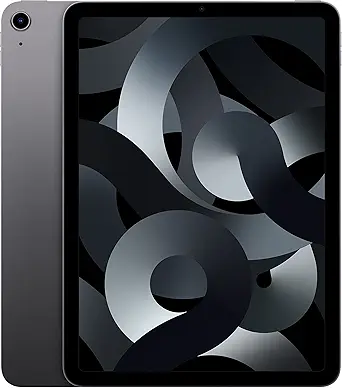
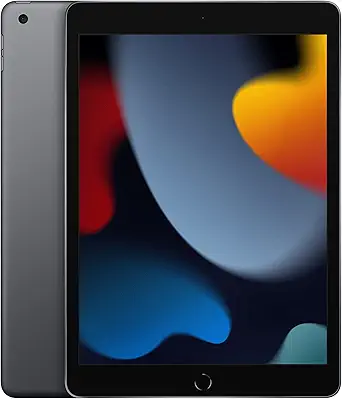
Apple, conversely, offers a much wider spectrum of price-to-performance tiers, ranging from the budget-conscious base iPad to the high-end iPad Pro. While Apple's flagship configurations and accessories like the Apple Pencil and Magic Keyboard are undeniably expensive, entry-level and mid-range options such as the 10th-generation iPad or iPad Air deliver immense versatile utility out of the box. Users gain a full-fledged computer replacement capable of media consumption, gaming, creative production, and web browsing without mandatory subscriptions to access core hardware capabilities. Consequently, while a reMarkable package may have a comparable initial receipt to an entry-level iPad, Apple delivers drastically superior multi-functional value per dollar spent.
Battery Life
Battery performance reveals one of the starkest technological divergences between reMarkable and Apple, rooted directly in their underlying display and processing architectures. reMarkable capitalizes on the ultra-low-power demands of electrophoretic E-Ink technology, which only consumes electrical energy when changing the state of the microcapsules on screen. Paired with a lightweight, energy-conservative Linux-based operating system that lacks power-hungry background processes, a reMarkable device can easily sustain up to two weeks of standard daily use on a single charge. For users who prioritize longevity and travel without the anxiety of packing a dedicated charger, reMarkable provides an unmatched, paper-like endurance profile.
Apple iPads, by comparison, are engineered with high-density lithium-polymer batteries designed to support resource-intensive components, including vibrant backlit displays and desktop-class silicon. Apple consistently targets an operational benchmark of roughly 10 hours of active screen-on time across its iPad portfolio, whether surfing the web on Wi-Fi or streaming video. While this standard full-day endurance is impressive given the high computational load and bright refresh rates, it requires frequent, often daily recharging cycles. Users demanding continuous uptime across multiple days without access to an outlet will find Apple's power drain a significant compromise compared to reMarkable's near-passive energy footprint.
Display
The display technologies employed by reMarkable and Apple serve entirely distinct use cases, creating a clear trade-off between tactile writing precision and visual versatility. reMarkable utilizes a specialized Canvas display—an E-Ink surface engineered specifically to replicate the physical friction, acoustic feedback, and tactile resistance of traditional paper. Because it is reflective rather than emissive, it emits zero blue light, relies on ambient lighting, and excels in direct sunlight without glare. However, this focus on authentic handwriting comes with inherent constraints: low refresh rates, monochrome or highly muted color palettes, and noticeable ghosting during rapid page turns, rendering it completely unsuitable for dynamic media or animation.
Apple approaches display engineering through the lens of visual immersion and dynamic versatility, equipping iPads with high-resolution Liquid Retina, mini-LED, or Tandem OLED panels. These screens boast ProMotion 120Hz adaptive refresh rates, wide P3 color gamuts, and thousands of nits of peak brightness, delivering fluid scrolling, vibrant HDR video playback, and ultra-low latency for digital illustration. The trade-off is the glossy, frictionless feel of writing directly on glass, which many note-takers find slick and fatigue-inducing without aftermarket matte screen protectors. Apple undeniably wins on graphical fidelity, color accuracy, and responsiveness, while reMarkable remains superior for ocular comfort and authentic tactile friction.
Performance
Performance benchmarks highlight fundamentally different engineering philosophies: reMarkable optimizes for minimalist latency in a hyper-focused task, whereas Apple engineers for heavy, multi-threaded computational workloads. Under the hood, reMarkable utilizes modest dual-core or quad-core mobile processors combined with lean RAM configurations, tailored strictly to rendering pen strokes and navigating document hierarchies. Its performance prowess is judged not by benchmark scores, but by input responsiveness; custom display controller algorithms ensure that the latency between the physical stylus tip and the digital ink appearance is virtually imperceptible. Outside of pen tracking and page indexing, however, the interface can feel deliberately deliberate, lacking snappy app transitions or multi-tasking capabilities.
Apple iPads are powered by industry-leading A-series and desktop-grade M-series silicon, providing raw processing capabilities that surpass many modern laptops. With hardware-accelerated graphics, dedicated Neural Engines, and unified memory architectures, iPads effortlessly handle 4K video editing, complex 3D rendering, intensive digital painting, and multi-window multitasking via iPadOS. This immense overhead ensures instantaneous app launches, zero system stutter, and long-term operating system upgrade support spanning half a decade or more. While this extraordinary computing horsepower is undeniably overkill for simple note-taking, it equips the user with a fluid, multi-purpose workhorse that vastly outclasses the hyper-specialized operational envelope of reMarkable.