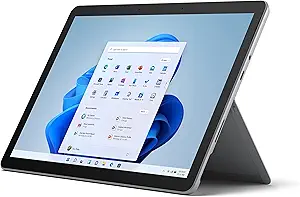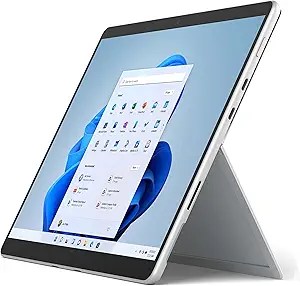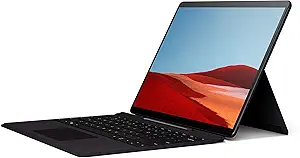









Acer vs Microsoft: Overview & Brand Philosophy
The tablet market has evolved beyond simple media consumption slates into sophisticated computing devices, and the juxtaposition of Acer and Microsoft perfectly illustrates this industry transformation. Microsoft fundamentally revolutionized personal computing with its Surface lineup, setting out with a philosophy to define the 2-in-1 category and showcase the absolute pinnacle of what Windows can achieve on portable hardware. Microsoft designs tablets as enterprise-grade, desktop-replacing workstations that blend premium industrial aesthetics with cutting-edge touch, digital pen input, and high-performance silicon.
Conversely, Acer approaches the portable hardware market through a lens of pragmatic engineering, democratized access, and aggressive value-to-performance ratios. While Acer produces high-concept devices across its wider portfolio, its tablet footprint focuses primarily on utilitarian, cost-effective 2-in-1s, ruggedized educational slates, and budget-friendly ChromeOS or Android devices (such as the Enduro Urban and Chromebook Tab series). Rather than competing solely in the ultra-premium luxury bracket, Acer aims to provide students, field workers, and cost-conscious consumers with reliable, durable functionality without the high price tag often associated with mobile computing.
Ultimately, these two brands represent distinct philosophies within the same segment. Microsoft operates as a hardware benchmark for the modern hybrid professional, treating its Surface devices as flagship aspirational hardware with bespoke accessories and premium price structures. Acer operates as an agile hardware manufacturer that prioritizes cost efficiency, practical connectivity, and rugged reliability for enterprise, educational, and mainstream mass-market deployments.
Key Differences & Technological Comparison
The technological divide between Acer and Microsoft tablets is immediately apparent in their industrial design, display architecture, and processing hardware. Microsoft’s Surface Pro line features precision-milled aluminum or magnesium chassis, an integrated infinitely adjustable kickstand, and the signature 3:2 aspect ratio PixelSense displays. These screens deliver high pixel densities, factory color calibration, dynamic refresh rates up to 120Hz, and deep integration with the Microsoft Surface Slim Pen 2, which utilizes haptic feedback to simulate the tactile sensation of pen on paper.
Acer, on the other hand, emphasizes practical utility over luxury. Its consumer 2-in-1s and ChromeOS tablets typically utilize polycarbonate or reinforced composite bodies designed to survive daily abuse rather than turn heads in executive boardrooms. While Acer’s displays are clear, functional IPS panels, they generally stick to standard 16:9 or 16:10 aspect ratios with standard 60Hz refresh rates and modest peak brightness, which are adequate for document editing and web browsing but fall short of professional creative color-grading requirements.
Under the hood, Microsoft sets the pace for processing versatility. The modern Surface ecosystem features cutting-edge Intel Core Ultra chips alongside advanced ARM-based Qualcomm Snapdragon X processors featuring dedicated Neural Processing Units (NPUs) for local artificial intelligence computing. Acer’s tablet offerings, such as their ChromeOS tabs or entry-level Windows detachables, typically utilize more modest internals: low-wattage Intel processors (like the N-series), entry-to-mid tier MediaTek chips, or Qualcomm Snapdragon 7-series processors. This makes Acer tablets outstanding for thermal efficiency, battery conservation, and basic productivity, but limits their capacity for heavy multitasking, video encoding, or compute-heavy enterprise applications.
Operating systems also draw a clear line between the two brands. Microsoft tablets are natively designed for full-fledged Windows 11 Home or Pro, supporting legacy x86/x64 desktop software and sophisticated enterprise management tools out of the box. Acer distributes its attention across ChromeOS, Android, and Windows, offering lighter, sandboxed environments that prioritize quick boot times, simplified cloud workflows, and minimal maintenance overhead.
Pros & Cons Comparison
Microsoft Surface Tablets
- Pro: Exceptional Build Quality: High-grade metallic chassis with an industry-leading variable friction kickstand.
- Pro: Class-Leading Displays & Stylus Input: Sharp 3:2 PixelSense screens with up to 120Hz refresh rates and ultra-low latency haptic stylus support.
- Pro: Desktop-Grade Productivity: Full-featured Windows 11 enables the execution of complex desktop applications, IDEs, and business suites.
- Pro: Premium Audio & Cameras: Enterprise-quality front-facing webcams with Studio Effects and high-fidelity omnisonic speakers.
- Con: High Total Cost of Ownership: The essential Type Cover keyboard and Surface Pen are frequently sold separately at high prices.
- Con: Repairability & Upgradeability: Despite minor improvements in recent models, self-servicing and upgrading remain limited for the average consumer.
Acer Tablets & 2-in-1s
- Pro: Accessible Pricing: Highly competitive price-to-performance ratio, making mobile computing accessible to tighter budgets.
- Pro: Rugged Field Utility: Specialized lines like the Enduro Urban offer built-in drop resistance, ingress protection (IP ratings), and reinforced corners.
- Pro: Included Accessories: Many Acer packages bundle keyboards or basic styluses directly in the box without requiring expensive peripheral add-ons.
- Pro: Port Variety: Acer often includes full-sized USB-A ports, micro-HDMI, and microSD slots directly on the chassis without requiring adapter dongles.
- Con: Lower Computational Ceiling: Processors are often entry-level, struggling with sustained heavy system loads.
- Con: Utilitarian Materials: Heavy reliance on plastics and basic finishes lacks the sleek, modern aesthetic found in flagship competitors.
Performance, Durability & Value Analysis
From an absolute performance and durability standpoint, these brands target entirely different use-case stresses. Microsoft engineering provides raw computational horsepower that scales up to demanding workflow requirements like compiling code, rendering digital art, and analyzing massive spreadsheets. However, Microsoft's durability is largely "cosmetic and structural"—it resists chassis flex and features Gorilla Glass displays, but a drop onto asphalt or exposure to water will cause catastrophic damage. Over a three-to-five-year period, Microsoft devices generally maintain strong software support and performance relevance, provided the internal battery holds up under daily high-performance cycles.
Acer counters this with practical, real-world value and physical resilience. For schools, field inspections, or rough-and-tumble retail environments, Acer’s ruggedized tablets can survive impacts, dust, and light moisture without skipping a beat. In terms of economic value, Acer devices represent significantly less financial risk. You can routinely equip several workers or students with Acer hardware for the cost of a single fully outfitted Microsoft Surface Pro. While Acer tablets may reach technological obsolescence faster due to modest processing ceilings, their return on investment is achieved rapidly through low initial acquisition costs and cheap maintenance.
Final Verdict: Which Brand Should You Choose?
Your choice between Acer and Microsoft comes down to your computational requirements, working environment, and capital budget:
Choose Microsoft if: You are a business executive, creative professional, or power user who demands a true 1:1 replacement for an elite laptop. If you need a gorgeous high-refresh display, class-leading digital inking capabilities, full desktop software compatibility, and an ultra-premium executive aesthetic, the Microsoft Surface ecosystem is the gold standard of 2-in-1 Windows tablets, easily justifying its premium investment.
Choose Acer if: You need an affordable, pragmatic, and durable tablet for everyday tasks, cloud-based learning, or frontline industrial work. If you are shopping on a specific budget, require a device for field use where accidental drops are inevitable, or simply need an efficient ChromeOS/Windows tablet for web research, email, and media streaming, Acer provides dependable utility without the steep financial premium.
Affordability
When evaluating affordability in the tablet market, Acer and Microsoft operate on fundamentally different pricing philosophies and target demographics. Acer adopts a strict value-first engineering approach, primarily competing in the budget-to-midrange tiers with its Iconia and Enduro series. By utilizing cost-effective materials like polycarbonate housings, energy-efficient MediaTek or entry-level Intel processors, and standard LCD panels, Acer significantly reduces manufacturing overhead. This enables them to offer capable, highly accessible devices for casual media consumption, basic education, and light enterprise tasks at low barrier-to-entry price points. In stark contrast, Microsoft positions its Surface lineup—spanning the Surface Go to the flagship Surface Pro—as high-end, premium 2-in-1 productivity powerhouses. Microsoft’s pricing reflects a focus on magnesium-alloy unibody construction, high-resolution PixelSense displays with dynamic refresh rates, and full-featured desktop-class Intel Core or Snapdragon processors, placing their catalog substantially higher on the cost spectrum.
The true divergence in affordability between these two brands emerges when analyzing total cost of ownership and the trade-offs in technical utility. While a consumer might purchase an Acer tablet for a fraction of the cost of a Surface, Acer compromises on thermal headroom, display calibration, and long-term operating system upgrade cycles. Microsoft offsets its steep initial price tag through enterprise-grade hardware longevity, robust enterprise security, and the versatile utility of full Windows 11, which functionally eliminates the need for a separate laptop. However, Microsoft significantly penalizes price-sensitive consumers through accessory monetization: essential productivity tools, such as the Surface Type Cover and Surface Slim Pen, are almost exclusively sold separately, adding considerable hidden expense to the base configuration. Acer frequently bundles necessary peripherals or targets use cases where basic touch functionality suffices, avoiding costly add-on ecosystems.
Ultimately, Acer achieves pure, upfront affordability, making it the superior choice for buyers seeking cost-effective secondary screens, ruggedized field tablets, or simple mobile computing on a restricted budget. Microsoft, conversely, delivers functional value rather than absolute fiscal economy. While Microsoft cannot compete with Acer on raw price floor metrics, it justifies its premium tier for professionals and students who require uncompromised multi-tasking, active digitizer precision, and desktop application performance in a single hybrid device. Consumers choosing Acer sacrifice performance headroom and premium fit-and-finish to maximize immediate cost savings, whereas Microsoft buyers pay heavily upfront to secure a versatile, high-performance daily driver.
Battery Life
When evaluating battery performance in the tablet category, Microsoft and Acer approach power management from distinctly different engineering philosophies. Microsoft’s Surface lineup is designed primarily as premium 2-in-1 productivity workhorses, utilizing sophisticated hardware-software co-engineering. Models such as the Surface Pro series historically relied on x86 Intel architectures that, while capable of burst processing, struggled to balance thermal limits and all-day endurance, typically yielding 7 to 10 hours of real-world productivity. However, Microsoft’s aggressive transition toward custom silicon—exemplified by the SQ series and the latest Qualcomm Snapdragon X Elite processors in the Copilot+ Surface Pro models—has transformed their battery longevity. These ARM-based architectures integrate custom Neural Processing Units (NPUs) that offload background computational tasks, allowing Microsoft tablets to achieve up to 14 to 16 hours of continuous web browsing and local video playback, heavily rivaling top-tier mobile operating systems.
Conversely, Acer positions its tablet portfolio primarily in the budget-conscious, educational, and entry-to-midrange enterprise sectors, typified by the Iconia series and its value-oriented detachable Windows models like the Switch series. From an engineering standpoint, Acer prioritizes cost efficiency over high-density cell chemistry, often outfitting its tablets with standard lithium-polymer packs paired with lower-powered, entry-level Intel or MediaTek processors. While these modest chipsets boast low thermal design power (TDP), the overall power optimization lacks the deep operating system integration found in Microsoft's hardware. Consequently, Acer tablets deliver practical runtimes averaging between 6 to 9 hours under moderate operational stress. While this is sufficient for classroom environments, basic media consumption, or routine point-of-sale operations, Acer’s battery packs tend to suffer from faster capacity degradation over sustained charge cycles compared to the premium, thermally throttled cells found in Microsoft’s flagship devices.
The consumer trade-off between the two brands ultimately centers on power density and workload demands versus initial cost. Microsoft excels by integrating cutting-edge power delivery technologies, including fast-charging protocols via proprietary Surface Connect and modern USB4/Thunderbolt 4 interfaces, which can replenish up to 80% of capacity in approximately an hour without dramatic thermal spiking. Acer offers reliable, straightforward battery performance that aligns with its lower price tier, typically utilizing standard USB-C charging that takes noticeably longer to fully cycle. For professionals and power users requiring sustained all-day uptime under heavy multitasking conditions, Microsoft’s superior silicon efficiency and advanced battery health management justify the premium investment. However, for users whose workflows involve light, sporadic use and who prioritize affordability over marathon battery longevity, Acer provides an adequate, cost-effective endurance profile.
Display
When evaluating display engineering in the tablet market, Microsoft holds a definitive technical advantage over Acer, largely due to its uncompromising focus on high-fidelity, productivity-oriented screens. Microsoft’s Surface tablet lineup—anchored by models like the Surface Pro—consistently features proprietary PixelSense displays engineered with ultra-sharp resolutions (frequently approaching or exceeding 2.8K) and class-leading pixel densities well above 260 PPI. These panels utilize a signature 3:2 aspect ratio, specifically chosen to optimize vertical screen real estate for document editing, web browsing, and multitasking. Furthermore, premium Microsoft panels integrate dynamic refresh rates up to 120Hz, Dolby Vision IQ support, and factory color calibration targeting sRGB and DCI-P3 color gamuts. This makes them exceptional for digital artists and professionals requiring accurate color reproduction, responsive inking with haptic pen feedback, and fluid touch navigation.
In contrast, Acer approaches the tablet display space through a lens of pragmatic utility and aggressive cost efficiency. Primarily targeting education, enterprise point-of-sale, and budget-conscious consumers through lines like the Enduro Urban or Iconia series, Acer’s engineering centers on durability and baseline usability rather than visual cutting-edge specs. Acer tablets typically deploy standard 16:10 or 16:9 aspect ratio IPS LCD panels with Full HD (or lower) resolutions and standard 60Hz refresh rates. While these displays offer respectable viewing angles and sufficient brightness for indoor use—with rugged models occasionally featuring high-nit, glove-operable surfaces—they routinely lack the wide color gamuts, deep black levels, and optical bonding precision found in Microsoft's hardware. Text rendering is noticeably softer, and stylus latency is more pronounced due to basic digitizer implementations.
Ultimately, the practical trade-offs between the two brands mirror their intended market segments and price points. Microsoft delivers a visually superior, professional-grade display that excels in artistic rendering, HDR media consumption, and high-precision productivity, though this engineering elevates the cost of ownership and demands more battery throughput. Acer provides functional, resilient displays that keep manufacturing costs down and preserve battery life, making them sensible for basic web consumption and frontline operations. For users where visual clarity, color precision, and dynamic fluid motion dictate the user experience, Microsoft is the clear victor; Acer serves merely as a pragmatic compromise for cost-constrained or strictly utilitarian deployments.
Performance
When evaluating performance in the tablet market, Microsoft stands in a distinct class above Acer, largely due to its flagship-tier engineering and focus on true PC-replacement capability. Microsoft’s Surface Pro lineup routinely incorporates modern Intel Core Ultra or custom Qualcomm Snapdragon X Elite processors paired with up to 32GB of high-speed LPDDR5x RAM and fast PCIe NVMe storage. This hardware architecture allows Microsoft tablets to excel at sustained, processor-heavy workflows, including complex multitasking, 4K video rendering, and enterprise-level compiling. Advanced vapor chamber cooling and tuned thermal profiles ensure that throttling is kept to a minimum during intensive workloads. By contrast, Acer typically reserves its tablet and 2-in-1 presence for the entry-level to mid-range segments, often leveraging budget-oriented Intel N-series chips, low-tier Core processors, or power-efficient MediaTek silicon. While Acer’s engineering produces devices fully capable of web browsing, media consumption, and light office productivity, their lower memory ceilings (often capped at 8GB or 16GB) and reliance on slower eMMC or basic SSD storage inherently limit heavy data throughput.
The practical trade-offs between the two brands center on the balance of peak processing power versus cost-to-performance efficiency. Microsoft optimizes its tablets to seamlessly execute full-scale desktop operating systems with native support for demanding creative suites like Adobe Creative Cloud and heavyweight CAD software. Furthermore, the inclusion of dedicated Neural Processing Units (NPUs) in newer Surface models accelerates on-device AI tasks, making them considerably more future-proof for evolving software ecosystems. Acer’s trade-off, however, is value-oriented pragmatic utility; its tablets are engineered to maximize battery life under conservative thermal constraints rather than pursue benchmark supremacy. Under heavy loads, an Acer tablet will encounter performance bottlenecks far sooner than a Surface Pro, exhibiting noticeable frame drops and interface latency. Ultimately, power users, creative professionals, and enterprise operators requiring uncompromised desktop-grade horsepower will find Microsoft vastly superior, while Acer remains a sensible, economical alternative strictly for utilitarian, day-to-day computing tasks.