







MSI vs Skytech: Overview
Comparing MSI and Skytech helps you determine which brand is best suited for your needs in Prebuilt PC. Both brands offer strong choices depending on your budget and key feature requirements.
Key Features & Comparison
Evaluate factors such as build quality, warranty, customer satisfaction, and total value before making your final purchase choice between MSI and Skytech.
Features
MSI’s prebuilt systems shine in software synergy and proprietary hardware innovations that third-party integrators cannot replicate. Flagship models frequently incorporate high-end feature sets like MSI’s exclusive Silent Storm Cooling designs, built-in ambient lighting controls integrated directly into the chassis, and the comprehensive MSI Center software suite. This software provides hardware monitoring, automated overclocking, and Mystic Light synchronization down to the component level with minimal latency. Additionally, MSI systems frequently include cutting-edge platform enhancements such as Wi-Fi 6E/7 integration, robust front-panel high-speed USB-C connectivity, and dedicated hardware-level audio shielding. The trade-off is occasional bloatware that comes bundled out of the box, requiring initial clean-up by discerning users.
Skytech counters this with an uncompromising commitment to standardized, bloat-free computing environments. One of Skytech's primary features is the total absence of intrusive third-party software, providing users with a pristine, vanilla Windows installation that maximizes baseline performance. Because Skytech sources retail motherboards from brands like ASRock, ASUS, and Gigabyte, users retain native BIOS-level tweaking capabilities without the artificially locked parameters sometimes found in OEM BIOS layers. Furthermore, their chassis are generally built with standard ATX or Micro-ATX form factors, offering exceptional front I/O versatility and standard peripheral connections. While Skytech lacks a proprietary unified companion software like MSI Center, managing RGB and fan curves via open-source tools or native motherboard utilities affords users maximum customization autonomy.
Performance
In terms of thermal engineering and sustained computing performance, MSI leverages deep research and development to push hardware to its absolute limits, particularly in their premium tiers. By utilizing custom-engineered cooling chambers and proprietary fan blade profiles, models like the MEG and MPG series achieve exceptional sustained boost clocks on both Intel/AMD processors and NVIDIA RTX GPUs. The close optimization between MSI's proprietary VBIOS, custom graphics cards, and motherboard VRM layouts ensures reliable power delivery and stable operational temperatures under heavy, multi-hour rendering or gaming loads. However, in MSI's budget-oriented tiers (such as entry-level Codex units), cost-cutting on air coolers and restricted front-panel ventilation can occasionally lead to thermal throttling compared to boutique alternatives.
Skytech delivers performance through uninhibited airflow dynamics and liberal hardware configurations, often outperforming similarly priced MSI rigs by utilizing higher-tier GPUs within a given budget envelope. Most Skytech chassis prioritize high-permeability mesh front panels and generous multi-fan arrays, resulting in superior ambient intake that keeps ambient case temperatures remarkably low. This superior thermal headroom allows retail-grade components to naturally maintain boost clocks without aggressive, high-decibel fan curves. The primary performance caveat for Skytech lies in component lottery variations; depending on the batch, your unit might receive a dual-fan rather than a triple-fan GPU, or basic-tier DDR5 RAM with looser CAS latencies, slightly altering edge-case benchmark results compared to MSI's strictly controlled hardware stacks.
Design
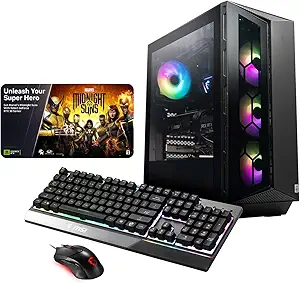
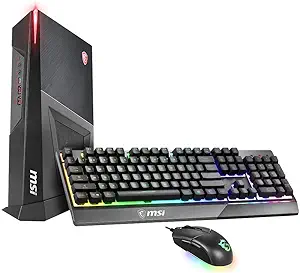
MSI's industrial design language is bold, aggressive, and distinctly futuristic, making their desktops standout centerpieces in any gaming setup. From the asymmetric front fascias of the Aegis line to the sophisticated tempered glass and brushed aluminum finishes of their higher-end towers, MSI treats its cases as extensions of its broader gaming brand identity. Cable management inside an MSI machine is handled with industrial precision, often utilizing custom routing channels and stealth PSU shrouds. However, this heavily styled design philosophy can sometimes be polarizing for users who prefer understated workspaces, and the more sculpted exterior plastics can make chassis disassembly and dust filter maintenance slightly cumbersome compared to standard rectangular enclosures.
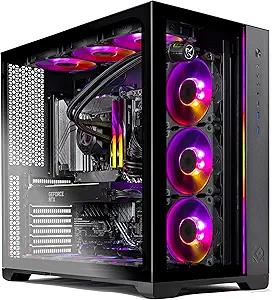
Skytech adopts a cleaner, modern boutique aesthetic that prioritizes functional elegance and accessibility over polarizing sci-fi angles. Featuring clean geometric lines, vibrant omnidirectional ARGB lighting, and panoramic tempered glass side panels, Skytech builds look remarkably similar to bespoke systems crafted by custom PC hobbyists. Their chassis designs, frequently supplied by reputable case manufacturers like Phanteks or InWin, emphasize seamless tool-less entry, magnetic dust filtration, and expansive interior space that facilitates future DIY upgrades. While Skytech’s exterior may lack the unique, custom-molded identity that characterizes high-end MSI hardware, its minimalist visual appeal and practical internal layout offer superior long-term utility and broad aesthetic compatibility with diverse desk setups.