






Lenovo vs Asus: Overview
Comparing Lenovo and Asus helps you determine which brand is best suited for your needs in Prebuilt PC. Both brands offer strong choices depending on your budget and key feature requirements.
Key Features & Comparison
Evaluate factors such as build quality, warranty, customer satisfaction, and total value before making your final purchase choice between Lenovo and Asus.
Features
Lenovo approaches feature integration with an emphasis on utility, enterprise manageability, and simplified maintenance. Across its Legion gaming systems and ThinkCentre workstations, Lenovo utilizes customized motherboard layouts that minimize unnecessary cabling and provide straightforward, toolless access for storage and memory expansion. Features like integrated carry handles, discreet headphone cradles, and clean front-panel I/O configurations are hallmarks of Lenovo's thoughtful physical design. On the software side, the Lenovo Vantage application remains one of the cleanest, least intrusive control centers on the market, offering streamlined driver deployment, granular power profiles, and subtle thermal profiles without bogging down system memory or CPU cycles with excessive background processes.
Asus counters by leveraging its comprehensive internal ecosystem of premium desktop components, giving their prebuilt PCs an unmatched feature depth for enthusiasts. Systems like the ROG Strix and ProArt desktops typically incorporate retail-grade or semi-custom Asus motherboards, featuring advanced BIOS options, extensive PCIe Gen 4/Gen 5 lane distribution, and robust multi-zone Aura Sync RGB lighting. Asus frequently includes forward-thinking connectivity such as high-bandwidth USB4 or Thunderbolt ports, multi-gigabit Ethernet (2.5GbE or higher), and WiFi 6E/7 with high-gain external antennas. The trade-off is often found in software overhead; the ubiquitous Asus Armoury Crate suite, while exceptionally versatile for peripheral and lighting synchronization, can be bloated and resource-heavy compared to Lenovo's leaner tools.
Performance
In real-world performance benchmarks, Lenovo designs its systems to prioritize thermal stability, acoustic discretion, and consistent clock-frequency retention. The Legion desktop line, equipped with proprietary Coldfront cooling configurations and vapor-chamber heatsinks, does an admirable job of preventing thermal throttling under sustained multi-threaded rendering or extended gaming sessions. Lenovo typically relies on stock Intel or AMD power envelopes, ensuring that components operate comfortably within their intended thermal design power (TDP) thresholds. This conservative tuning approach minimizes system failure rates and coil whine, delivering predictable and reliable frame rates, though it intentionally leaves high-end overclocking margins largely unexploited.
Asus, by contrast, targets maximum compute velocity and higher sustained boost clocks by aggressively provisioning power delivery and thermal mitigation. Thanks to heavy-duty VRM phases borrowed from their standalone motherboard designs and frequently utilizing robust all-in-one (AIO) liquid coolers in the ROG tier, Asus desktops can sustain elevated wattage thresholds under extreme multi-core loads. This architectural choice yields measurable performance gains in synthetic benchmarks, unconstrained 4K gaming, and intensive video encoding pipelines. However, this pursuit of peak performance means Asus desktops frequently run louder under maximum load and exhibit higher power draw, requiring well-ventilated operational spaces to manage the resultant thermal exhaust.
Design
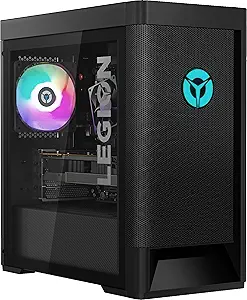
Lenovo’s design language is characterized by understated elegance, functional minimalism, and clean geometric profiles. In professional environments, ThinkCentre chassis are compact, stealthy, and built to survive demanding industrial duty cycles. Even within their gaming-focused Legion lineup, Lenovo favors dark, brushed textures, refined mesh front panels with subtle backlighting, and cleanly compartmentalized internal chambers that keep power supply heat away from the primary processing core. The internal cabling is meticulously routed from the factory, giving users clear visual access and simple upgrade pathways. It is an aesthetic that seamlessly transitions from an executive home office to a gaming battle station without appearing garish.
Asus takes a markedly more theatrical, expressive, and enthusiast-oriented approach to exterior and interior chassis design. ROG and TUF prebuilt cases often feature chiseled, aggressive geometric angles, tempered glass side panels, integrated carrying straps, and prominent brand iconography with addressable RGB accents running along the chassis seams. Beyond the outward flair, Asus demonstrates sophisticated internal engineering, often utilizing dual-chamber architectures that physically isolate the power supply, graphics card, and liquid cooling radiators to optimize laminar airflow. The interior architecture mirrors a bespoke custom-built rig, utilizing standard form factors that make downstream component swaps—such as replacing motherboards or power supplies—substantially easier than within Lenovo’s more proprietary enclosure layouts.