




Dell vs MSI: Overview
Comparing Dell and MSI helps you determine which brand is best suited for your needs in Prebuilt PC. Both brands offer strong choices depending on your budget and key feature requirements.
Key Features & Comparison
Evaluate factors such as build quality, warranty, customer satisfaction, and total value before making your final purchase choice between Dell and MSI.
Features
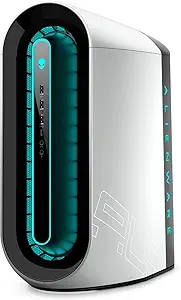
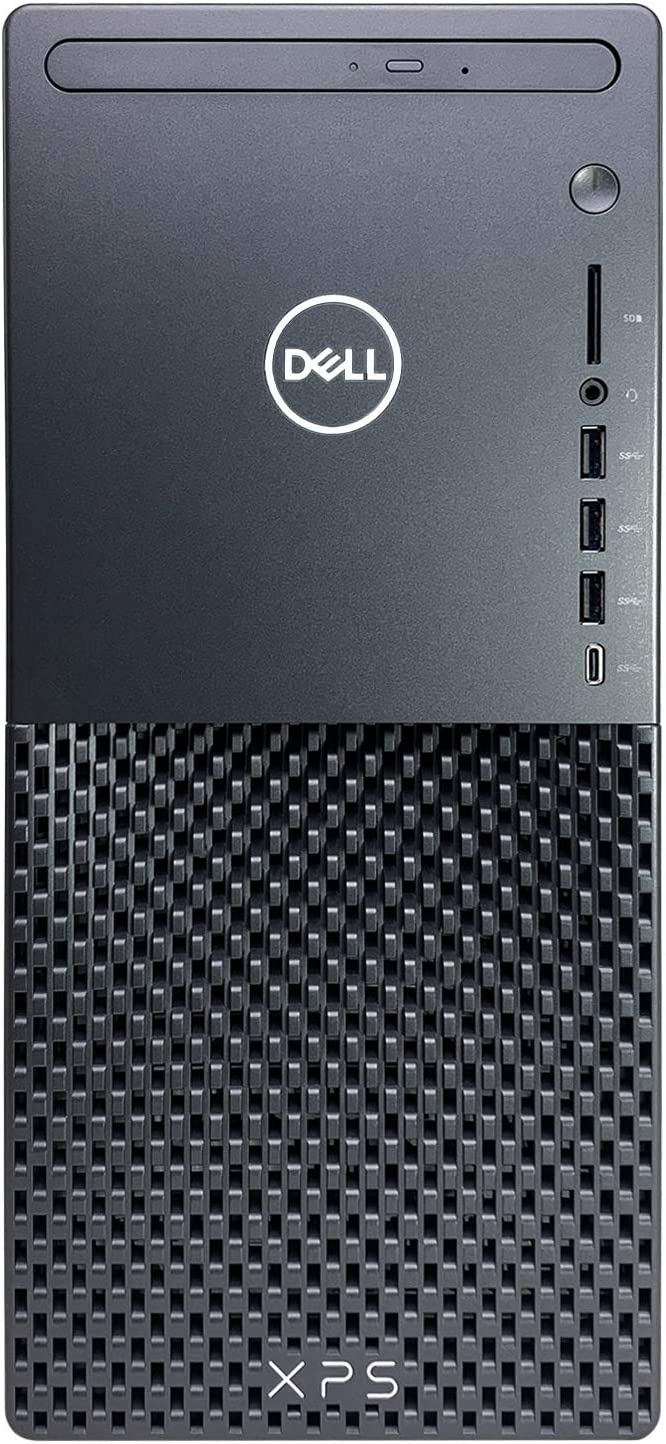
Dell's feature set is heavily oriented toward ease of deployment, enterprise manageability, and simplified automated maintenance. Dell desktops frequently come loaded with proprietary tools such as Dell SupportAssist and Dell Command Suite, which simplify BIOS flashing, driver updates, and hardware diagnostics for non-technical users. On premium lines like Alienware, Dell introduces features such as the Alienware Command Center for advanced RGB lighting synchronization, acoustic management, and thermal profile switching. Additionally, Dell systems often include practical external connectivity such as integrated SD card readers and diverse legacy I/O configurations that cater well to everyday productivity, office workflows, and home users seeking minimal technical friction.
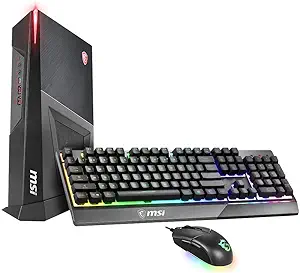
MSI’s ecosystem shines through its integration of hardware-level features designed for peak system customization and enthusiast utility. Operating predominantly within the MSI Center ecosystem, their desktops provide deep granular control over fan curves, advanced hardware telemetry, GPU overclocking through tools like MSI Afterburner, and unified Mystic Light illumination across components. Crucially, MSI motherboards feature comprehensive UEFI BIOS interfaces that grant users complete access to memory overclocking (XMP/EXPO profiles), thermal threshold management, and CPU voltage regulation. Unlike Dell’s locked-down or stripped-down firmware setups, MSI prioritizes transparent, unrestricted hardware control, pairing modern connectivity like PCIe 5.0 lanes, high-speed 2.5GbE networking, and front-panel USB-C configurations.
Performance
Performance delivery in Dell machines reveals a marked contrast depending on the specific product tier and its chassis engineering. While Dell utilizes top-tier Silicon from Intel, AMD, and NVIDIA, thermal dissipation within standard Inspiron, XPS, and even older Alienware Aurora chassis has historically been a bottleneck, leading to thermal throttling under sustained multi-threaded workloads or extended gaming sessions. While Dell has addressed some of these concerns in modern iterations with liquid-cooled Alienware redesigns and improved intake pathways, their compact interiors and specialized blower or axial fan combinations often run hotter and noticeably louder under high load compared to bespoke gaming rigs, compromising raw sustained clock speeds.
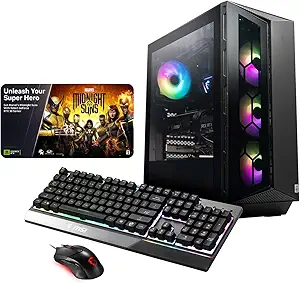
MSI consistently delivers higher sustained performance thanks to thermal architectures directly derived from the custom PC building space. By deploying standard ATX and micro-ATX layouts paired with high-airflow mesh panels, large dual- or triple-fan graphics cards, and robust 240mm or 360mm all-in-one liquid CPU coolers, MSI systems maintain significantly lower operating temperatures. This thermal headroom enables processors and graphics cards to boost higher and sustain their peak boost frequencies over hours of intensive rendering or heavy gameplay. For users seeking the absolute maximum performance per watt without dealing with acoustic whines or thermal downclocking, MSI exhibits a definitive engineering advantage over Dell’s tighter form factors.
Design
Dell’s design language is split between refined, minimalist corporate aesthetics and the unapologetically aggressive, sci-fi styling of Alienware. The XPS and Inspiron desktop series exhibit clean lines, muted metallic or dark finishes, and compact physical footprints that blend effortlessly into professional office environments or contemporary home setups. Alienware, on the other hand, embraces futuristic, sculptural chassis designs featuring organic curves, specialized exhaust vents, and complex internal swing-out power supply brackets. While visually distinctive, Dell’s designs are notoriously challenging to service, featuring dense internal packing, custom PCB form factors, and non-standard front-panel headers that deter do-it-yourself modifications.
In contrast, MSI’s desktop design philosophy mirrors the clean, functional aesthetics of the custom desktop market. Utilizing standard chassis with tempered glass side panels, brushed aluminum accents, and dedicated airflow channels, MSI cases showcase internal components illuminated by subtle or vibrant ARGB lighting. From a structural standpoint, MSI prioritizes serviceability: internal cable management channels are accessible, drive bays use tool-less or standard screw mountings, and the interior volume offers ample clearance for swapping graphics cards, upgrading CPU coolers, or adding additional storage drives. This transparent, accessible design language speaks to consumers who value clean aesthetics without sacrificing the freedom of long-term maintainability.