








Asus vs Skytech: Overview
Comparing Asus and Skytech helps you determine which brand is best suited for your needs in Prebuilt PC. Both brands offer strong choices depending on your budget and key feature requirements.
Key Features & Comparison
Evaluate factors such as build quality, warranty, customer satisfaction, and total value before making your final purchase choice between Asus and Skytech.
Features
In terms of software integration and proprietary utility, Asus holds a decisive advantage over Skytech. Asus prebuilt desktops are engineered around the company's mature software stack, prominently featuring the Armoury Crate utility. This hub centralizes system telemetrics, manual fan curve calibration, dynamic hardware monitoring, and comprehensive Aura Sync addressable RGB illumination. Furthermore, Asus systems often feature exclusive motherboard-level enhancements such as AI Overclocking, AI Noise-Canceling microphones, and robust two-way AI cooling algorithms that dynamically adjust chassis ventilation based on real-time acoustic thresholds and thermal loads.
Skytech takes an austere, enthusiast-friendly approach to features by offering minimal bloatware and a cleaner out-of-the-box Windows experience. Because their configurations rely on an assortment of standardized third-party motherboards, lighting controllers, and cooling setups, peripheral lighting is typically managed either through physical case buttons or varying vendor utilities like Mystic Light or RGB Fusion rather than a singular unified ecosystem. Where Skytech triumphs, however, is its commitment to universal standard interfaces; their systems feature unrestricted ATX power supplies, standard 24-pin power connectors, and non-proprietary motherboard headers. While Asus provides a frictionless, feature-dense unified software suite, Skytech guarantees the feature of total modular independence and plug-and-play component compatibility.
Performance
Performance benchmarks between Asus and Skytech depend heavily on tier positioning, but their thermal approaches highlight key differences. Asus utilizes custom silicon validation and robust multi-phase VRM delivery drawn from its ROG and TUF component divisions, allowing high-end configurations to sustain aggressive factory overclocks and high boost clocks under sustained workloads. However, lower-tier or entry-level Asus systems have occasionally suffered from restrictive chassis airflow and modest single-fan radiator solutions, leading to higher junction temperatures and thermal throttling under dense multi-threaded tasks compared to high-airflow alternatives.
Skytech consistently emphasizes thermal headroom by outfitting their desktop cases—such as the Chronos, Prism, and Archangel series—with high-airflow mesh front panels, multiple pre-installed intake fans, and standardized all-in-one (AIO) liquid coolers. Because their system architecture closely adheres to modern DIY cooling principles, Skytech rigs regularly deliver exceptionally low ambient temperatures and sustained boost clocks during marathon gaming sessions. While an enthusiast-tier Asus machine may edge out slightly higher burst clock speeds due to finely tuned proprietary BIOS optimizations, Skytech often matches or exceeds sustained thermal performance at a lower price point thanks to superior raw chassis ventilation.
Design
The industrial design of Asus prebuilts is singular, sophisticated, and undeniably premium. Units like the ROG Strix G16CH or the flagship Hyperion-inspired designs exhibit an aggressive, cyberpunk-forward aesthetic complete with integrated carrying handles, magnetic headset hooks, structural structural origami bracing, and internal EMI shielding. The fit and finish are exceptional, characterized by tight manufacturing tolerances, bespoke plastic paneling, and custom light pipes that create a cohesive, branded centerpiece. However, this tailored industrial shell frequently relies on cramped internal layouts, custom metal brackets, and non-standard front I/O cabling that can make cable re-routing and internal maintenance frustratingly difficult.
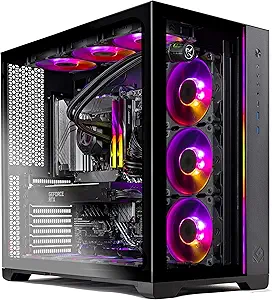
Skytech diverges toward contemporary custom-PC aesthetics, employing standard tempered-glass showcases, panoramic twin-chamber enclosures, and clean geometric lines that emulate the modern custom water-cooling scene. Cable management within Skytech systems is handled manually by assembly technicians, typically utilizing standard zip ties and Velcro straps within spacious PSU shrouds rather than tailored internal routing channels. While Skytech machines may lack the unique, sculpted personality and distinctive high-tech detailing of an Asus chassis, their conventional layout provides generous clearance for larger triple-fan GPUs, accessible motherboard expansion slots, and effortless routine dust filtration maintenance.
Compare current retail pricing, active promotions, and verified stock availability directly from authorized stores: