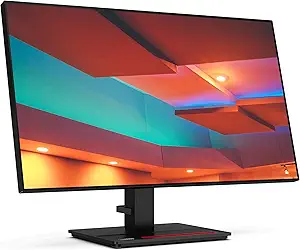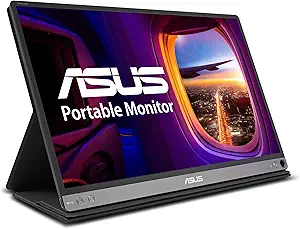







Lenovo vs Asus: Overview & Brand Philosophy
When shopping for computer monitors, both Lenovo and Asus consistently rank among the most recognizable and versatile names on the market. However, their foundational design philosophies diverge significantly, shaped by their primary consumer ecosystems. Lenovo approaches the display sector with an enterprise-first mindset. Drawing heavily from the heritage of its legendary ThinkPad and ThinkCentre ecosystems, Lenovo prioritizes ergonomic utility, functional minimalist design, workspace integration, and color consistency. Their display lines—most notably ThinkVision for commercial enterprises and Legion for gamers—focus on enhancing productivity, eye comfort, and long-term deployment reliability.
Conversely, Asus is fundamentally an innovation-driven, enthusiast-centric brand. Originating as a motherboard manufacturer, Asus has earned its reputation through bleeding-edge performance, aggressive design, and feature-rich peripherals. In the monitor market, Asus dominates high-refresh-rate gaming with its Republic of Gamers (ROG) and TUF Gaming lineups, while catering aggressively to digital creatives via its ProArt series. Asus is rarely content with purely utilitarian designs; the brand frequently pioneers technological frontiers, including early adoptions of ultra-fast OLED panels, extreme refresh rates exceeding 500Hz, and factory-calibrated creative displays with integrated hardware calibration tools.
Understanding this conceptual division is crucial: Lenovo crafts utilitarian workhorses aimed at seamless connectivity, business operations, and dependable gaming, while Asus focuses on technical showstoppers, pushing the boundaries of frame rates, color spaces, and gaming immersion. Both methodologies yield excellent products, but they cater to distinct operational requirements and aesthetic expectations.
Key Differences & Technological Comparison
The technical differences between Lenovo and Asus displays reveal themselves in panel procurement, onboard processing features, build aesthetics, and connectivity ecosystems.
Panel Technology & Gaming Hardware: Asus is widely regarded as a market pacesetter for gaming-focused displays. Its ROG sub-brand routinely implements the latest QD-OLED and Fast-IPS panels, coupled with proprietary technologies like Extreme Low Motion Blur Sync (ELMB-Sync), which allows backlight strobing and variable refresh rates to operate simultaneously. Lenovo's Legion monitors are exceptionally competent, offering balanced response times, high refresh rates, and FreeSync/G-Sync compatibility, but they generally lean toward cost-effective performance rather than chasing bleeding-edge enthusiast milestones.
Workplace & Creative Integration: For productivity, Lenovo's ThinkVision lineup excels in docking capabilities. Lenovo frequently integrates comprehensive USB-C single-cable solutions featuring high-wattage Power Delivery (up to 100W), daisy-chaining DisplayPort-Out capabilities, and integrated RJ45 Ethernet jacks directly into the monitor chassis, essentially turning the display into a full desktop dock. Asus counters in the creative sector with its ProArt range, which focuses less on corporate fleet management and more on chromatic precision, offering Calman Verified certifications, extensive 3D LUT controls, and broad DCI-P3/Rec. 709 color spectrum coverage.
Industrial Design & Ergonomics: Lenovo displays embody a clean, restrained visual identity. Featuring slim bezels, matte finishes, integrated phone-holder stands, and exceptional multi-directional ergonomics (pivot, swivel, tilt, and generous height adjustments), Lenovo displays blend effortlessly into corporate and home office environments. Asus adopts a bifurcated design strategy: ProArt monitors are sleek, professional, and utilitarian, while ROG and TUF monitors lean into aggressive gamer aesthetics, often incorporating sharp geometric angles, customizable Aura Sync RGB lighting, and larger desktop footprints.
Pros & Cons Comparison
Lenovo Monitors
- Pro: Superior USB-C docking infrastructure with high-wattage power delivery and integrated Ethernet, ideal for clutter-free laptop setups.
- Pro: Understated, enterprise-ready aesthetics and exceptional multi-axis ergonomic stands across almost all price tiers.
- Pro: High value-to-cost ratio in entry-level and mid-range productivity displays.
- Pro: Reliable enterprise software management tools (Lenovo Display Control Center / ThinkColour).
- Con: Conservative product line with fewer extreme enthusiast displays (e.g., ultra-high refresh rates or custom heatsink OLEDs).
- Con: On-Screen Display (OSD) menus can feel utilitarian and less intuitive compared to competitor joystick interfaces.
Asus Monitors
- Pro: Industry-leading gaming performance, offering pioneering refresh rates, ultra-low input lag, and advanced motion-blur mitigation (ELMB).
- Pro: ProArt lineup provides exceptional factory calibration and broad color space coverage for professional creators at competitive prices.
- Pro: Highly responsive, joystick-controlled OSD navigation with robust software suites (DisplayWidget).
- Pro: Extensive variety ranging from ultra-budget monitors to halo-tier, ultra-premium gaming displays.
- Con: ROG gaming monitors often carry a heavy brand premium and feature aggressive designs unsuitable for professional office setups.
- Con: Ergonomic stand footprints on gaming models can be excessively deep, consuming significant desk space.
Performance, Durability & Value Analysis
From a longevity and reliability perspective, both brands exhibit solid build quality, but their strengths emerge in different applications. Lenovo displays benefit from enterprise manufacturing standards, resulting in exceptionally durable housing plastics, rigid internal power supplies, and consistent thermal dissipation. It is common for ThinkVision monitors to operate continuously for years in commercial environments without panel degradation, backlight bleed escalation, or port failure. Lenovo also provides exceptional corporate support pipelines, with standard three-year warranties accompanying most ThinkVision and higher-tier Legion products, making them a remarkably safe investment for prolonged, multi-year daily use.
Asus delivers exceptional value across polar ends of the consumer spectrum. Their entry-level Eye Care and TUF gaming series deliver performance metrics that frequently undercut competitors while maintaining solid panel integrity. At the premium tier, Asus models incorporate custom cooling solutions, thermal pads, and graphene panels on high-end OLEDs to actively counter burn-in and retain longevity under extreme gaming sessions. However, quality control on consumer gaming panels (such as IPS glow variance or dead sub-pixels) can occasionally fluctuate due to aggressive panel tuning. Overall, Lenovo wins on day-in, day-out reliability and corporate cost efficiency, while Asus offers unmatched performance value per dollar for gamers, enthusiasts, and specialized content creators.
Final Verdict: Which Brand Should You Choose?
Selecting between Lenovo and Asus ultimately hinges on your primary use case, desktop aesthetic preferences, and performance demands:
Choose Lenovo if: You are seeking the ultimate productivity display or work-from-home centerpiece. If you utilize a modern laptop and desire a single-cable docking solution with power delivery and network connectivity, Lenovo’s ThinkVision series is tough to beat. Lenovo is also the clear choice for users who want understated design, robust construction, and functional desk ergonomics without paying for flashy gamer aesthetics or software features they will never deploy.
Choose Asus if: Gaming, competitive esports, or visual digital arts are your top priorities. If your display requirements involve sub-1ms response times, 144Hz to 540Hz refresh rates, advanced motion blur reduction, or high-tier HDR and OLED technologies, Asus ROG and TUF lines lead the industry. Similarly, if you are a graphic designer, colorist, or video editor on a budget who demands verified factory color accuracy, Asus ProArt remains one of the most capable and accessible creative display lineups available today.
Affordability
When evaluating affordability in the monitor space, Lenovo and Asus approach value engineering through distinct manufacturing and market philosophies. Lenovo establishes an aggressive value proposition, particularly in the entry-level to mid-range productivity and budget gaming segments through its ThinkVision, L-series, and Legion lineups. By leveraging massive enterprise supply-chain efficiencies, Lenovo frequently delivers superior baseline physical engineering at sub-$200 and sub-$300 price points. Their budget offerings often include fully ergonomic stands—featuring height, tilt, swivel, and pivot adjustments—and robust, business-grade chassis materials that competitors reserve for premium tiers. The trade-off for Lenovo's structural reliability at lower costs, however, lies in display performance conservative tuning; low-cost models occasionally lag in advanced color gamut coverage, factory color calibration accuracy, and maximum HDR peak brightness compared to aggressively spec'd competitors.
Conversely, Asus structures its affordability around feature density and technical versatility, largely driven by its high-volume TUF Gaming and ProArt "PA" entry models. Where an identically priced Lenovo monitor prioritizes corporate durability and ergonomic stand mechanics, an Asus display typically redirects manufacturing costs into panel performance metrics, yielding higher refresh rates (often pushing 165Hz to 180Hz over Lenovo’s standard 100Hz to 144Hz at the budget ceiling), lower gray-to-gray response times with proprietary ELMB (Extreme Low Motion Blur) sync, and broader color space coverage. However, the compromise Asus makes to hit these competitive price tags is apparent in secondary hardware; budget Asus monitors frequently utilize tilt-only, lightweight plastic stands with wider physical footprints, and chassis finishes that feel utilitarian. Furthermore, Asus’s sheer volume of overlapping model variations can make price-to-performance optimization confusing for average consumers navigating minor SKU iterations.
Ultimately, determining the more cost-effective brand depends on what functionality represents "value" to the end user. Lenovo claims the advantage for pure total cost of ownership in office, productivity, and general computing environments, as buyers rarely need to purchase aftermarket VESA monitor arms or external USB hubs to achieve a comfortable workspace. Asus wins on raw performance-per-dollar for budget-conscious gamers, streamers, and entry-level digital creatives who demand maximum frame rates, specialized on-screen display (OSD) toolsets, and wide panel gamuts at aggressive price-to-spec ratios, even if it requires tolerating flimsier external build quality.
Customer Support & Warranty
When evaluating the post-purchase experience and long-term reliability of monitors, Lenovo and Asus approach customer support and warranty coverage with distinctly different engineering and market philosophies. Lenovo leans heavily on its enterprise pedigree, offering a standardized, highly structured three-year limited warranty across most of its mainstream and ThinkVision commercial displays. The engineering quality of ThinkVision monitors translates into robust internal component sourcing, resulting in lower failure rates out of the box. From a support perspective, Lenovo excels in corporate logistics; their tier-one business support is prompt, ticketing systems are tightly integrated, and options for advanced hardware replacement (where a replacement unit is dispatched before the defective one is returned) are readily available. However, for everyday consumers buying entry-level or Legion-branded gaming monitors, accessing localized, rapid-response live support can sometimes be mired in convoluted automated phone trees and regional depot-repair bottlenecks.
Conversely, Asus provides a more feature-rich but occasionally turbulent warranty framework tailored specifically to creative professionals and high-performance gamers. Most mid-tier to premium Asus displays—including the enthusiast ROG, TUF Gaming, and ProArt series—carry a competitive three-year warranty that frequently incorporates Asus Rapid Replacement (cross-shipping) and specialized Zero Bright Dot (ZBD) guarantees for high-end panels. This technical coverage is superior for color-critical users who cannot tolerate micro-defects or dead pixels. Despite these consumer-friendly clauses on paper, Asus’s practical support execution has faced scrutiny regarding consistency; return merchandise authorization (RMA) processing times can be erratic, and consumers sometimes report pushback on cosmetic versus functional damage during panel assessments.
Ultimately, the trade-off centers on corporate predictability versus niche policy advantages. Lenovo represents a lower-risk choice for users prioritizing streamlined, predictable logistics, rigorous baseline build consistency, and direct enterprise-level hardware servicing. Asus offers technically superior warranty covenants—such as dead-pixel tolerances and dedicated cross-shipping programs tailored to the ProArt and ROG lines—which provide immense value to power users, provided they are willing to navigate a customer service apparatus that can occasionally be bureaucratic during contentious repair disputes.
Picture Quality
When evaluating picture quality, Asus generally holds an engineering advantage due to its aggressive innovation and targeted panel calibration across distinct user segments. Through its specialized sub-brands—ROG for gaming and ProArt for content creation—Asus demonstrates superior technical depth. ProArt displays are industry-renowned for factory-calibrated color accuracy, boasting Delta E < 1 or < 2 ratings, extensive hardware-based LUTs (Look-Up Tables), and expansive coverage of wide color gamuts such as DCI-P3 and Adobe RGB. In the premium gaming tier, Asus pushes boundaries with cutting-edge OLED and Mini-LED deployments that deliver infinite contrast ratios, class-leading peak HDR brightness, and advanced heat-dissipation techniques that mitigate burn-in and maintain sustained luminosity. The trade-off, however, lies in Asus’s aggressive processing; out-of-the-box settings on their consumer and budget gaming lines often feature oversaturated color profiles and overt post-processing sharpness that require manual calibration to look natural.
Lenovo approaches picture quality with a focus on functional realism, ergonomic comfort, and corporate-grade consistency, predominantly embodied by its ThinkVision and Legion monitor lineups. ThinkVision monitors excel in delivering uniform, flicker-free IPS panels with exceptional out-of-the-box gray-scale tracking, anti-glare coatings that preserve visibility under harsh office lighting, and natural, unembellished sRGB fidelity. While Lenovo’s Legion gaming panels offer commendable contrast, rapid response times, and minimal motion blur, the brand historically lags behind Asus in the adoption of state-of-the-art HDR hardware. Many mainstream Lenovo monitors settle for entry-level VESA DisplayHDR 400 certifications, which rely on edge-lit dimming and lack the dynamic range, deep black levels, and specular highlight precision found in Asus’s full-array local dimming (FALD) or OLED offerings. Consequently, while Lenovo provides a fatigue-free and uniform visual baseline, it sacrifices the visual punch and dynamic range that high-end users demand.
Ultimately, the choice in picture quality hinges on the visual performance thresholds required by the user. Asus is the superior choice for creative professionals who demand uncompromising color science and deep HDR mastering capabilities, as well as high-end gamers seeking the visual zenith of contrast, color volume, and speed. Conversely, Lenovo represents the pragmatic choice for enterprise environments, programming, and general productivity, where pixel-perfect contrast and hyper-vibrant color gamuts are secondary to panel uniformity, robust anti-reflective treatments, and reliable, lifelike color reproduction that minimizes eye strain over prolonged usage sessions.
Build Quality & Durability
When evaluating engineering quality and structural integrity, Lenovo and Asus approach monitor construction with distinct design philosophies tailored to their core demographics. Lenovo leans heavily into utilitarian enterprise engineering, particularly within its flagship ThinkVision lineup. These displays mirror the rugged, functional DNA of the ThinkPad family, employing rigid, reinforced matte plastics, thick chassis walls, and an internal steel-frame skeleton that resists flex and panel warping. Lenovo’s mounting systems and multi-pivot ergonomic stands are among the most robust in the industry, featuring tight-tolerance zinc or aluminum alloy hinges that provide smooth tilt, swivel, and height adjustments without loosening over years of daily adjustment. In contrast, Asus demonstrates a bifurcated manufacturing approach. Its premium gaming lines (ROG Swift/Strix) and professional creative tier (ProArt) exhibit world-class craftsmanship with heavy die-cast metal stands, integrated cable routing channels, and machined metal accents. However, Asus’s mainstream gaming (TUF Gaming) and budget consumer models (Eye Care and ZenScreen) utilize thinner, more flexible polycarbonate shells that occasionally exhibit creaking under torsion, trading structural density for aggressive, gamer-centric aesthetics or lower curb weight.
In terms of component durability, thermal dissipation, and long-term reliability, both brands offer substantial technical strengths offset by specific practical trade-offs. Asus holds an advantage in thermal management engineering for high-stress scenarios; its top-tier ROG and ProArt displays often incorporate custom heatsinks and sophisticated internal ventilation pathways—sometimes even silent fans—to mitigate heat buildup that degrades panel life and accelerates OLED burn-in or backlight degradation. Asus also leads in portable monitor durability, utilizing magnetic smart covers and scratch-resistant finishes on its ZenScreen series. Conversely, Lenovo prioritizes industrial-grade component endurance across its standard catalog. Lenovo panels frequently pass stringent environmental testing (such as extended humidity, thermal shock, and drop tests), and their power supply units (PSUs) are built with high-grade capacitors designed to withstand continuous 24/7 commercial operation. While Asus monitors occasionally draw consumer scrutiny regarding panel uniformity variance and micro-switch button wear over multi-year cycles on their mid-tier lines, Lenovo’s minimalist internal electronics yield exceptionally low failure rates.
Ultimately, the choice between Lenovo and Asus regarding build quality hinges on whether a user values enterprise-grade ruggedness or performance-driven, high-specification engineering. Lenovo delivers exceptional manufacturing consistency across all price segments, offering heavy-duty, wobble-free stands and scratch-resistant, glare-reducing casings that make them practically indestructible workhorses for office, development, and standard productivity environments. Asus, on the other hand, offers a higher ceiling of luxury craftsmanship and advanced thermal safeguards at the enthusiast tier with its ROG and ProArt products, delivering bespoke materials that look and feel cutting-edge. However, Asus demands more scrutiny at the mid-to-budget range, where its build quality exhibits notable cost-cutting compared to Lenovo’s uniform standard of structural resilience.