






In the ever-evolving landscape of monitor technology, Samsung and Lenovo emerge as formidable contenders, each offering a diverse range of displays tailored to meet the demands of modern users. From vibrant visual experiences to ergonomic designs, these brands strive to carve their niche in the market. In this comparative analysis, we delve into the key features, performance metrics, and user experiences provided by Samsung monitors and Lenovo monitors, aiding consumers in navigating the sea of choices.
Key Features Comparison
Size
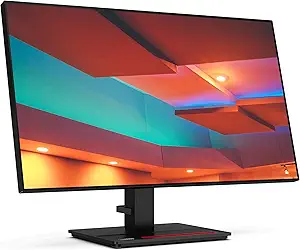
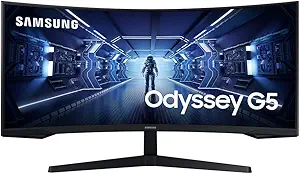
When it comes to the aspect of size, both Samsung and Lenovo monitors offer a wide range of options to cater to different user needs. Samsung monitors range from compact 24-inch screens perfect for small desks and tight spaces, to large 49-inch ultra-wide screens designed for immersive gaming and professional use. Samsung’s latest Odyssey G9 model, for example, boasts a massive 49-inch screen with a 32:9 aspect ratio, offering an unparalleled viewing experience. However, this size might be overwhelming for some users and may require a larger desk space. On the other hand, Lenovo monitors also offer a variety of sizes, ranging from 19.5 inches to 27 inches. Their latest model, the Lenovo ThinkVision T27h-20, offers a 27-inch screen with a 16:9 aspect ratio, which is ideal for multitasking and general use. While Lenovo does not offer ultra-wide or large screen options like Samsung, their monitors are more suited for users who prefer a more standard size monitor that can fit comfortably in most workspaces. The smaller sizes of Lenovo monitors make them more portable and convenient for smaller workspaces, but they may not provide the same level of immersion as larger Samsung monitors.
Response Time
Samsung monitors are known for their low response times, particularly in their gaming-focused models. For instance, the Samsung Odyssey G7 boasts a 1ms response time, which is currently the fastest available in the market. This quick response time allows for smooth, lag-free gaming and video playback, making it a favorite among gamers and professionals alike. Samsung also uses Quantum Dot technology in their monitors which, while not directly affecting response time, does enhance the overall visual experience by providing more vibrant colors and sharper contrasts. On the other hand, Lenovo monitors, while offering competitive response times, tend to focus more on providing a balanced performance. The Lenovo Legion Y27gq-20, for example, offers a response time of 0.5ms, which is faster than Samsung's offering. However, some users have reported ghosting issues at such low response times, which can affect the overall visual experience. Lenovo monitors also come with ThinkColor technology, which provides professional-grade color accuracy and consistency. While Lenovo's response times are impressive, the brand is more known for its reliability and balanced performance rather than pushing the limits in any one particular aspect.
Panel Type
Samsung monitors typically utilize VA (Vertical Alignment) and IPS (In-Plane Switching) panel types. Samsung's VA panels are known for their superior contrast ratios and color accuracy, which make them ideal for multimedia use and gaming. They also have Quantum Dot technology, which enhances color accuracy even further. However, the viewing angles are not as wide as those of IPS panels, which might be a drawback for some users. On the other hand, Samsung's IPS panels offer wide viewing angles and consistent, accurate colors, but their contrast ratios are not as high as those of VA panels. Lenovo monitors, on the other hand, predominantly use IPS and TN (Twisted Nematic) panels. Lenovo's IPS panels are renowned for their wide viewing angles and excellent color accuracy, making them ideal for professional graphic design and video editing. However, they don't offer the same high contrast ratios as VA panels, which can make dark scenes in videos or games appear washed out. Lenovo's TN panels offer fast response times, which is beneficial for gaming, but they suffer from poor viewing angles and color reproduction. Compared to Samsung, Lenovo doesn't have a proprietary technology like Quantum Dot to enhance color accuracy. However, some of their high-end monitors feature color calibration tools for professional use.
Related Video
Conclusion
Samsung and Lenovo are two leading brands that offer a wide range of monitors with varying features and technologies. Samsung monitors are known for their superior display quality, featuring Quantum Dot technology that offers a wider range of colors and sharper contrasts. They are also equipped with the latest HDR10+ technology for a more immersive viewing experience. On the downside, Samsung monitors are generally more expensive, which may not appeal to budget-conscious consumers. On the other hand, Lenovo monitors are praised for their excellent build quality and ergonomic design. They offer a good balance between performance and price, making them a popular choice for both home and office use. Lenovo monitors also come with innovative features such as the ThinkVision technology, which reduces blue light emission to minimize eye strain. However, they may not match the superior display quality of Samsung monitors. Compared to other brands, both Samsung and Lenovo monitors offer competitive features and technologies, but the choice between the two would largely depend on the specific needs and budget of the user.