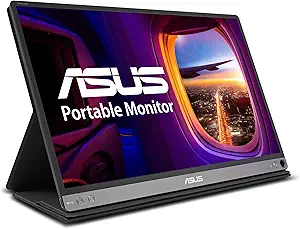






HP vs Asus: Overview & Brand Philosophy
When selecting a desktop monitor, the market presents two formidable titans whose philosophies diverge significantly: Hewlett-Packard (HP) and ASUSTeK Computer Inc. (Asus). HP approaches the display market from a foundation built upon enterprise reliability, minimalist aesthetics, and functional workspace utility. Historically a leader in enterprise computing, HP’s display lineup reflects an emphasis on seamless office integration, ergonomic adjustability, and cost-effective productivity. Their portfolio—spanning budget-friendly V-series and M-series panels up to the commercial-grade EliteDisplay and premium HP Envy and Z-lines—caters heavily to professionals, remote workers, and standard everyday users who prioritize dependability and clean desk aesthetics.
Conversely, Asus embraces a philosophy rooted in bleeding-edge technological performance, aggressive innovation, and specialized segmentation. As a hardware manufacturer with deep roots in component engineering, Asus has established dominant sub-brands that directly target niche demographics. Through their Republic of Gamers (ROG) and TUF Gaming lines, Asus continually pushes the boundaries of refresh rates, response times, and panel overclocks. Concurrently, their ProArt series serves as an industry benchmark for content creators, photographers, and video editors demanding calibrated color accuracy. Where HP leans into holistic, quiet workspace utility, Asus thrives on high-performance specifications and enthusiast-grade engineering.
Key Differences & Technological Comparison
The technical divergence between HP and Asus becomes evident when examining their respective approaches to panel engineering, feature sets, and target software integration:
- Gaming Performance and Panel Speed: Asus is widely recognized as an industry pioneer in high-refresh-rate and low-latency displays. With their ROG Swift and TUF series, Asus routinely delivers panels offering up to 360Hz and 540Hz, paired with proprietary motion-blur reduction technology like ELMB Sync (Extreme Low Motion Blur). While HP possesses a dedicated gaming line in OMEN and HyperX, HP’s offerings tend to focus on mainstream gamer demographics (typically 144Hz to 240Hz) with clean, subdued chassis designs rather than extreme esports-grade overclocks.
- Color Fidelity and Creative Workflows: In the creative sector, the Asus ProArt lineup offers hardware-level color calibration, extensive coverage of Rec. 709, DCI-P3, and Adobe RGB color spaces, alongside pre-calibrated Delta E < 2 or < 1 ratings out of the box. HP counters primarily with its Z-Displays, which deliver outstanding factory calibration, uniform color matrices, and robust color space mapping tailored for enterprise architects and designers, though often at enterprise contract price points rather than direct retail accessibility.
- Industrial Design and Ergonomics: HP monitors typically champion ultra-thin bezels, low-profile bases, and integrated cable management systems suited for corporate cubicles and minimalist home offices. Asus balances its aesthetics depending on the segment: ProArt panels emphasize practical, heavy-duty stands with precise ruler markings and full pivot axes, whereas ROG monitors feature angular, gamer-centric styling with integrated RGB lighting and tripod-style footprints that occupy significantly more desk space.
- Connectivity and Docking Capabilities: HP excels in hybrid-work hub monitors. Many HP business monitors integrate built-in USB-C docking hubs providing RJ-45 Ethernet, audio pass-through, daisy-chaining DisplayPort functionality, and high-wattage power delivery (up to 100W) designed to turn a single laptop connection into a complete workstation. Asus offers USB-C options predominantly on ProArt and high-end gaming displays, but HP generally integrates broad hub connectivity across a wider range of mid-tier office monitors.
Pros & Cons Comparison
HP Monitors
- Pros:
- Exceptional minimalist, modern designs that fit seamlessly into modern office environments.
- Class-leading USB-C hub integration and power delivery features on mainstream business models.
- Reliable build quality with energy-efficient panels (EPEAT and ENERGY STAR certifications).
- Competitive pricing on entry-level and everyday productivity displays.
- Cons:
- Limited options for high-end esports competitive gaming compared to specialized brands.
- On-screen display (OSD) interfaces can feel basic and lack deep technical customization.
- Stand adjustability is often restricted (tilt-only) on lower-to-mid-tier consumer lines.
Asus Monitors
- Pros:
- Pioneering high-refresh, low-response-time panel tech across ROG and TUF gaming tiers.
- ProArt series delivers professional-grade color accuracy at disruptive price points.
- Feature-rich On-Screen Display (OSD) controls, including hardware overlays and calibration profiles.
- Highly adjustable ergonomic stands standard on most gaming and creative displays.
- Cons:
- Aggressive gaming styling on certain models may look out of place in professional settings.
- Product lineup can be complex and confusing, with numerous overlapping model variants.
- Premium models (ROG Swift, Mini-LED) carry substantial price premiums over competitors.
Performance, Durability & Value Analysis
From an operational standpoint, long-term durability and quality control are critical parameters for both brands. HP benefits from decades of corporate procurement demands; their monitors undergo rigorous thermal and duty-cycle testing designed for continuous 8-to-12-hour workdays. Component failure rates in HP’s enterprise panels are remarkably low, and their backlighting systems exhibit sustained longevity without noticeable chromatic drift over years of office deployment. However, HP’s budget consumer tiers occasionally utilize lighter plastics that can feel less sturdy under heavy repositioning, though panel reliability remains steady.
Asus demonstrates exceptional engineering durability, particularly in heat dissipation for overdriven gaming panels and color-critical displays that utilize advanced backlights like Mini-LED or high-output quantum dots. The brand’s investment in premium internal components ensures sustained performance under intense workloads. In terms of sheer value, Asus often provides higher technological capability per dollar spent for gamers and creators, while HP maintains superior value in the sub-$250 general productivity and hybrid-docking sectors. Both brands back their mid-to-high-end displays with robust 3-year limited warranties, though Asus typically offers specialized pixel-defect warranties on their ProArt displays, offering additional reassurance for professionals.
Final Verdict: Which Brand Should You Choose?
Your choice between HP and Asus ultimately depends on your primary computing use case, aesthetic preferences, and performance demands:
Choose HP if: You are outfitting an office, setting up a streamlined remote-work station, or need an understated, visually elegant monitor that prioritizes productivity. If your routine revolves around spreadsheets, document workflows, enterprise tasks, and casual media consumption, HP’s M-Series or business-oriented E/Z-series will deliver superior workspace integration, dependable build quality, and effortless USB-C docking functionality without unnecessary gaming markups.
Choose Asus if: Your display needs revolve around high-performance gaming, visual arts, or content creation. Esports competitors and enthusiast gamers will find superior refresh rates, motion clarity, and adaptive sync implementations in the Asus ROG and TUF lineups. Similarly, photographers, graphic designers, and video editors should bypass general-purpose monitors entirely in favor of the factory-calibrated, color-accurate Asus ProArt series, which delivers unmatched color science and adjustability in its class.
Affordability
When evaluating affordability in the monitor space, HP positions itself as a dominant force in low-cost, high-reliability general computing, whereas Asus delivers a more performance-stratified approach to value. HP’s budget catalog—primarily anchored by its V-Series and M-Series—delivers exceptionally aggressive pricing by focusing on essential office and productivity engineering. These monitors feature clean minimalist aesthetics, thin micro-edge bezels, and reliably calibrated IPS panels that punch well above their price point in terms of everyday contrast and viewing angles. However, HP achieves this rock-bottom pricing through calculated technical compromises: ergonomic adjustability is often restricted to basic tilt mechanisms, peripheral connectivity is frequently limited to legacy HDMI and VGA inputs with no DisplayPort, and refresh rates typically cap out at 75Hz. For students, remote workers, and enterprise bulk buyers seeking the lowest barrier to entry for standard visual workloads, HP represents an unbeatable cost-per-inch proposition.
Asus counters this by redefining affordability through a value-add engineering philosophy, primarily embodied in its Eye Care, ZenScreen, and budget-tier TUF Gaming displays. While an entry-level Asus monitor often commands a slight 10% to 20% price premium over a comparably sized baseline HP, Asus justifies this delta by integrating advanced feature sets that cater to multifaceted usage. Even their wallet-friendly TUF monitors regularly incorporate 144Hz to 165Hz refresh rates, AMD FreeSync Premium support, 1ms response times, and robust, fully articulated stands with height, swivel, and pivot capabilities. Furthermore, Asus leads in proprietary software suites and hardware protections, embedding TÜV Rheinland-certified blue light filters and flicker-free backlights across virtually all price tiers, which significantly mitigates long-term digital eye strain without inflating retail margins.
The definitive trade-off between the two brands centers on strict upfront savings versus performance versatility. Buyers operating under rigid budgetary caps who need dependable, color-accurate screens for web browsing, data entry, and video conferencing will find HP the superior financial choice, as it eliminates non-essential gaming flourishes to preserve consumer capital. Conversely, Asus is the more economical long-term investment for users demanding hybrid utility; by spending marginally more upfront, consumers acquire superior ergonomics, diverse I/O configurations (including modern DisplayPort and increasingly USB-C), and gaming-grade motion clarity that HP simply does not provide within its cheapest product tiers.
Customer Support & Warranty
When evaluating monitor reliability and after-sales service, HP takes a enterprise-first approach that directly benefits commercial and professional users, whereas Asus gears its support structure toward gamers and creative professionals. HP standardly provides a robust 3-year limited warranty across the majority of its business, productivity, and higher-end consumer displays, frequently including advanced exchange services where a replacement panel is dispatched before the defective unit is returned. This infrastructure is backed by HP’s expansive global logistics network, resulting in predictable turnaround times and accessible support channels with well-maintained driver and firmware repositories. In contrast, Asus features a bifurcated warranty program: while standard commercial models typically carry a reliable 3-year term, its premium ROG (Republic of Gamers) and ProArt lines include specialized protections, such as color-accuracy guarantees and Zero Bright Dot (ZBD) policies on select SKUs. Furthermore, Asus has increasingly integrated dedicated OLED burn-in coverage on its high-end gaming monitors, reflecting modern technical realities that generalist office brands are slower to officially codify.
Despite these specialized features, the practical trade-offs between the two brands emerge predominantly in consumer service execution and administrative friction. Asus delivers superior enthusiast-level utility through bespoke support tools—such as direct firmware updates via specialized software and active community technical forums—yet it has historically faced criticism regarding the consistency of its RMA (Return Merchandise Authorization) process, where handling can vary from swift replacements to prolonged disputes over minor cosmetic wear or dead pixel thresholds. Conversely, HP offers a more conservative, corporate-grade technical ecosystem with lower bureaucratic overhead for standard panel failures, but its consumer-tier monitors (like the HP V and M-series) often drop to a minimal 1-year warranty that lacks advanced exchange perks. For buyers prioritizing rock-solid commercial uptime and streamlined, hassle-free enterprise replacements, HP maintains an operational edge; however, users investing in cutting-edge OLED or color-critical panels will find Asus's specific performance-targeted warranties and modern display protections more technically attuned to high-stakes computing.
Picture Quality
When evaluating picture quality, Asus generally holds an engineering edge over HP, largely due to its deeply segmented product lines that cater to extreme technical demands. Asus leverages cutting-edge panel technologies across its ProArt and Republic of Gamers (ROG) ecosystems, offering displays that feature true 10-bit color depth, factory-calibrated Delta E < 2 color accuracy, and extensive color space coverage encompassing 100% sRGB and over 95% DCI-P3. In high-performance gaming segments, Asus pairs these rich colors with Mini-LED and cutting-edge QD-OLED panels capable of achieving blinding peak brightness in HDR, deep ink-like black levels, and native contrast ratios that HP's consumer lineup simply cannot match. Asus also excels in technical fine-tuning, providing hardware-level LUT (Look-Up Table) calibration and sophisticated local dimming algorithms that minimize haloing and preserve detail in high-contrast scenes.
HP takes a markedly different approach to picture quality, focusing heavily on mainstream fidelity, panel uniformity, and everyday comfort. Through its OMEN gaming brand, HP offers competitive IPS and recent OLED displays with vibrant color reproduction and respectable refresh rates, while its flagship commercial Z-Displays deliver professional-grade sRGB and AdobeRGB calibration for enterprise workstations. However, the vast majority of HP’s mainstream fleet (such as the M-Series and Pavilion lineups) relies on standard IPS and VA panels geared toward office productivity. While these monitors provide crisp text rendering, wide viewing angles, and effective anti-glare coatings, they typically top out around 300 to 400 nits of brightness and rely on 8-bit (6-bit + FRC) color depth. This makes them prone to noticeable banding in smooth gradients and weak dynamic range in HDR workflows compared to Asus's specialized panels.
Ultimately, the practical trade-off between the two brands centers on application specificity versus casual reliability. Buyers seeking state-of-the-art picture quality for high-end color grading, content creation, or immersive HDR entertainment will find Asus significantly superior due to its investment in OLED, Mini-LED, and rigorous factory color profiling. Conversely, HP excels in delivering "good enough," consistent, and natural-looking visuals without requiring manual calibration out of the box, making it a safer and often more cost-effective choice for general office work, mixed daily use, and basic productivity where extreme contrast ratios and wide color gamuts are secondary considerations.
Build Quality & Durability
In evaluating build quality and engineering integrity, HP and Asus target distinct operational environments, resulting in contrasting construction philosophies. HP primarily excels in enterprise and professional productivity displays, exemplified by its E-Series and high-end Z-Display lines. These monitors prioritize understated, industrial-grade durability characterized by thick, matte-finish plastics, rigid internal metal sub-frames, and robust aluminum baseplates. HP’s engineering emphasizes long-term mechanical reliability; their fully articulating stands offer smooth, wobble-free height, tilt, swivel, and pivot adjustments with zero creaking over years of daily repositioning. Furthermore, HP’s commercial lines undergo rigorous stress testing, including drop, shock, and thermal cycle evaluations, ensuring panel housings resist warping and maintain uniform bezel seams even under continuous enterprise deployment. While HP's budget consumer monitors rely more heavily on lighter polymers, their professional and mid-range tiers offer exceptional structural solidity.
Conversely, Asus adopts a dual-track manufacturing strategy spanning ultra-premium gaming hardware and specialized content-creation displays. Through its Republic of Gamers (ROG) and TUF Gaming lineups, Asus integrates heavy-duty, aggressive chassis designs that frequently feature reinforced die-cast metal armatures, hefty tripod bases, and sophisticated passive cooling solutions engineered to handle the thermal output of high-refresh-rate, factory-overclocked panels. In the professional space, the Asus ProArt series features high-grade, minimalist metallic chassis engineered to resist heat-induced color drift. However, while Asus's top-tier displays are among the most structurally resilient on the market, their budget-to-midrange panels—particularly the entry-level gaming and standard eye-care monitors—often exhibit more hollow-feeling plastics, higher flex along the bezel edges, and stands that transmit noticeable desk vibrations due to less substantial hinge dampening.
Ultimately, the trade-off in build quality and durability hinges on product tier and application. HP delivers higher baseline consistency, tighter manufacturing tolerances, and superior mechanical ergonomics across standard office and mid-tier monitors, making them inherently durable workhorses with fewer point-of-failure issues like hinge loosening or port degradation. Asus, while occasionally cutting structural corners on budget models, provides superior mechanical over-engineering and thermal durability at the enthusiast level, utilizing advanced heatsinks and metal-reinforced joints built to withstand extreme operating conditions. For standard professional longevity and everyday resilience, HP holds a slight advantage, while Asus captures the lead for high-performance durability in demanding gaming and color-critical workflows.