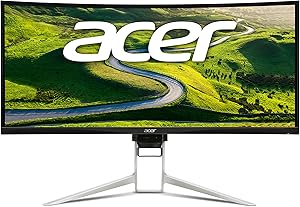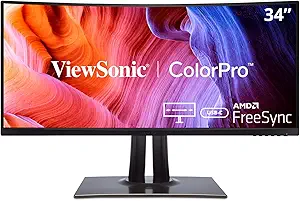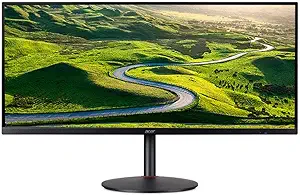








Acer vs ViewSonic: Overview & Brand Philosophy
In the expansive world of display technology, few brands carry as much historical weight and market presence as Acer and ViewSonic. Both manufacturers have spent decades refining visual hardware, yet they approach the consumer and enterprise monitor markets with distinctly different philosophies. Acer, a global computing conglomerate headquartered in Taiwan, leverages its immense vertical integration to push boundaries in gaming performance, high refresh rates, and budget-friendly mass production. Its monitor ecosystem spans everything from entry-level office displays to bleeding-edge, esport-focused panels under its renowned Predator and Nitro sub-brands.
ViewSonic, founded in California and long recognized by its iconic three-finch logo, built its reputation on color fidelity, workplace ergonomics, and commercial reliability. While ViewSonic has successfully entered the gaming arena with its Elite and OMNI lineups, the brand’s core identity remains firmly rooted in professional productivity, enterprise deployment, and creative-grade color accuracy via its ColorPro series. ViewSonic emphasizes panel uniformity, factory calibration, and robust software suites tailored for designers, educators, and corporate environments.
Understanding these foundational differences is essential for prospective buyers. Where Acer frequently chases raw hardware metrics—such as ultra-high refresh rates, rapid response times, and aggressive pricing—ViewSonic often focuses on panel refinement, physical adjustability, and long-term viewing comfort. Both strategies have garnered passionate followings, but their respective strengths cater to distinctly different user priorities.
Key Differences & Technological Comparison
When analyzing display technology, the contrast between Acer and ViewSonic becomes evident in panel implementation, gaming capabilities, and professional color reproduction.
Panel Selection and Gaming Hardware: Acer is an industry pioneer when it comes to adopting the fastest panels on the market. Through its Predator and Nitro product lines, Acer was among the first to bring 360Hz and 540Hz IPS panels, high-end Mini-LED arrays, and fast-response OLED displays to competitive gamers. Acer integrates aggressive overdrive algorithms and proprietary technologies like Visual Response Boost (VRB) to minimize motion blur. ViewSonic competes valiantly with its Elite gaming monitors, offering G-Sync and FreeSync Premium integration, but its gaming catalog is narrower. ViewSonic tends to balance gaming performance with higher baseline image quality, prioritizing minimal backlight bleed and wider color gamuts over pure, bleeding-edge speed.
Color Accuracy and Creative Suites: In the creative sector, ViewSonic holds a clear advantage with its ColorPro series (VP models). These monitors undergo rigorous factory calibration to achieve a Delta E < 2, often come with individual calibration reports, and support hardware-level calibration using third-party colorimeters. ViewSonic also frequently incorporates functional features for creators, such as integrated color wheels, magnetic shading hoods, and ambient lighting. While Acer offers its ConceptD and ProDesigner lineups for creators, these models are less ubiquitous and typically carry a premium price tag without offering significant software advantages over ViewSonic’s mature color-management tools.
Ergonomics, Connectivity, and Software: ViewSonic consistently prioritizes ergonomic utility across its entire catalog. Even mid-tier ViewSonic office displays frequently include full tilt, swivel, pivot, and height adjustments, paired with robust USB-C docking capabilities that supply up to 90W of Power Delivery. Acer offers excellent ergonomics on its premium Predator models, but its budget-to-midrange Nitro and standard consumer monitors often feature tilt-only stands with plastic-heavy constructions. On the software side, ViewSonic's vDisplay Manager and Colorbration software offer intuitive desktop control over display profiles, whereas Acer’s Display Widget is functional but more spartan in execution.
Pros & Cons Comparison
Acer
- Pros:
- Extensive gaming portfolio ranging from entry-level Nitro displays to flagship Predator OLEDs.
- Market leader in high refresh rates (up to 540Hz) and rapid response time implementations.
- Highly competitive pricing, often providing the most frames-per-dollar in budget segments.
- Early adopter of emerging technologies like Mini-LED backlighting at accessible price points.
- Cons:
- Budget and mid-range monitors frequently come with flimsy, tilt-only stands.
- Out-of-the-box color calibration can be inconsistent on non-creator models.
- On-screen display (OSD) menus and companion software feel dated compared to rivals.
ViewSonic
- Pros:
- Exceptional out-of-the-box color fidelity and dedicated calibration support on ColorPro displays.
- Superior ergonomic stands and robust physical build quality across professional lines.
- Comprehensive connectivity options, including generous USB-C Power Delivery integration.
- Industry-standard reliability backed by strong commercial warranties.
- Cons:
- Higher cost-per-spec ratio in pure gaming categories compared to Acer.
- Slower adoption of ultra-enthusiast gaming panels (e.g., 500Hz+ esports monitors).
- Aggressive industrial design on some gaming monitors may not suit modern minimalists.
Performance, Durability & Value Analysis
From a longevity and build quality standpoint, ViewSonic holds a slight edge in commercial and general office spaces. ViewSonic builds its chassis with heavy-duty matte plastics, reinforced internal steel brackets, and stable weighted bases designed to endure multi-shift enterprise use. Furthermore, ViewSonic frequently backs its monitors with an industry-standard three-year limited warranty that includes advanced exchange programs for certain business lines. Acer matches the three-year warranty standard in most regions for its desktop monitors, but the physical durability of its entry-to-midrange consumer chassis can feel hollow and prone to desk wobble, even though the internal panel components remain highly reliable.
When assessing value, Acer dominates the consumer gaming sector. If your primary goal is maximizing screen size, resolution, and refresh rate for a strict budget, an Acer Nitro or Predator display almost invariably offers better cost efficiency than an equivalent ViewSonic OMNI or Elite display. However, ViewSonic commands superior value for home-office workers, programmers, and visual artists. The inclusion of high-wattage single-cable USB-C hubs, KVM switches, and factory-calibrated color spaces eliminates the need for expensive secondary docks and calibration tools, offsetting the higher initial purchase price.
Final Verdict: Which Brand Should You Choose?
Choosing between Acer and ViewSonic ultimately hinges on whether your daily computing life revolves around fast-twitch competitive gaming or color-critical, ergonomic productivity.
Choose Acer if: You are an esports enthusiast, a budget-conscious PC gamer, or a consumer seeking the highest possible refresh rate and panel technology for your dollar. If frame rates, low input lag, FreeSync/G-Sync integration, and aggressive pricing are your top metrics, Acer’s Nitro and Predator monitors are virtually unbeatable in their respective categories.
Choose ViewSonic if: You are a graphic designer, photographer, content creator, or remote professional who demands color accuracy, workspace ergonomics, and single-cable docking functionality. ViewSonic's ColorPro lineup delivers near-reference visual quality without the exorbitant price of dedicated studio monitors, while its enterprise displays ensure a comfortable, reliable workday experience.
Affordability
When evaluating affordability in the monitor space, Acer consistently stands out as an aggressive price-to-performance leader, particularly within the budget-to-midrange gaming and everyday productivity segments. Through its ubiquitous Nitro and basic K/R-series panels, Acer leverages massive manufacturing scale to introduce high-refresh-rate IPS panels, adaptive sync technologies, and high pixel densities at price floors competitors rarely touch. However, this entry-level engineering often entails distinct, cost-saving trade-offs. To keep MSRPs remarkably low, Acer frequently incorporates rudimentary, tilt-only plastic stands with noticeable wobble, uses lower-grade panel coatings prone to glare, and relies on rudimentary On-Screen Display (OSD) controls. The cost-saving strategy prioritizes the panel’s raw metrics—such as 144Hz–180Hz refresh rates or 1440p resolutions—over build quality, internal speaker fidelity, and long-term chassis durability, offering tremendous value for buyers seeking peak gaming specifications on a tight budget.
ViewSonic, by contrast, approaches affordability through an enterprise and educational lens that balances upfront hardware costs with utilitarian longevity and ergonomics. Across their budget-oriented VA (Value Access) and midrange VX lines, ViewSonic does not always match Acer’s bleeding-edge refresh rates at the lowest price points, but they offset this with vastly superior ergonomic frameworks, lower out-of-the-box color delta values, and robust power-saving operational profiles. ViewSonic screens frequently retain VESA compatibility and provide more stable, adjustable stands within their budget tiers than equivalent Acer models. Furthermore, ViewSonic's aggressive warranty offerings and lower field-failure rates make their total cost of ownership (TCO) highly competitive for both remote professionals and office deployments where daily multi-hour dependability outranks peak frame rates.
Ultimately, the affordability dynamic between the two brands highlights diverging priorities in value engineering. Acer captures the performance-per-dollar crown for budget gamers, content consumers, and casual users who want modern visual specifications without paying a premium, willingly accepting subpar ergonomics and plastic-heavy enclosures. ViewSonic wins the value proposition for hybrid workers, students, and institutional buyers who measure affordability through reliable calibration, physical durability, and lower fatigue-inducing flicker-free backlights. While Acer stretches your dollar further in terms of pure visual speed and resolution, ViewSonic offers a more holistic, durable baseline that prevents premature obsolescence and the hidden costs of immediate hardware upgrades.
Customer Support & Warranty
When evaluating the post-purchase experience and long-term reliability in the monitor market, ViewSonic generally maintains an edge over Acer, particularly through its robust and consumer-friendly warranty framework. ViewSonic standardizes a comprehensive three-year limited warranty across the vast majority of its consumer, gaming (Omni and ELITE), and professional (ColorPro) displays, covering parts, labor, and the LCD backlight. Crucially, ViewSonic enforces one of the most generous ISO-compliant pixel policies in the industry, offering an advanced "Zero Dead Pixel" (or zero bright dot) guarantee on premium lines like ColorPro and a very tight threshold for dark sub-pixels on standard models. In contrast, while Acer also provides a standard three-year limited warranty for most of its standalone monitors—including the popular Nitro and Predator series—its dead pixel policy is noticeably more conservative. Acer classifies pixel anomalies strictly under ISO 13406-2 Class II standards, often requiring up to four or five defective pixels before approving an RMA, which frequently frustrates consumers who receive panels with isolated but distracting center-screen defects.
In terms of customer service infrastructure, technical assistance, and practical RMA execution, ViewSonic delivers a more seamless logistical experience. ViewSonic offers an Advanced Exchange program for several of its commercial and high-end display tiers, shipping a replacement unit before requiring the defective unit to be returned, which drastically reduces downtime for creative professionals and enterprise users. Their support portal is clearly segmented, providing prompt tier-one chat assistance and accessible firmware updates. Acer’s support ecosystem, while vast and accessible via phone, chat, and active community forums, suffers from inconsistent execution. Warranty repairs through Acer typically require the user to ship the monitor to a central repair depot at their own expense for the initial transit, with turnarounds occasionally hindered by component backorders. While both brands engineer structurally sound hardware that exhibits competitive mean time between failures (MTBF), ViewSonic's superior RMA terms, proactive pixel defect allowances, and enterprise-grade turnaround logistics make it the more dependable choice for consumers prioritizing hassle-free support.
Picture Quality
When assessing picture quality, Acer primarily engineers its monitor lineup to satisfy the demands of high-framerate gaming and mainstream multimedia consumption. Across its popular Nitro and Predator series, Acer prioritizes fluid motion, rapid pixel response times, and high dynamic clarity. The brand predominantly utilizes Fast IPS and cutting-edge OLED panels tuned for low input lag and minimal motion blur. However, Acer's color science can be somewhat inconsistent out of the box; consumer-grade models frequently skew cool, requiring manual user calibration to achieve neutral color balance. While their premium HDR-certified panels deliver impressive peak brightness and striking micro-contrast—particularly in Mini-LED and OLED implementations—their mid-range and budget displays often exhibit modest contrast ratios and average black uniformity, making them better suited for well-lit gaming environments rather than color-critical darkroom workflows.
ViewSonic, by contrast, approaches picture quality from a legacy rooted in professional imaging, office productivity, and color fidelity. Through its acclaimed ColorPro series, ViewSonic excels in factory-calibrated color accuracy, boasting out-of-the-box Delta E values below 2, extensive hardware LUT (Look-Up Table) support, and native coverage of DCI-P3, Adobe RGB, and sRGB color spaces. Their display engineering places heavy emphasis on panel uniformity, utilizing advanced algorithms to eliminate hot spots and vignetting across the screen surface. While ViewSonic’s dedicated gaming displays—such as the Omni and ELITE series—offer respectable refresh rates and adaptive sync capabilities, their pixel response tuning typically lags slightly behind Acer's top-tier Predator monitors in minimizing ghosting. Instead, ViewSonic guarantees superior gamma tracking, natural skin tones, and balanced tonal gradations across both high-end and budget-friendly SuperClear IPS panels.
Ultimately, the trade-off in picture quality hinges on whether a user prioritizes dynamic motion handling or static chromatic precision. Acer provides the technical muscle for enthusiasts seeking aggressive contrast, searing HDR highlights, and seamless motion clarity that keeps fast-moving visuals crisp and coherent. Conversely, ViewSonic is the superior choice for content creators, digital artists, and users who demand surgical color realism and uniform luminance. Where Acer pushes panel limits to maximize visual impact during dynamic scenarios, ViewSonic exercises strict quality control to ensure dependable, lifelike image fidelity across all viewing angles.
Build Quality & Durability
When evaluating build quality and engineering resilience, Acer and ViewSonic approach monitor construction with fundamentally different design philosophies dictated by their target demographics. Acer predominantly targets the gaming and multimedia consumer sectors through its Predator, Nitro, and Vero series. Consequently, Acer’s structural engineering leans toward aggressive aesthetics and thin-bezel displays that heavily utilize hardened ABS plastics. High-end Predator models boast robust, cast-aluminum tripod stands and reinforced internal chassis that mitigate thermal buildup from high-refresh-rate driving boards. However, budget Nitro and mid-range productivity units often reveal Acer's trade-offs: noticeable housing flex under pressure, lighter plastic articulation points, and basic stands that suffer from minor desk wobble. ViewSonic, by contrast, carries deep roots in enterprise, color-critical creative industries, and education, which reflects in their prioritize-function engineering. Even mid-tier ViewSonic displays incorporate heavy-gauge steel internal backplates, matte industrial-grade plastics resistant to scuffing, and broader base footprints. While ViewSonic monitors often exhibit a thicker profile and slightly chunkier bezels than Acer's sleek frames, this extra volume yields superior structural rigidity and more effective passive heat dissipation, significantly extending the lifespan of internal logic boards and power components.
The durability divergence between the two brands is most pronounced when examining mechanical articulation, panel longevity, and quality control tolerances. ViewSonic’s flagship ColorPro series and higher-end business panels feature exceptionally engineered ergonomics, utilizing industrial fluid-damped pivots, precision counterbalanced height-adjustment mechanisms, and solid metal-on-metal mounting joints that maintain friction tolerance even after years of daily adjustments. Acer matches this standard solely in its premium Predator tier; its mainstream models rely more on plastic-sleeved friction hinges that can loosen or squeak over prolonged usage cycles. Regarding panel durability, both manufacturers source from top-tier display fabrication foundries like AU Optronics and BOE, but their quality control binning varies. Acer aggressively pushes panels for maximum overclocked refresh rates, pixel-response overdrive, and high-peak brightness, which can occasionally introduce long-term thermal wear, backlight bleed degradation, or minor coil whine over multi-year stress cycles. ViewSonic exhibits a more conservative, reliability-first engineering ethos, generally tuning voltages and thermal profiles to preserve CCFL/LED backlighting consistency and prevent panel burn-in or color drift.
Ultimately, the choice between Acer and ViewSonic regarding durability hinges on user workload and physical deployment environments. Acer represents a high-performance consumer build: visually modern, technologically ambitious, and structurally sound at the top end, yet prone to corner-cutting on materials and mechanical stability in high-volume, budget-tier models. ViewSonic delivers exceptional utilitarian durability across a wider cross-section of its catalog, reinforced by robust internal power supplies, rugged industrial casings, and enterprise-grade multi-axis stands that endure heavy handling. For gamers and mainstream users seeking sleek, performance-tuned designs with adequate resilience, Acer delivers the necessary durability ceiling. However, for professionals, commercial environments, and buyers demanding enduring physical longevity, tighter hinge tolerances, and thermal stability that outlasts rigorous multi-year operations, ViewSonic holds the definitive advantage in overall build quality.