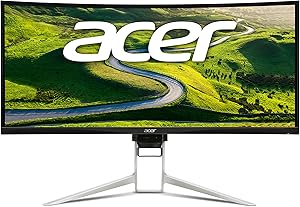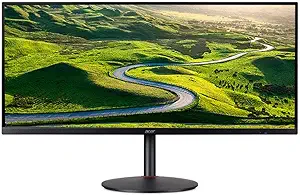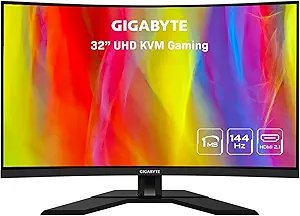







Acer vs GigaByte: Overview & Brand Philosophy
The desktop display market has expanded rapidly, with manufacturers striving to meet the competing demands of competitive gamers, creative professionals, and hybrid office workers. In this crowded landscape, Acer and GigaByte represent two distinctly different approaches to monitor design and portfolio management. Acer, an established titan in personal computing, operates with a mass-market, high-volume philosophy. Its monitor division spans the entire consumer spectrum, from utilitarian $80 office panels to the hyper-premium, esports-focused Predator series and color-accurate ConceptD displays for digital artists. Acer relies on its immense supply-chain scale to deploy emerging panel technologies quickly, often being among the first to bring high refresh rates and novel form factors to broad retail channels.
Conversely, GigaByte entered the standalone monitor arena relatively recently, leveraging its extensive heritage in high-performance PC components, motherboards, and graphics cards. Rather than attempting to serve every conceivable niche, GigaByte has focused tightly on the enthusiast PC builder and competitive gaming demographics through its mainstream GigaByte line and elite AORUS sub-brand. GigaByte’s design ethos is characterized by utility-driven innovation; the brand frequently integrates practical, hardware-level productivity and tactical gaming features that are often missing from competitors' displays at comparable price points. Instead of spreading its research across budget commercial displays, GigaByte aims to disrupt mid-range and upper-mid-range performance segments.
Choosing between these two Taiwanese powerhouses requires an understanding of their core identities. Acer functions as a versatile, all-purpose catalog provider capable of outfitting a multinational corporate office or an esports arena with equal proficiency. GigaByte operates more like a specialized armorer for PC enthusiasts, tailoring its firmware, physical connectivity, and panel calibrations to extract maximum utility for users who demand advanced gaming tools and seamless integration into modern multi-device workflows.
Key Differences & Technological Comparison
When dissecting the technological approaches of Acer and GigaByte, the most prominent differentiators emerge in firmware integration, port selection, panel tuning, and structural ergonomics. While both manufacturers source underlying panel technology (IPS, VA, and OLED) from specialized third-party fabricators such as AU Optronics, LG Display, and Samsung Display, their post-processing, calibration, and peripheral feature sets diverge significantly.
One of GigaByte’s most decisive technological advantages across its mid-to-high-tier monitor lineup is the widespread integration of hardware KVM (Keyboard, Video, Mouse) switches. By incorporating upstream USB-C capabilities with power delivery and dedicated KVM control buttons, GigaByte allows users to control multiple systems—such as a work laptop and a gaming desktop—using a single keyboard, mouse, and display setup. Acer offers similar functionality on select enterprise and ultra-high-end displays, but it remains far less ubiquitous across its enthusiast gaming tiers. Furthermore, GigaByte’s on-screen display (OSD) software, OSD Sidekick, allows users to control monitor parameters directly via Windows using a mouse, offering deeper customization for tactical overlays, hardware monitoring dashboards, and active noise canceling (ANC) microphone passthroughs on AORUS displays.
Acer counters this tactical software focus with a sheer breadth of raw hardware engineering, especially in high-end panel overdrive tuning and extreme refresh rates. Through its Predator division, Acer frequently pushes the boundaries of latency reduction, utilizing advanced multi-level overdrive algorithms that mitigate inverse ghosting more effectively than GigaByte’s often aggressive, overshoot-prone settings. Acer also commands a stronger presence in ultra-high-end physical design, delivering cutting-edge Mini-LED arrays with thousands of local dimming zones and factory-calibrated Delta E < 1 color profiles on its professional lines. However, Acer's entry-level and mid-range monitors frequently suffer from utilitarian, wobble-prone plastic stands lacking height adjustment, whereas GigaByte standardizes robust, highly ergonomic stands with height, tilt, and swivel capabilities even on its budget-oriented gaming monitors.
Pros & Cons Comparison
Acer: Strengths & Weaknesses
- Pro: Expansive Portfolio: Offers a display for every conceivable budget, ranging from ultra-affordable entry-level panels to flagship Mini-LED and OLED monitors.
- Pro: Motion Handling & Overdrive: High-end Predator models feature industry-leading panel overdrive tuning with minimal overshoot and motion blur.
- Pro: Professional Color Accuracy: Dedicated creator lines (such as ConceptD) deliver factory-certified color gamuts (100% Adobe RGB, DCI-P3) suitable for professional print and cinema editing.
- Con: Inconsistent Ergonomics: Budget and mid-tier models often come with cheap, tilt-only stands, requiring aftermarket VESA mounting solutions.
- Con: Cluttered Naming Conventions: A dizzying array of overlapping SKUs and regional naming structures makes navigating specifications confusing for consumers.
GigaByte: Strengths & Weaknesses
- Pro: Integrated KVM Switches: Exceptional multi-device support via built-in KVM hardware and USB-C connectivity on mainstream models.
- Pro: Superior Out-of-the-Box Value: Routinely provides height-adjustable stands, wide color gamuts, and high refresh rates at lower price points than the competition.
- Pro: OSD Sidekick Utility: Comprehensive desktop-based firmware management eliminates the need to fiddle with physical buttons for settings adjustments.
- Con: Overdrive Overshoot: Aggressive panel overdrive tuning out of the box can cause noticeable inverse ghosting (pixel overshoot) on lower-tier VA and IPS panels unless manually tuned.
- Con: Limited Non-Gaming Selection: Almost exclusively focuses on the gaming/enthusiast market, leaving budget-conscious office and purely professional creative sectors underserved.
Performance, Durability & Value Analysis
From an empirical performance standpoint, both brands exhibit distinct engineering signatures. In color-critical environments, Acer holds an edge at the top of the market; its specialized creator monitors arrive with verified calibration reports and robust internal LUTs (Look-Up Tables) that resist thermal drift over long working sessions. In the gaming sphere, Acer's flagship Nitro and Predator monitors consistently achieve near-perfect pixel response times without introducing distracting haloing artifacts. GigaByte, however, dominates the performance-per-dollar metric in the popular 1440p and 4K high-refresh gaming segments. GigaByte’s color reproduction across standard sRGB and DCI-P3 spaces is remarkably punchy and vibrant out of the box, although competitive gamers will often find that GigaByte’s middle overdrive setting ("Balanced") is the only profile that reliably prevents noticeable pixel trailing.
Durability, quality control, and long-term value paint a nuanced picture. GigaByte relies on robust mechanical construction, generally featuring thicker plastics, metal-reinforced internal chassis, and heavy-duty desk bases that outlast the flimsy stands bundled with mid-range Acer monitors. However, GigaByte has faced historical consumer scrutiny regarding panel uniformity, backlight bleed, and dead sub-pixels on its high-volume budget models, requiring buyers to verify panel integrity upon unboxing. Acer monitors typically demonstrate consistent backlight uniformity and dependable power supplies that last through years of continuous operation. In terms of residual value, GigaByte’s inclusion of USB-C and KVM functionality gives its panels greater longevity in hybrid work-and-play environments, ensuring the display remains functional across multiple generations of PC and laptop upgrades.
Final Verdict: Which Brand Should You Choose?
The choice between Acer and GigaByte ultimately hinges on your workflow, your workspace configuration, and the specific display segment you are targeting:
Choose Acer if: You require absolute top-tier motion performance for competitive esports, or you are a digital artist, video editor, or photographer who demands uncompromising color fidelity. Acer is also the clear choice if you are shopping on an extreme budget for standard office displays, or conversely, if you are looking to purchase halo-tier displays featuring bleeding-edge Mini-LED backlighting technologies where budget is a secondary concern.
Choose GigaByte if: You are an enthusiast gamer, remote worker, or power user seeking the absolute highest return on investment in the mainstream $200 to $600 bracket (particularly for 27-inch 1440p or 32-inch 4K panels). If you alternate between a gaming desktop and a work-issued laptop, GigaByte’s integrated KVM switch, USB-C connectivity, and superior stand ergonomics make it the more functional, versatile, and productivity-enhancing choice for modern desk setups.
Affordability
When assessing affordability in the monitor market, Acer and Gigabyte approach cost-to-performance engineering from fundamentally different product philosophies. Acer operates as a legacy volume manufacturer, utilizing massive economies of scale to dominate the budget tier under its Nitro, SB, and basic commercial series. By leveraging high-yield, entry-level IPS and VA panels and sourcing standardized, low-cost chassis materials, Acer drives the price floor down to remarkably aggressive levels. In contrast, Gigabyte, primarily leveraging its gaming-centric brand identity, rarely competes in the ultra-cheap, sub-$120 non-gaming market. Instead, Gigabyte redefines affordability in the mid-range performance tier (predominantly the $200–$400 bracket) through models like the G27Q and M27Q. Gigabyte engineers its displays with a focus on packing premium hardware—such as 1440p resolutions, rapid refresh rates, and integrated KVM switches—into robust, minimalist housings, offering enthusiast-grade functionality at price points typically associated with barebones alternatives.
The technical trade-offs between the two brands directly reflect how they cut costs to reach their respective price targets. Acer’s most affordable monitors frequently compromise on peripheral engineering and quality control tolerances: stand designs are notoriously rudimentary with tilt-only ergonomics, color calibration out-of-the-box can be inconsistent, and internal power supplies are occasionally swapped for cheaper external bricks that introduce clutter. However, their budget gaming panels still offer competitive pixel response times through aggressive overdrive tuning, making them functional budget workhorses. Gigabyte achieves affordability by eschewing aesthetic excesses, such as RGB lighting or brushed metal accents, but largely retains structural durability and mechanical functionality with fully adjustable stands and superior OSD navigation via physical joysticks. The trade-offs for Gigabyte primarily surface in niche panel characteristics, such as the use of BGR subpixel layouts in older budget revisions—which affected text clarity for productivity tasks—and occasional backlight bleed inherent to cost-effective IPS implementations.
Ultimately, determining the more cost-effective brand depends on how a consumer defines value. For extreme budget constraints, non-gamers, or casual esports enthusiasts seeking basic high-refresh 1080p gaming, Acer is objectively the more affordable choice, offering workable displays that minimize financial barrier to entry without catastrophic performance compromises. Conversely, Gigabyte represents superior feature-density affordability; the inclusion of practical utilities like built-in KVM switches, wide DCI-P3 color gamuts, and DisplayPort Alt-Mode connectivity effectively eliminates the hidden cost of purchasing secondary docks or premium switchers. Budget-first shoppers will find Acer unmatched in raw cost savings, while value-driven power users will find that Gigabyte’s slightly higher upfront cost yields an exponentially better return on investment over the display's lifecycle.
Customer Support & Warranty
When evaluating after-sales reliability in the monitor market, Acer and Gigabyte present contrasting support ecosystems shaped by their respective brand heritages. Acer operates as an established, high-volume consumer electronics titan, providing a standardized three-year limited warranty across most of its mainstream, Nitro, and high-end Predator gaming lines. This coverage typically accounts for parts, labor, and the display panel itself. In contrast, Gigabyte, primarily an enthusiast PC-hardware manufacturer, offers a similar three-year warranty on its tactical AORUS and mainstream Gigabyte gaming displays, frequently extending specialized technical perks like dedicated dead-pixel warranties on flagship models. However, engineering nuances heavily impact the warranty claims process. Acer utilizes a broad tiering system, but its RMA process is heavily outsourced, which can result in inconsistent triage when dealing with nuanced technical defects such as back-light bleed, localized IPS glow, or transient refresh rate artifacting. Gigabyte displays, often driven by proprietary sidekick software and complex embedded firmware, frequently require technical support directly related to software-hardware integration. While Gigabyte's support engineers are often more technically adept at handling firmware-related compatibility inquiries, their RMA infrastructure is leaner, leading to potentially longer turnarounds for physical panel repairs or replacements.
From a practical consumer standpoint, the execution of warranty claims reveals critical trade-offs between the two brands. Acer benefits from a well-established global logistics footprint, meaning localized repair centers are more prevalent and transit times are generally shorter. Nevertheless, users frequently encounter standard return-shipping hurdles, with Acer often requiring the consumer to cover inbound freight costs for repair evaluations unless handled via retail-level return windows. Gigabyte’s customer service portal, hosted through eSupport, has historically faced criticism for ticketing friction and communication delays, particularly when escalating physical hardware failures to physical RMA requests. Furthermore, Gigabyte's panel replacement criteria for dead or stuck sub-pixels can be restrictive on non-AORUS models, requiring an excessive threshold of defective pixels across specific screen quadrants to trigger an exchange. While an enthusiast might favor Gigabyte for its granular diagnostic support and feature-rich AORUS build warranties, Acer edges out a slight operational advantage for general users due to a more predictable supply chain, scalable logistics pipeline, and lower long-term latency in replacing defective mass-market hardware.
Picture Quality
When evaluating picture quality between Acer and Gigabyte, the comparison largely hinges on display panel engineering, factory calibration, and contrast management across different panel technologies. Acer holds an architectural advantage through its extensive, diversified portfolio, which spans budget-friendly office screens to high-end Predator and ConceptD displays. In the premium segment, Acer excels in deploying cutting-edge display technologies such as Mini-LED backlights boasting thousands of local dimming zones, cutting-edge OLEDs, and advanced Fast IPS matrices. High-tier Acer monitors frequently achieve industry-leading peak brightness levels, exceptional color volume covering over 99% of Adobe RGB and DCI-P3 spaces, and true HDR performance (often rated VESA DisplayHDR 1000 or higher). Conversely, budget and entry-level Nitro displays from Acer sometimes suffer from notable backlight bleed, mediocre static contrast ratios around 1000:1, and out-of-the-box color profiles that tilt heavily cool and oversaturated, requiring manual end-user calibration to achieve neutral visual fidelity.
Gigabyte approaches picture quality with a more focused, gamer-centric engineering philosophy that prioritizes high perceived contrast and wide color gamuts right out of the box, largely avoiding the ultra-budget, low-tier office displays that dilute Acer’s average. Gigabyte is particularly recognized for popularizing curved and flat VA panels (such as in their G-Series) that naturally deliver superior native contrast ratios exceeding 3000:1, rendering deep blacks and superior atmospheric depth in dark environments where standard IPS panels exhibit "glow." In their tactical and premium AORUS lineups, Gigabyte deploys vibrant Super Speed (SS) IPS and QD-OLED panels that rival Acer's top tier, offering true 10-bit color depth and Delta E < 2 factory calibration. However, Gigabyte's mid-tier VA models often exhibit minor black-smearing artifacts in high-contrast transitions, and their edge-lit HDR implementations (typically capped at HDR 400) lack the hardware dimming zones necessary to provide a genuine high-dynamic-range experience, serving more as marketing features than transformative visual upgrades.
Ultimately, the practical trade-off between the two brands depends on panel tier and intended use cases. Acer represents the higher theoretical ceiling for picture quality; content creators, digital artists, and enthusiasts seeking genuine HDR impact will find Acer’s Mini-LED and ConceptD calibrated monitors superior in color accuracy, maximum luminance, and zone-dimming precision. Gigabyte, however, delivers a more consistent and cost-effective sweet spot for gaming and media consumption. By leaning into panels with wide DCI-P3 coverage and deep native static contrast in the mid-range bracket, Gigabyte often delivers a visually punchier, more immersive dark-room image dollar-for-dollar, whereas Acer requires buyers to be more selective to avoid inconsistent panel lottery outcomes in their entry-level offerings.
Build Quality & Durability
When evaluating structural engineering and chassis materials, Gigabyte and Acer demonstrate contrasting design philosophies shaped by their broader hardware portfolios. Gigabyte, primarily known for its high-performance motherboards and graphics cards, brings an industrial, functional sensibility to its monitor lineup. Across their popular gaming displays and elite AORUS series, Gigabyte utilizes high-density matte plastics reinforced with internal metal bracing and substantial zinc-alloy or steel bases. The AORUS models in particular exhibit superior mechanical execution, with smooth height, tilt, and swivel mechanisms that convey stability and premium craftsmanship. While budget G-series monitors incorporate more lightweight plastic enclosures that may occasionally exhibit minor seam flex under torsion, their fundamental structural integrity remains robust, prioritizing heat dissipation and long-term chassis rigidity over flashy aesthetics.
Acer presents a considerably wider manufacturing spectrum, ranging from entry-level office panels to the battle-tested, high-grade Predator and ConceptD series. Standard Acer consumer and Nitro displays frequently prioritize cost efficiency, resulting in thinner plastic shells, lighter-weight stands with noticeable screen wobble, and limited ergonomic articulation. Conversely, Acer’s flagship Predator displays represent the pinnacle of gaming engineering, integrating die-cast aluminum bases, high-end pivot hinges, and zero-frame bezels designed for multi-monitor rigs. In terms of component durability and operational lifespan, both brands exhibit reliable backlighting arrays and resilient power distribution, though Gigabyte holds a slight edge in entry-to-midrange baseline consistency, while Acer offers greater peak structural refinement and advanced thermal management at the premium end of their product catalog.