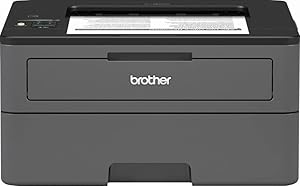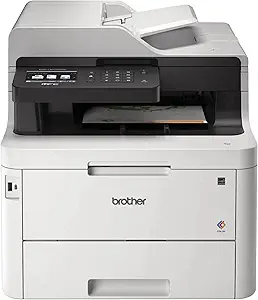




HP vs Brother: Overview
Comparing HP and Brother helps you determine which brand is best suited for your needs in Printers. Both brands offer strong choices depending on your budget and key feature requirements.
Key Features & Comparison
Evaluate factors such as build quality, warranty, customer satisfaction, and total value before making your final purchase choice between HP and Brother.
Features
In terms of feature sets, HP differentiates itself with deeply integrated software services, cloud management tools, and creative multimedia applications. The HP Smart app is among the most sophisticated mobile printing ecosystems available, offering remote printing, advanced scanning profiles, and direct integration with popular cloud storage services. Furthermore, HP's flagship subscription model, HP+ and Instant Ink, automates supply reordering based on pages printed rather than ink consumed, which can yield significant savings for households that print high-coverage color photos regularly. However, this comes at the expense of stricter digital rights management (DRM) and dynamic security firmware updates that often disable non-HP ink cartridges, a policy that frustrates many technical users.
Brother approaches features through a lens of utility, operational freedom, and workplace productivity. While Brother's mobile apps are functional, they are decidedly utilitarian compared to HP's polished interface. Instead, Brother emphasizes physical productivity enhancements: high-capacity paper trays, robust automatic document feeders (ADFs), duplex scanning, and versatile connectivity options including NFC, gigabit Ethernet, and dual-band Wi-Fi on lower-tier models. Crucially, Brother is far more permissive regarding third-party toner and ink, avoiding aggressive cartridge lockouts. For users seeking tank-based systems, both brands offer competitive ink-tank platforms (Brother INKvestment/Tank and HP Smart Tank), but Brother consistently delivers more expansive paper handling and onboard navigation options at equivalent price points.
Performance
Performance benchmarks reveal a distinct division of labor between text-heavy productivity and rich graphical output. Brother is an undisputed leader in monochrome printing speed, first-page-out times, and text sharpness. Its laser engines produce crisp, razor-sharp typography with zero smudging, maintaining high page-per-minute (PPM) rates even during complex double-sided print runs. In office environments where contracts, spreadsheets, and logistics labels constitute the majority of output, Brother printers exhibit exceptional throughput, minimal paper jamming, and duty cycles that routinely outlast their rated capacities. Their inkjet models also offer respectable speeds, though color saturation and dynamic range can lag behind the competition.
HP asserts its dominance in color accuracy, photo printing, and complex graphical rendering. Leveraging decades of thermal inkjet refinement, HP printers excel at smooth color gradients, deep black levels in photo media, and realistic flesh tones, making them far superior for marketing brochures, photography portfolios, and school projects. While HP's text print speeds on laser machines are competitive with Brother, its mid-range consumer inkjets can be slower to initialize and are prone to lengthy auto-calibration routines before starting a job. Nevertheless, when the priority is vibrant, gallery-quality color output and borderless printing versatility, HP consistently outperforms Brother's more utilitarian print heads.
Design
From an industrial design standpoint, Brother prioritizes mechanical resilience and serviceable ergonomics over living-room aesthetics. Brother machines tend to feature boxier, pragmatic profiles constructed with thick, durable matte plastics that resist scratches and fingerprints. Control panels are typically engineered with tactile, physical buttons paired with intuitive LCD or touchscreen displays, minimizing navigation confusion in busy office environments. Internal components, such as feed rollers, drum units, and paper cassettes, are designed for accessible modular replacement, reflecting an enterprise-first mindset that values field serviceability over sleek minimalism.
HP, conversely, designs hardware meant to blend seamlessly into contemporary home offices and stylish studio spaces. Its printers showcase clean, minimalist contours, two-tone color palettes, hidden input trays, and integrated LED status lighting bars that replace loud, utilitarian screens on several modern models. While this approach yields some of the most attractive printers on the market, it sometimes compromises physical functionality; paper trays on budget HP models can feel flimsy, and the reliance on touch-only or app-only interfaces can complicate manual adjustments. HP's compact footprints are ideal for space-constrained desks, but Brother's robust chassis remains the superior choice for high-volume wear and tear.