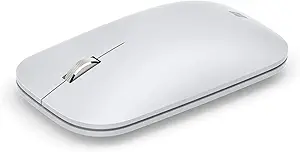




Corsair vs Microsoft: Overview
Comparing Corsair and Microsoft helps you determine which brand is best suited for your needs in Mouse. Both brands offer strong choices depending on your budget and key feature requirements.
Key Features & Comparison
Evaluate factors such as build quality, warranty, customer satisfaction, and total value before making your final purchase choice between Corsair and Microsoft.
Features
When evaluating the feature ecosystems of Corsair and Microsoft mice, consumers are presented with two fundamentally divergent engineering philosophies: competitive gaming performance versus streamlined productivity. Corsair equips its lineup with high-velocity, cutting-edge hardware tailored to competitive gaming and heavy customization. Flagship Corsair models frequently incorporate proprietary Marksman optical sensors capable of up to 26,000 DPI, hyper-polling rates reaching up to 8,000Hz driven by Corsair AXON processing, and ultra-durable optical switches. Furthermore, Corsair emphasizes physical adaptability through features such as tunable weight systems (seen in the M65 series), swappable side plates, and sprawling multi-button arrays designed for MMO players (the Scimitar series). In contrast, Microsoft approaches peripheral engineering with an emphasis on ergonomic ergonomics and surface versatility. Utilizing their proprietary BlueTrack sensor technology, Microsoft mice can track reliably on virtually any surface, including granite and carpet, while their flagship devices—like the Surface Precision Mouse—feature magnetic detent scrolling, smooth smart-switching across multiple paired host devices, and dedicated ergonomic contours designed to mitigate repetitive strain injuries during extended workdays.
The software infrastructure and programmability of each brand further illustrate this functional divide. Corsair relies on its robust, albeit resource-heavy, iCUE software suite, which grants power users granular control over macro creation, surface calibration, sensor lift-off distance, and complex dynamic RGB lighting synchronization across an entire desktop ecosystem. Corsair mice also boast extensive onboard memory profiles, allowing users to save hardware-level button remappings and DPI stages independently of active software. Conversely, Microsoft integrates effortlessly into the Windows environment via the lightweight Microsoft Mouse and Keyboard Center or native operating system settings. Rather than complex macro sequencing, Microsoft’s feature set is optimized for workflow acceleration, offering seamless multi-device flow, customizable gesture buttons, intuitive desktop navigation, and dedicated shortcuts for Windows tools like Task View and Microsoft 365 applications.
Ultimately, the practical trade-offs between Corsair and Microsoft center on latency and versatility versus battery longevity and workflow comfort. Corsair’s reliance on high-polling Slipstream wireless technology and power-hungry RGB lighting significantly reduces battery life, frequently requiring recharges after several dozen hours, yet it provides the sub-millisecond responsiveness demanded by competitive esports. Microsoft trades high polling rates and ultra-high DPI ceilings for exceptional power efficiency—often delivering months or even years of battery life on a single charge or set of standard AA batteries—alongside silent tactile switches and frictionless multi-system connectivity. Users seeking deep customization, high-precision tracking, and competitive gaming functionality will find Corsair heavily feature-rich, whereas users prioritizing ergonomic support, cross-device office multitasking, and low-maintenance productivity will benefit more from Microsoft’s tailored feature suite.
Performance
When evaluating performance, Corsair and Microsoft engineer their mice for fundamentally divergent operational environments, resulting in starkly different technical capabilities. Corsair focuses heavily on high-throughput competitive gaming, equipping its lineup with bleeding-edge proprietary technologies such as the Marksman optical sensor—delivering resolutions up to 26,000 DPI, tracking speeds of 650 IPS, and up to 50G acceleration. Backed by its AXON hyper-processing architecture, Corsair devices often boast hyper-polling rates reaching an extraordinary 8,000Hz alongside sub-millisecond Slipstream wireless connectivity. In contrast, Microsoft optimizes performance around productivity and frictionless everyday navigation. Rather than prioritizing extreme speed or raw sensor ceilings, Microsoft relies on its venerable BlueTrack sensor technology and standard optical engines. These typically operate within a modest 1,000 to 2,400 DPI bracket with a standard 125Hz polling rate, prioritizing battery conservation, reliable connection stability, and multi-device Bluetooth switching over lightning-fast response times.
The mechanical execution of clicks and surface tracking further highlights the performance trade-offs between the two brands. Corsair implements zero-gap Quickstrike buttons coupled with optical switches that virtually eliminate debounce delay, granting users instant tactile registration crucial for rapid-fire inputs and twitch-reaction scenarios. However, Corsair’s high-performance sensors demand uniform, specialized mouse pads to prevent tracking anomalies, and their aggressive polling rates come at the expense of battery longevity. Conversely, Microsoft’s engineering triumph lies in versatility and environmental adaptability; BlueTrack mice track flawlessly on notoriously difficult surfaces—including untreated wood, granite, and even carpet—without requiring dedicated mouse mats. Microsoft’s switches are tuned for consistent, dampened actuation that favors comfort and acoustic discretion during long workdays, though they suffer from perceptible input latency under fast-paced gaming conditions.
Ultimately, the determination of superior performance hinges on the user's operational demands. Corsair unequivocally leads in raw technical prowess, offering unmatched tracking precision, rapid sensor calibration, and virtually imperceptible latency that competitive gamers and power users require. Microsoft delivers an entirely different tier of performance that excels in practical execution, offering robust multi-surface tracking, rock-solid wireless stability, and hyper-efficient power management that outclasses Corsair in sustained, maintenance-free office productivity. Users seeking instantaneous technical responsiveness should look to Corsair, while those requiring unyielding reliability across diverse real-world work environments will find Microsoft's performance profile better suited to their workflow.
Design
When evaluating design, Corsair and Microsoft approach the peripheral space from fundamentally divergent engineering philosophies, resulting in radically different physical architectures and user experiences. Corsair focuses heavily on high-performance gaming ergonomics, characterized by aggressive, angular contours, durable aluminum sub-frames—such as the aircraft-grade chassis seen in the M65 series—and vibrant, multi-zone RGB integration driven by their iCUE software. In contrast, Microsoft champions an ethos of minimalist, human-centric design tailored for the modern enterprise and creative desktop. Devices like the Surface Precision Mouse and the Sculpt Ergonomic exhibit understated, organic silhouettes, muted color palettes, and premium tactile materials like machined aluminum scroll wheels and soft-touch composites. While Corsair designs for tactile feedback, rapid actuation, and intense physical engagement, Microsoft designs for unobtrusive desktop integration and long-term orthopedic neutrality.
From an engineering and functional feature standpoint, Corsair emphasizes adaptability and competitive customization. Many of Corsair's flagship mice incorporate modular elements, such as interchangeable magnetic side grips, customizable weight-tuning systems, and specialized hardware like the Scimitar's patented Key Slider macro array. These designs are meticulously sculpted to cater to specific grip styles—claw, palm, or fingertip—while providing maximum surface traction via textured side rails. Microsoft, conversely, centers its functional design on biomechanics and portable innovation. The Sculpt and Ergonomic lines leverage pronounced vertical angles, integrated thumb rests, and high arches designed to minimize forearm pronation and repetitive strain injury. Furthermore, Microsoft’s unique engineering experiments, notably the flat-folding Arc Mouse, demonstrate an architectural mastery of ultra-portable form factors that Corsair does not attempt to replicate.
The practical trade-offs of these design directions highlight their distinct target demographics. Corsair’s high-performance design language yields exceptional physical responsiveness and utility for macro-heavy productivity or gaming, but its hyper-stylized aesthetic and sharp, multi-piece construction can look out of place in conservative office environments and inherently trap more dust and debris. Conversely, Microsoft delivers refined, cohesive, and exceptionally comfortable industrial designs that blend seamlessly into any professional workspace, but they sacrifice the modularity, low-friction glide mechanics, and high-durability mechanical or optical switch configurations demanded by performance-focused power users. Ultimately, Corsair offers a technically adjustable, grip-optimized design for performance enthusiasts, whereas Microsoft provides an ergonomically mature, aesthetically disciplined tool for sustained daily productivity.