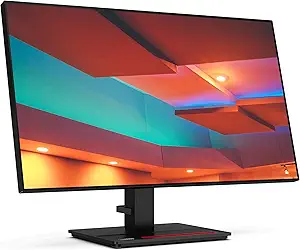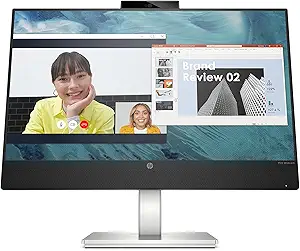







Lenovo vs HP: Overview & Brand Philosophy
When selecting a desktop monitor, the modern consumer is met with a saturated market where panel specifications often look identical on paper. However, the engineering philosophies governing brands like Lenovo and HP lead to distinctly different real-world user experiences. Lenovo approaches monitor design largely through the utilitarian, productivity-centric lens inherited from its enterprise computing heritage. Centered around its venerable ThinkVision and Legion lines, Lenovo focuses on workplace ergonomics, modular functionality, expansive connectivity hubs, and rugged industrial durability designed to withstand long hours of continuous operation.
HP (Hewlett-Packard), conversely, champions an ethos that merges functional elegance with environmental sustainability and human-centric design. From its consumer-facing M-Series and high-performance OMEN gaming lines to the enterprise-grade E-Series and elite Z by HP displays, the brand emphasizes sleek minimalism, streamlined desk appeal, and factory-calibrated color accuracy. HP’s philosophy frequently prioritizes seamless visual integration into contemporary home offices and design studios, often utilizing recycled ocean-bound plastics and slim profile casings without sacrificing core panel performance.
Ultimately, this comparison does not pit a pure budget brand against a luxury one; rather, it highlights two hardware giants executing different visions of the modern workspace. Lenovo targets the user who views their monitor as an interactive, heavy-duty docking hub, while HP targets users who prioritize refined design, visual comfort, and turnkey color fidelity across consumer, professional, and gaming environments.
Key Differences & Technological Comparison
Evaluating Lenovo and HP across core display disciplines reveals distinct priorities in panel tuning, connectivity, ergonomic engineering, and software integration:
- Panel Selection and Visual Calibration: Both brands source panels from premier manufacturers like LG Display and AU Optronics, but their tuning diverges significantly. HP excels in color reproduction right out of the box, particularly within its Z-Series line, which often ships with factory calibration reports boasting Delta E < 2 for sRGB and DCI-P3 color spaces. Lenovo’s premium ThinkVision P-Series matches this level of professional calibration, but its mainstream consumer displays tend to focus more on brightness and contrast rather than surgical color fidelity. Both brands deploy IPS, VA, and OLED panels across various tiers, though HP leans more aggressively into anti-glare coatings and hardware-level low-blue-light solutions (HP Eye Ease) that do not distort color accuracy.
- Docking Station Capabilities and Connectivity: Lenovo is an industry leader in transformative USB-C and Thunderbolt hub functionality. Many ThinkVision models feature integrated Ethernet (RJ-45) with network manageability, daisy-chaining support via DisplayPort-out, and USB power delivery reaching up to 100W. They frequently incorporate built-in KVM switches, allowing power users to toggle multiple systems seamlessly. While HP offers robust Thunderbolt connectivity in its Z and E-Series lines, Lenovo provides more connectivity features at lower price thresholds, effectively eliminating the need for standalone docking hubs.
- Ergonomics and Build Engineering: Lenovo’s industrial design is robust, blocky, and unapologetically functional. Its ThinkVision stands provide extensive tilt, swivel, pivot, and height adjustments, often paired with modular mounting points for mini PCs (such as Lenovo’s Tiny line) and integrated phone-holder grooves in the base. HP monitors lean toward sleek minimalism, using aluminum accents, low-profile pedestals, and micro-edge bezels on three or four sides. While HP’s business stands are fully ergonomic, their entry-to-mid consumer monitors (such as the M-Series) often sacrifice height adjustment and VESA mounting capabilities in favor of ultra-thin profiles.
- Gaming Ecosystem: Lenovo Legion vs. HP OMEN: In the gaming arena, Lenovo Legion monitors emphasize raw performance metrics, providing fast IPS panels with refresh rates climbing up to 240Hz–360Hz, minimal input lag, and broad FreeSync/G-Sync compatibility at competitive prices. HP OMEN monitors, on the other hand, focus on sophisticated, understated chassis designs that fit into both an office and a gaming battlestation, complemented by the robust OMEN Gaming Hub software suite for granular display control and RGB ambient synchronization.
Pros & Cons Comparison
Lenovo Monitors
- Pros:
- Exceptional integrated USB-C docking hubs with daisy-chaining and Ethernet pass-through.
- Class-leading ergonomic stands on ThinkVision models with extensive adjustability.
- Smart workspace features such as modular webcam/soundbar clips and integrated cable management.
- High durability standards, low failure rates, and reliable three-year standard warranties on business-class units.
- Aggressively priced Legion gaming panels offering top-tier refresh rates.
- Cons:
- Mainstream aesthetic can appear dated, heavy, and overly industrial for home decor.
- On-Screen Display (OSD) menu navigation and consumer software utility are less intuitive than HP's.
- Budget L-Series consumer monitors often incorporate lower-grade plastics.
HP Monitors
- Pros:
- Modern, ultra-slim designs with micro-edge borders that excel in multi-monitor setups.
- HP Eye Ease hardware-level low-blue-light technology maintains color integrity while reducing eye strain.
- Exceptional out-of-the-box color accuracy on Z by HP professional monitors.
- Leading sustainability practices, utilizing post-consumer recycled plastics and sustainable packaging.
- Intuitive display management software (HP Display Center) for desktop-level calibration.
- Cons:
- Many entry-to-mid consumer lines lack VESA mount compatibility and height-adjustable stands.
- Professional Z-Series displays carry a substantial price premium over comparable Lenovo alternatives.
- USB-C hub connectivity on mainstream models is less comprehensive than Lenovo's business tier.
Performance, Durability & Value Analysis
When assessing long-term hardware reliability, both brands perform admirably, but they cater to different operational demands. Lenovo’s monitors, particularly the ThinkVision portfolio, are engineered under enterprise durability guidelines. The hinges, height-adjustment tracks, and VESA plates are built using high-density plastics and reinforced steel brackets, resulting in minimal panel wobble and long-term mechanical reliability. From a display longevity perspective, Lenovo displays demonstrate exceptional resistance to backlight degradation and edge bleed over multi-year cycles. HP’s durability is similarly commendable in its enterprise and creative tiers (E-Series and Z-Series), although consumer-oriented models like the Pavilion and M-Series utilize thinner internal framing that is more vulnerable to flex during transport or re-positioning.
From a value perspective, Lenovo frequently secures a higher utility-per-dollar ratio for hybrid professionals. A single ThinkVision monitor with integrated USB-C, power delivery, KVM, and networking can replace over $150 worth of standalone docking peripherals, substantially lowering total cost of ownership (TCO) for workstation setups. HP counters this by dominating the value-oriented design segment; for users seeking an elegant, sharp everyday display under $200, HP’s consumer models provide superior panel coatings, better aesthetic integration, and more pleasant viewing comfort than Lenovo’s budget L-Series.
Final Verdict: Which Brand Should You Choose?
Your choice between Lenovo and HP ultimately hinges on whether your priorities lie in workspace connectivity and rugged utility, or visual refinement and out-of-the-box color accuracy.
Choose Lenovo if: You are a productivity-focused power user, software developer, or corporate professional building a clean, single-cable workstation. If you need robust USB-C power delivery, internal KVM switches to toggle between a personal desktop and a work laptop, or advanced multi-monitor daisy-chaining, Lenovo’s ThinkVision series represents the gold standard of desktop utility. Additionally, budget-conscious competitive gamers will find exceptional performance per dollar in the Lenovo Legion monitor catalog.
Choose HP if: You are a graphic designer, video editor, or content creator who requires surgical color calibration, which the Z by HP series reliably delivers. HP is also the clear winner for home office users who value a sleek, contemporary aesthetic featuring razor-thin bezels and minimalist aluminum stands. Furthermore, if you spend long continuous hours reading text and require cutting-edge eye protection that doesn't cast a yellow tint over your display, HP's Eye Ease technology makes their monitors a superior lifestyle choice.
Affordability
When assessing affordability in the monitor landscape, HP and Lenovo approach cost efficiency from distinct manufacturing philosophies, resulting in varied value propositions across budget tiers. HP leverages its immense supply chain volume to dominate the sub-$150 entry-level consumer market with lines like the HP M-Series and V-Series. These panels offer exceptionally low barrier-to-entry pricing, ultra-slim micro-edge bezels, and reliable baseline IPS panels that appeal to home office users seeking simple dual-screen setups on a strict budget. Lenovo counters this with its D-Series and consumer L-Series, which typically retail at a comparable or slightly higher entry price point but consistently offset the minor cost delta by integrating higher refresh rates (often pushing 75Hz to 100Hz as standard) and superior cable management solutions directly into the baseline hardware.
The technical trade-offs become more pronounced in the mid-range productivity and gaming segments ($180 to $350), where Lenovo distinctly pulls ahead in feature density per dollar. In professional productivity, Lenovo’s ThinkVision and performance L-Series monitors frequently introduce USB-C hub connectivity, single-cable power delivery (ranging from 65W to 75W), and fully articulating ergonomic stands (height, pivot, tilt, and swivel) at price points where HP’s consumer-facing Pavilion and baseline OMEN lines still utilize fixed-tilt tilt-only stands and HDMI-only inputs. To match Lenovo’s functional versatility, buyers within the HP ecosystem are typically forced to cross over into the commercial HP E-Series or EliteDisplay portfolios, which command a noticeable corporate-tier price premium that dilutes their direct consumer affordability.
Ultimately, both manufacturers manage component-level compromises skillfully, but they allocate cost-saving measures differently. HP prioritizes industrial design and ultra-accessible entry floor pricing, making sacrifices in stand adjustability, internal power supply consolidation, and on-board port variety to hit unbeatable retail sales marks. Lenovo, conversely, exhibits greater engineering-level value retention; their chassis designs tend to favor functional, industrial plastics rather than sleek metallic accents, allowing them to redirect production capital into broader color gamut coverage, integrated KVM features, and comprehensive multi-year warranty protections on their professional lines. For consumers prioritizing the absolute lowest upfront cash expenditure for basic display tasks, HP takes the lead, but Lenovo provides a superior performance-per-dollar ratio for users demanding advanced ergonomic and connectivity features on a budget.
Customer Support & Warranty
In the monitor market, Lenovo and HP structure their warranty frameworks around a distinct bifurcation between consumer-tier and commercial-grade hardware, yet their execution diverges significantly in panel-specific guarantees. Lenovo delivers a standard one-year depot warranty on its consumer L-series and Legion gaming monitors, scaling up to a robust three-year limited warranty on the enterprise-centric ThinkVision lineup. HP matches this duration model—offering one year for consumer-facing lines like OMEN and HP Series, and three years for enterprise E-Series and professional Z-displays. However, HP establishes a notable technical advantage in panel quality assurance through its Zero Bright Dot guarantee on the Z-Series, which promises an immediate replacement if even a single sub-pixel fails bright. Lenovo adheres strictly to standard ISO 9241-307 Class II defect metrics across most lines, requiring a cluster of defective sub-pixels before authorizing an RMA, which poses a minor risk for creative professionals requiring absolute color and pixel integrity.
Logistically, both manufacturers deploy advanced replacement protocols for their commercial units, but HP demonstrates a slight operational edge in cross-regional turnaround times. HP’s Advanced Unit Exchange program—standard on commercial monitors and accessible via HP Care Pack upgrades—consistently dispatches replacement panels prior to receiving the defective unit, minimizing workstation downtime. Lenovo offers comparable rapid-replacement logistics via its Lenovo Premier Support add-on and ThinkVision channels; however, users navigating standard consumer warranty claims often encounter a slower, return-to-depot workflow managed through third-party repair centers. Both brands leverage proprietary desktop utilities—HP Support Assistant and Lenovo Display Control Center (Artery)—to streamline firmware updates and run self-diagnostic tests, but HP’s automated warranty entitlement and driver detection ecosystem is noticeably more cohesive and less fragmented than Lenovo’s dual-app deployment.
From an investment and post-purchase perspective, the decision hinges on the operational tier and user profile. Lenovo provides exceptional modularity for organizations already embedded in the ThinkPad/ThinkCentre ecosystem, allowing consolidated enterprise service-level agreements (SLAs) and bulk Premier Support extensions that offer single-point-of-contact technical resolution. Conversely, HP remains the superior choice for standalone prosumers, graphic designers, and corporate purchasers who prioritize stringent pixel-defect safeguards and turnkey logistical replacement without needing specialized enterprise contracts. While Lenovo’s high-end warranty infrastructure is formidable when contracted, HP’s standard out-of-the-box coverage on professional panels yields lower ownership friction and greater technical assurance.
Picture Quality
When evaluating picture quality between Lenovo and HP, the comparison hinges on how each manufacturer tunes its panel technology across professional, gaming, and everyday business lineups. In the professional space, HP holds an engineering advantage through its premium Z and legendary DreamColor series, which set an industry benchmark for color fidelity, internal 14-bit lookup tables (LUTs), and extensive factory-calibrated coverage across DCI-P3 and Adobe RGB color spaces. Lenovo responds robustly through its ThinkVision P and Extreme series, delivering factory-calibrated panels with guaranteed Delta E < 2 precision and excellent gray-scale tracking. While Lenovo’s color science skews toward clean, highly accurate, and neutral profiles ideal for CAD and enterprise workflows, HP’s top-tier creator panels frequently edge ahead in dynamic range depth and out-of-the-box color saturation, offering richer visual depth for photo and cinema mastering.
In terms of panel contrast, backlighting mechanics, and HDR implementation, both brands exhibit distinct trade-offs across their broader portfolios. Lenovo has made aggressive strides in adopting modern panel innovations such as Mini-LED backlighting and IPS Black technology within its ThinkVision and Legion gaming displays, yielding superior localized dimming, deeper black levels, and noticeably higher static contrast ratios (often reaching 2,000:1 on IPS Black variants). HP counters with exceptional OLED integration in its high-end OMEN and Envy displays, offering per-pixel luminance control and infinite contrast that outclasses Lenovo's traditional edge-lit arrays. However, in mid-tier and budget categories—such as HP’s M-Series and Lenovo’s L-Series—HP displays frequently suffer from moderate backlight bleed and lower static contrast typical of conventional edge-lit IPS designs, whereas Lenovo tends to implement more consistent anti-glare coatings that minimize diffuse reflection without introducing the graininess that can degrade perceptual sharpness.
Ultimately, the practical choice between Lenovo and HP regarding picture quality depends on the specific workload and price tier. For pure color science and cinematic fidelity at the enterprise level, HP’s high-end displays provide a slightly more sophisticated color-management ecosystem that graphic artists favor. Conversely, Lenovo demonstrates superior panel uniformity, tighter quality control against chromatic aberration, and better grayscale gradations across its mid-to-high mainstream portfolio. While HP delivers punchier, more visually striking displays at the high consumer end through OLED and tuned micro-edge panels, Lenovo delivers a more technically consistent, uniform, and fatigue-free viewing experience across its entire product spectrum.
Build Quality & Durability
When evaluating build quality and long-term durability in the monitor space, Lenovo and HP both leverage their formidable enterprise heritage, though they approach mechanical engineering with distinct philosophies. Lenovo relies heavily on an industrial, utilitarian design language, most visible in its commercial ThinkVision and performance-oriented Legion lineups. ThinkVision displays in particular set a high benchmark for structural integrity, utilizing dense, textured ABS plastics that resist scratching and fingerprint oils, reinforced internally by heavy metal sub-frames. The mechanical engineering of Lenovo’s stands is notably exceptional; they incorporate robust dual-stage gas-spring or counter-balanced friction hinges that retain their tension across thousands of tilt, swivel, and pivot cycles without developing the looseness or screen droop common in cheaper assemblies. Furthermore, Lenovo’s thermal dissipation engineering is subtly superior in dense chassis designs, utilizing well-placed venting that keeps internal power delivery boards cool, thereby extending panel backlighting life.
HP counters with a design methodology that blends architectural refinement with premium materials, particularly evident in its flagship HP Z workstation displays and OMEN gaming monitors. While Lenovo leans into utilitarian durability, HP excels at integrating machined aluminum and cast metal accents into its chassis and bases, creating products that feel exceptionally rigid and premium to the touch. The HP Z series represents the gold standard for workstation craftsmanship, boasting zero panel flex, flush panel-to-bezel seams, and an extensive use of post-consumer recycled metals and ocean-bound plastics without sacrificing tensile strength. However, the trade-off in HP’s catalog emerges in its entry-level and consumer-focused lines, such as the HP M-series. In prioritizing ultra-slim profiles and edge-to-edge aesthetic minimalism at lower price tiers, HP occasionally compromises structural rigidity, resulting in lighter plastic enclosures that exhibit noticeable flex under torsion and tilt-only stands that are susceptible to desk vibration.
Ultimately, both manufacturers offer industrial-grade durability at the professional tier, but Lenovo provides greater structural consistency across its broader product portfolio. A mid-tier Lenovo monitor is far more likely to feature a weighted, stable stand and a robust enclosure than an equivalently priced consumer HP model. Conversely, users investing in high-end creative workstations or top-tier gaming setups will find that HP’s premium Z and OMEN monitors offer an elevated tier of material sophistication and fit-and-finish that surpasses Lenovo’s functionally rigid aesthetic. For environments where physical longevity, resistance to rough handling, and rock-solid ergonomic mechanics are paramount, Lenovo holds a slight technical edge; for users demanding sleek metal-alloy execution and zero chassis deformation at the high end, HP remains a class leader.