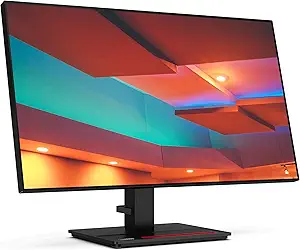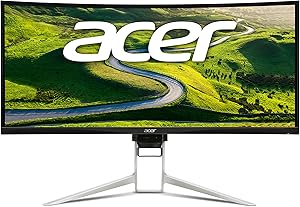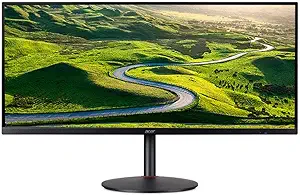







Lenovo vs Acer: Overview
Comparing Lenovo and Acer helps you determine which brand is best suited for your needs in Monitors. Both brands offer strong choices depending on your budget and key feature requirements.
Key Features & Comparison
Evaluate factors such as build quality, warranty, customer satisfaction, and total value before making your final purchase choice between Lenovo and Acer.
Affordability
When assessing affordability in the monitor space, Acer and Lenovo execute fundamentally different value-engineering strategies. Acer historically operates as an aggressive price-to-performance disruptor, dominating the ultra-budget and entry-level gaming tiers. Through lines like the Nitro, SB, and KA series, Acer routinely undercuts the competition by packing high-demand panel specifications—such as 144Hz to 180Hz refresh rates, low response times, and IPS color reproduction—into sub-$150 displays. Lenovo, while competitive in the budget consumer realm with its L-series and entry-level Legion displays, rarely wins on raw spec-per-dollar metrics alone. Instead of pushing for the absolute lowest retail pricing, Lenovo calibrates its affordable offerings around business-grade quality control, cleaner aesthetic integration, and superior out-of-the-box panel calibration, making their entry points slightly higher in price for equivalent refresh rates or resolutions.
The practical trade-offs of these competing approaches become starkly evident in chassis engineering, stand mechanics, and component longevity. Acer achieves its industry-leading affordability margins by economizing on structural elements: their budget displays frequently rely on lightweight, hollow-feeling plastics, rudimentary OSD button interfaces, and rigid, tilt-only stands prone to desktop wobble. Lenovo, drawing extensively from its commercial ThinkVision pedigree, allocates more bill-of-materials cost to mechanical stability. Even Lenovo’s lower-priced panels generally feature sturdier weighted bases, integrated cable management channels, and a higher propensity for height-adjustable or fully articulating stands. Consequently, while an Acer monitor delivers superior display silicon performance per dollar invested, Lenovo offers a more structurally sound, ergonomically complete product that reduces the immediate hidden cost of purchasing an aftermarket VESA mount.
Ultimately, defining the more "affordable" brand depends on whether a buyer prioritizes immediate spec realization or long-term product utility. Acer is the undisputed champion for gamers and budget purists who want to maximize panel real estate, pixel density, and frame rates on a hard financial ceiling, accepting the compromises in plastic rigidity and external build finish. Conversely, Lenovo offers stronger amortized value for students, home-office professionals, and hybrid workers. Lenovo's mid-tier budget displays often incorporate high-value functional additions—such as integrated smartphone cradles, Eyesafe-certified low blue light hardware, and accessible USB hubs—that translate into a more refined daily workflow, making Lenovo the smarter low-cost investment for productivity, while Acer remains the apex choice for pure hardware throughput per dollar.
Customer Support & Warranty
When evaluating warranty coverage and after-sales service for monitors, Lenovo exhibits a clear structural advantage stemming from its deep enterprise heritage, whereas Acer operates on a standard consumer-electronics framework. Lenovo typically backs its professional ThinkVision displays and premium Legion gaming monitors with a robust three-year limited warranty that often includes advanced replacement or cross-shipping options, significantly minimizing downtime for enterprise and high-productivity workflows. Acer matches the three-year baseline duration across most of its mainstream, Nitro, and premium Predator lineups—often beating out budget competitors who offer only single-year terms—yet its logistics model heavily relies on a traditional mail-in depot repair system. Under Acer’s standard warranty, consumers are frequently required to cover one-way shipping costs to authorized repair centers, and panel replacement turnarounds can take several weeks, representing a notable logistical hurdle compared to Lenovo’s swift corporate-tier dispatch infrastructure.
The technical handling of panel defects, particularly dead pixel policies, further highlights the philosophical divide between the two brands. Lenovo adheres to stringent ISO panel standards, enforcing exceptionally strict bright-subpixel thresholds on its ThinkVision displays, which guarantees that commercial users working in color-critical environments are safeguarded against distracting panel flaws. In contrast, Acer utilizes a standard pixel anomaly policy that categorizes panels based on general ISO-9241-307 Class II guidelines; while high-end tiers like the ConceptD or flagship Predator series enjoy tighter tolerances, mainstream and budget Acer units require a higher density of clustered dead or bright pixels before qualifying for an RMA exchange. Furthermore, Lenovo’s Premier Support ecosystem allows users to purchase elevated warranty extensions, including accidental damage protection and priority technical routing, features that Acer’s relatively rigid, tiered consumer support does not universally mirror.
From a customer service execution standpoint, Lenovo maintains a more consistent multi-channel support apparatus, leveraging centralized diagnostic utilities via Lenovo Vantage and dedicated business support desks that resolve technical inquiries with greater technical proficiency. Acer offers an accessible community forum, web chat, and telephone support, but resolution consistency varies wildly depending on geographic region and whether the product falls under consumer Nitro/generic tiers versus dedicated Predator care. Users investing in mission-critical desktop setups will find Lenovo's rapid exchange services and lower-friction warranty claims inherently superior, while Acer remains a cost-effective alternative that provides adequate multi-year peace of mind, provided users are willing to navigate standard depot repair timelines and strict defect verification protocols.
Picture Quality
When assessing visual fidelity, Lenovo distinguishes itself through exceptional panel uniformity, rigorous factory calibration, and color stability, particularly across its professional ThinkVision and premium Legion lineups. Lenovo prioritizes precision over exaggerated spectacle, frequently delivering displays with sub-2 Delta E ratings out of the box and robust native coverage of the sRGB and DCI-P3 color spaces. Its IPS engineering yields superb grayscale tracking, neutral color temperatures, and advanced hardware-level low-blue-light solutions that preserve accurate white balance without introducing a distracting yellow cast. Acer counters this with its specialized ConceptD creator line—which often achieves class-leading color fidelity with Pantone validation and sub-1 Delta E metrics—yet Acer's expansive mainstream and budget-oriented catalog shows far greater panel-to-panel variance. In entry-to-mid segments, Acer panels often exhibit higher instances of backlight bleed and noticeable IPS glow, whereas Lenovo maintains stricter quality control thresholds regarding luminance consistency and panel flat-field uniformity.
In high dynamic range, peak brightness, and contrast engineering, Acer takes a far more aggressive approach, frequently outmuscling Lenovo in raw visual impact. Through its Predator and higher-tier Nitro gaming series, Acer aggressively implements cutting-edge panel technologies, such as dense Mini-LED local dimming arrays and deep-contrast OLEDs, which often reach peak luminance levels surpassing 1,000 nits for dramatic, visceral highlights and ink-like blacks. By contrast, Lenovo tends to take a conservative stance on backlighting, with many of its displays topping out at modest VESA DisplayHDR 400 or 600 certifications that fail to deliver true HDR depth. However, Acer's push for high-octane performance introduces distinct trade-offs: its local dimming algorithms can produce visible blooming around fine, high-contrast objects, and its aggressive overdrive tuning can cause inverse ghosting and chromatic fringing during rapid motion. Lenovo’s image processing is tuned for stability, resulting in cleaner motion rendering and a more composed image free from distracting algorithmic artifacts.
Ultimately, the picture quality trade-off between these manufacturers centers on clinical accuracy versus dynamic visual intensity. Lenovo is the superior choice for users demanding dependable, true-to-life color reproduction, exceptional edge-to-edge uniformity, and a fatigue-free viewing experience ideal for professional design, code development, and mixed productivity. Acer is the premier pick for enthusiasts and gamers who prioritize peak visual dynamism, transformative HDR performance, and striking contrast ratios, provided they are willing to accept occasional panel variance and spend time fine-tuning out-of-the-box picture profiles to achieve optimal color balance.
Build Quality & Durability
When assessing structural engineering and longevity, Lenovo establishes a distinct advantage through design principles inherited from its enterprise-grade ThinkVision lineup. Lenovo monitors routinely feature robust chassis construction, utilizing dense, high-grade matte plastics reinforced by internal metal sub-frames that resist torsion, creaking, and flexing. This mechanical integrity is most evident in their stand designs: whether in the professional ThinkVision series or the enthusiast Legion gaming monitors, Lenovo employs heavy, counterbalanced metal bases and precision-machined articulation mechanisms. These provide smooth tilt, swivel, and height adjustments with virtually zero wobble, maintaining their tension over years of daily adjustments. Furthermore, Lenovo's thermal management engineering is notably conservative, incorporating ample chassis ventilation and high-efficiency internal power supplies that mitigate heat degradation on the panel backlights and internal driving circuits over extended operating cycles.
In contrast, Acer approaches build quality with a segmented strategy heavily dictated by price-to-performance economics. At the ultra-enthusiast tier, the Acer Predator series exhibits high-end industrial design with rigid die-cast metal accents and aggressive structural bracing; similarly, the ConceptD line caters to creators with premium, durable finishes. However, across Acer's high-volume mainstream and budget-oriented Nitro and standard consumer displays, manufacturing trade-offs become apparent. These tiers frequently feature thinner, cost-effective ABS plastic housings that exhibit noticeable flex under localized pressure and occasionally emit chassis creaks during thermal expansion. Acer's entry-to-mid-tier stands often rely on lightweight, hollow plastic-shrouded pedestals with limited ergonomic adjustability and a higher susceptibility to desk-transmitted vibrations, frequently prompting users to upgrade to third-party VESA mounts to achieve satisfactory stability.
Ultimately, the practical trade-off between the two brands centers on engineering consistency versus specification density. Lenovo prioritizes overall physical durability, port retention strength, and long-term mechanical reliability across its entire product catalog, making its displays remarkably resilient in demanding work environments or multi-year continuous deployments. Acer, meanwhile, often reallocates manufacturing capital away from premium chassis materials to deliver superior panel specifications—such as higher refresh rates, quicker pixel response times, and broader color gamuts—at lower price points. While Acer’s internal panels remain chemically and electronically resilient, consumers seeking uniform, tank-like exterior craftsmanship, seamless joint tolerances, and wobble-free ergonomics will find Lenovo the structurally superior investment.