







Cherry vs Ducky: Overview
Comparing Cherry and Ducky helps you determine which brand is best suited for your needs in Keyboards. Both brands offer strong choices depending on your budget and key feature requirements.
Key Features & Comparison
Evaluate factors such as build quality, warranty, customer satisfaction, and total value before making your final purchase choice between Cherry and Ducky.
Features
Feature implementation highlights a profound divergence between Cherry’s streamlined, enterprise-first approach and Ducky’s rich, enthusiast-centric catalog. Cherry boards tend to emphasize functional simplicity, often incorporating standard media shortcuts, simple software suites for macro recording, and dependable connectivity like secure wireless encryption or fixed USB cabling. However, Cherry keyboards frequently stick with thinner ABS keycaps and minimal internal acoustic dampening, missing modern features like hot-swappable switch sockets across their mainstream lines, which limits post-purchase customization.
In contrast, Ducky excels by packaging high-demand hardware features directly into their units. Most Ducky keyboards, including modern iterations of the One series, feature true PBT double-shot keycaps that resist finger oil and shining over prolonged use. Furthermore, Ducky frequently integrates hot-swappable PCB sockets, multi-layer silicone acoustic dampening, dual-stage angle adjustment feet, and detachable braided USB Type-C cables. Notably, Ducky’s firmware allows for exhaustive onboard macro programming and RGB customization directly through key combinations without the need to install bloated background software.
Performance
Performance benchmarks reveal subtle but critical differences in switch consistency, debounce latency, and typing mechanics. Cherry keyboards naturally serve as the benchmark for their own Cherry MX switch ecosystem, delivering exceptionally consistent spring resistance, low cross-talk on matrix traces, and reliable full N-key rollover. However, without factory pre-lubrication or advanced acoustic padding, typing on a stock Cherry board can yield noticeable ping, metallic resonance, and rattly stabilizer movement, resulting in a more clinical, rigid acoustic and tactile feedback.
Ducky pushes performance to a more refined tier by pairing switch choices—often including Cherry MX, Kailh, or Gateron alternatives—with meticulously tuned, factory-lubricated stabilizers. This significantly diminishes rattle on larger keys such as the spacebar, enter, and shift keys. In high-speed gaming scenarios, Ducky’s boards exhibit ultra-low input latency combined with 1000Hz polling rates, while internal dampening pads absorb bottom-out shock, minimizing finger fatigue during extended typing or gaming sessions and delivering a deeper, more satisfying acoustic profile.
Design
The visual and structural design philosophies of Cherry and Ducky cater to entirely different aesthetic expectations. Cherry adheres strictly to minimalist, industrial aesthetics dominated by uniform black or grey colorways, clean blocky bezels, and understated branding. Their chassis designs, typically composed of robust rigid plastics or simple brushed aluminum backplates, focus on structural rigidity and functional desktop footprints rather than artistic expression, making them blend seamlessly into professional corporate workstations.
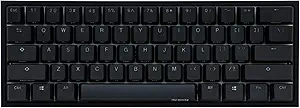
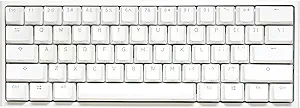
Ducky treats keyboard chassis design as both an art form and a lifestyle statement. The brand is renowned for vibrant, thematic colorways, special zodiac-year editions, and translucent or dual-tone case enclosures that maximize vibrant per-key RGB backlighting. Beyond appearance, Ducky pays closer attention to ergonomic framing, utilizing tiered key spacing and multi-angle chassis designs to optimize wrist posture. Where Cherry provides a functional desktop tool, Ducky delivers an expressive, visually striking centerpiece tailored to elevate modern gaming desks and creative workspaces.