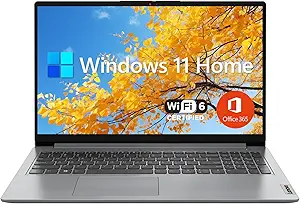








Lenovo vs Razer: Overview & Brand Philosophy
In the expansive landscape of modern computing, few brand matchups present such a stark philosophical contrast as Lenovo and Razer. Lenovo, originating as a global enterprise hardware giant with roots in IBM's personal computing division, operates on an ethos of functional universality. The brand targets every conceivable tier of consumer, from budget-conscious students and corporate road warriors to competitive esports athletes. Its guiding philosophy centers on engineering reliability, ergonomic optimization, and high-volume manufacturing efficiency, positioning Lenovo as a practical market titan that prioritizes user productivity and broad market coverage.
Conversely, Razer was born directly from gaming subculture with its foundational motto, "For Gamers. By Gamers." Over the past two decades, the California-Singaporean company has pivoted from high-performance peripherals to establishing the premier "lifestyle" computing brand in the Windows ecosystem. Razer’s philosophy is deeply intertwined with boutique, uncompromising craftsmanship heavily inspired by minimalist industrial design. Rather than addressing the mass market, Razer focuses exclusively on the premium segment, catering to enthusiasts, creative professionals, and hardcore gamers who demand high thermal capacity inside hyper-dense, unibody aluminum form factors.
Ultimately, this comparison is not merely about compute metrics, but about design priorities. Lenovo constructs functional tools across vast product lines like ThinkPad, Yoga, and Legion, balancing accessibility and purpose-built engineering. Razer, through its focused Blade lineup, produces luxury technological centerpieces designed to offer desktop-class performance within a sleek, unified silhouette. Understanding how these conflicting corporate DNA strands translate into daily computing experience is vital for discerning buyers.
Key Differences & Technological Comparison
When dissecting the hardware ecosystems of Lenovo and Razer, the fundamental divergence begins with chassis engineering. Razer relies exclusively on CNC-machined T6-grade aluminum unibodies anodized with an electro-chemical finish. This design mimics the structural rigidity, seam tolerances, and structural integrity of modern ultra-premium laptops. In contrast, Lenovo implements a tiered materials strategy: entry-level models use ABS plastics, mid-tier models utilize stamped aluminum or magnesium alloys, and flagship lines like the ThinkPad X1 Carbon use specialized multi-layered carbon fiber weaves. Razer wins purely on structural uniformity, but Lenovo’s diverse portfolio often yields lighter devices that endure military-grade stress testing (MIL-STD-810H) without feeling overly rigid or heavy.
Thermal architecture is another critical battleground. Given Razer’s insistence on keeping chassis profiles exceptionally thin (often under 0.7 inches), it has pioneered custom vacuum-sealed copper vapor chambers paired with high-fin-density heatsinks and ultra-thin fan blades. While technically impressive, Razer's metallic chassis inherently doubles as a heatsink, leading to warmer surface temperatures under load. Lenovo, especially within its Legion gaming series, utilizes its proprietary "Coldfront" thermal system. Because Lenovo is willing to adopt slightly thicker chassis profiles with extended rear thermal exhaust shelves, its laptops typically achieve better sustained clock speeds and lower acoustic profiles under prolonged workloads than Razer equivalents.
The display and human interface technologies further demarcate the brands. Lenovo is universally recognized for producing class-leading keyboards; the contoured keycaps, generous travel distances (often 1.5mm to 1.8mm), and tactile actuation profiles of ThinkPad and Legion keyboards set the industry standard. Razer’s keyboards, while enhanced by class-leading per-key Razer Chroma RGB backlighting, feature a flatter chiclet design with shallower travel that caters more to rapid key presses than prolonged typing. However, Razer frequently leads the market in display panel innovation, consistently being the first to market with cutting-edge displays, such as factory-calibrated dual-mode Mini-LED screens (allowing users to toggle between native 4K at 120Hz and FHD at 240Hz) and ultra-fast QHD OLED gaming panels.
Pros & Cons Comparison
Lenovo: Pros
- Broad Market Diversity: Massive catalog spanning budget portables (IdeaPad), flexible 2-in-1s (Yoga), enterprise standards (ThinkPad), and high-end gaming (Legion).
- Superior Ergonomics: Industry-leading keyboard layouts with comfortable travel, tactile feedback, and intuitive navigation keys.
- Thermal Headroom: Efficient, high-airflow chassis designs that yield sustained performance without excessive surface heating.
- Competitive Pricing: Aggressive price-to-performance ratio across almost every tier, offering higher-spec internal components at lower costs.
Lenovo: Cons
- Fragmented Software: Companion software (such as Lenovo Vantage) can occasionally feel intrusive and varies in design across product tiers.
- Inconsistent Build Materials: Entry- and mid-range devices frequently feature plastic components that lack a premium tactile feel.
- Industrial Aesthetics: Highly utilitarian design language that lacks the unified, sleek luxury appeal found in boutique brands.
Razer: Pros
- Masterclass Build Quality: CNC-milled aluminum unibody construction provides exceptional structural rigidity and an elite, minimalist finish.
- Ultra-Compact Footprint: Packs high-tier GPUs and CPUs into remarkably thin profiles without sacrificing internal component density.
- Class-Leading Displays: Color-accurate, factory-calibrated screens offering cutting-edge OLED and dual-mode Mini-LED options.
- Unified Software Ecosystem: Razer Synapse provides comprehensive, deeply customizable control over performance profiles, fan curves, and lighting.
Razer: Cons
- Exorbitant Price Premium: Sits firmly at the top of the price scale, often costing hundreds of dollars more than similarly configured competitors.
- Thermal Surface Warmth: The all-metal design absorbs internal heat quickly, resulting in very warm palm rests and keyboards under load.
- Narrow Catalog: Exclusively focuses on premium performance gaming and studio machines, with zero budget or entry-level offerings.
Performance, Durability & Value Analysis
From a raw performance-per-dollar metric, Lenovo is the undisputed victor. Lenovo’s massive global supply chain allows it to offer top-spec Intel Core/AMD Ryzen processors and high-TGP (Total Graphics Power) Nvidia GeForce RTX GPUs at prices that undercut Razer across the board. Furthermore, Lenovo's gaming notebooks are engineered to drive GPUs at their maximum wattage limits (up to 175W on high-end mobile RTX configurations), leading to baseline benchmark leads over similarly specced Razer machines that must constrain power delivery to manage the heat inside their razor-thin enclosures. In terms of office and productivity performance, Lenovo’s business-tuned processors maintain aggressive battery profiles and efficient multi-threaded throughput that reliably power through real-world enterprise workloads.
Durability and long-term value, however, depend heavily on your specific operational environment. Razer Blades age much like high-end luxury sports cars; the CNC aluminum chassis resists flex, wear, and hinge fatigue better than almost any machine on the market, maintaining a modern, pristine look for years if treated well. However, Razer’s past iterations have faced user scrutiny regarding battery swelling under sustained high temperatures, though recent models have addressed this with improved thermals and battery health software limitations. Lenovo's enterprise devices (especially the ThinkPad T and X series) are legendary for their ability to survive drops, spills, and heavy field abuse. When coupled with wide parts availability and cost-effective repair options, Lenovo offers a much safer long-term investment for the typical consumer, whereas Razer caters to an enthusiast crowd willing to pay ongoing premiums for exotic aesthetics and build density.
Final Verdict: Which Brand Should You Choose?
Selecting between Lenovo and Razer ultimately comes down to whether you prioritize raw utilitarian value or luxury, form-factor-driven design.
Choose Lenovo if:
- You want the absolute best performance for your budget, maximizing GPU wattage and computational power per dollar spent.
- Your work involves extensive daily writing or coding, making industry-leading keyboard travel and layout essential.
- You require a specialized form factor, such as a business-grade productivity laptop (ThinkPad), an affordable student notebook (IdeaPad), or a flexible 2-in-1 convertible (Yoga).
- You prefer a cooler operating deck and quieter acoustics during sustained gaming or rendering sessions.
Choose Razer if:
- You demand the gold standard of Windows build quality, preferring an ultra-clean, Apple-like CNC aluminum unibody aesthetic over plastics and composites.
- You are a creative professional or hybrid gamer who requires a discreet, ultra-portable machine capable of moving effortlessly from a high-stakes boardroom meeting to a high-framerate gaming session.
- Display fidelity, pixel density, and color calibration (such as DCI-P3 coverage on Mini-LED or OLED panels) are non-negotiable requirements for your workflow.
- Budget is a secondary concern compared to owning a refined, compact, and technologically cutting-edge piece of industrial hardware.
Affordability
When evaluating affordability, Lenovo and Razer represent fundamentally polarized philosophies in the laptop market. Lenovo operates with massive economies of scale, allowing them to dominate virtually every price tier from sub-$400 budget IdeaPads to high-end Legion gaming rigs and enterprise-grade ThinkPads. This broad architectural diversity translates to exceptional value engineering: Lenovo strategically deploys materials like ABS plastics, reinforced polycarbonates, and aluminum alloys to keep entry and mid-tier costs accessible without catastrophically compromising durability. Conversely, Razer operates exclusively in the boutique, ultra-premium sector. There is virtually no concept of a "budget" Razer laptop. Razer’s base pricing starts where Lenovo’s mid-tier peaks, largely driven by bespoke CNC-milled aluminum unibody chassis, custom vapor-chamber cooling configurations, and uniform flagship-tier industrial design across the entire Blade series.
From a technical feature-to-cost perspective, Lenovo consistently provides superior hardware specifications per dollar spent. A consumer investing $1,500 into Lenovo's Legion or LOQ lineups frequently secures higher-TGP (Total Graphics Power) NVIDIA graphics cards, faster multi-threaded AMD or Intel processors, and expansive panel options (such as high-refresh 1600p screens) compared to what Razer offers at an equivalent or even substantially higher expenditure. Razer's pricing model commands an immense "aesthetic and structural tax"—similar to Apple—where consumers pay for millimeter-thin form factors, proprietary anodized coatings, and per-key RGB Chroma integration rather than raw thermal headroom or pure compute-per-dollar metrics. Furthermore, Lenovo models frequently offer superior post-purchase affordability through accessible SODIMM RAM slots and dual M.2 storage bays, whereas select thin-and-light Razer models integrate soldered memory, mandating expensive upfront component upgrades.
Ultimately, the practical trade-off centers on cost pragmatism versus prestige engineering. Lenovo democratizes modern computing by offering aggressive price-to-performance ratios and regular seasonal discounts, making their machines the definitive choice for cost-conscious gamers, students, and professionals who prioritize functional capability over luxury finishes. Razer, while unquestionably superior in chassis rigidity and compact desktop-replacement styling, delivers poor pure affordability. A Razer Blade is an aspirational purchase where margin is heavily allocated toward industrial packaging, structural minimalism, and brand status, making Lenovo the undisputed victor for buyers whose primary purchasing criterion is economic efficiency and hardware value.
Battery Life
When evaluating battery life, Lenovo and Razer approach power management from fundamentally different engineering philosophies, primarily dictated by their target audiences. Lenovo’s vast catalog, anchored by its ThinkPad and Yoga lines, prioritizes extreme endurance, platform-level efficiency, and enterprise versatility. Utilizing custom motherboard designs, low-power display panels (such as 1-watt FHD options), and hyper-tuned thermal profiles, Lenovo consistently wrings maximum runtime from its battery cells. Business-oriented machines like the ThinkPad X1 Carbon or AMD-powered ThinkBook series frequently surpass 12 to 15 hours of mixed productivity, while the proprietary Lenovo Vantage software suite allows users to implement intelligent battery charge thresholds, rapid-charging cycles (Rapid Charge delivering up to 80% in an hour), and dynamic power switching. Even in Lenovo's gaming line, the Legion series, sophisticated Advanced Optimus implementations combined with massive 80Wh to 99.9Wh capacities yield surprisingly competitive, non-gaming battery runtimes of 5 to 7 hours.
Conversely, Razer operates with an uncompromising focus on peak mobile performance and aesthetic density, which inherently introduces significant battery life trade-offs. The Razer Blade ecosystem packages high-wattage Intel Core and AMD Ryzen silicon alongside power-hungry NVIDIA GeForce RTX discrete GPUs into ultra-dense, CNC-milled aluminum chassis. While Razer incorporates substantial battery capacities—regularly maxing out at the FAA-mandated 99.9Wh limit in models like the Blade 16 and 18—the power draw from factory-calibrated OLED, Mini-LED, and ultra-high-refresh panels drastically accelerates battery drain. Razer Synapse provides customizable performance curves, discrete GPU switching, and battery health protections (like customizable charge limiters to mitigate lithium degradation), but practical unplugged usage rarely exceeds 4 to 6 hours during standard productivity workloads, and typically plummets to under 90 minutes when engaging in 3D rendering or gaming.
Ultimately, the choice between Lenovo and Razer regarding battery performance highlights a trade-off between versatile longevity and unthrottled desktop-class execution. Lenovo establishes technical supremacy in sustained unplugged productivity, providing diverse silicon architectures—spanning Intel, AMD, and now power-sipping Qualcomm Snapdragon chips—engineered specifically for multi-day mobility and corporate endurance. Razer delivers exceptional engineering by safely packing near-triple-digit watt-hour batteries into the market’s sleekest gaming enclosures, but its thermal profiles, ambient RGB ecosystem, and high-performance overhead necessitate keeping the proprietary GaN charging brick within arm's reach. For mobile professionals and power-efficiency purists, Lenovo remains the decisive victor, while Razer’s battery capabilities serve merely as an interim bridge between desk-bound power outlets.
Display
When evaluating display engineering, Lenovo and Razer approach visual performance from fundamentally different philosophical standpoints. Lenovo casts a wide, highly specialized net tailored to diverse use cases. In its premier ThinkPad X1 and Legion Pro gaming lines, Lenovo showcases exceptional engineering versatility, offering everything from factory-calibrated, low-power IPS panels with anti-glare coatings to high-luminance Mini-LED and 4K OLED screens equipped with Dolby Vision. Lenovo's primary technical strength lies in ergonomics and productivity, notably popularizing taller 16:10 aspect ratios that maximize vertical workspace. Conversely, Razer maintains a hyper-focused, boutique approach centered on uncompromising gaming fidelity and premium multimedia creation. Razer Blade laptops consistently push panel boundary limits, integrating bleeding-edge visual technology such as world-first 240Hz QHD OLED displays and innovative dual-mode Mini-LED screens (which allow users to toggle natively between ultra-crisp 4K at 120Hz and blistering FHD at 240Hz). Razer's displays feature exceptionally uniform backlighting, wide color gamut coverage (typically 100% DCI-P3), and individual factory calibration, enveloped in clean, glass-front edge-to-edge aesthetics.
The practical trade-offs between the two brands center on versatility versus specialized visual luxury. Lenovo's greatest strength—its vast array of tier-based configurations—can also be a pitfall for consumers, as entry-level to mid-range Yoga, IdeaPad, and standard LOQ models often carry lackluster, color-muted 250-to-300 nit panels that pale in comparison to their flagship offerings. However, at the high end, Lenovo often outperforms Razer in functional practicality through superior anti-reflective treatments, physical privacy shutters, and Eyesafe-certified blue-light reduction that minimize strain during prolonged work sessions. Razer, by contrast, establishes a much higher baseline; there is no such thing as a "budget" panel in a Razer laptop, ensuring every buyer receives top-tier contrast, rapid millisecond response times, and NVIDIA G-Sync support. The compromise with Razer is usability in bright environments—due to overly reflective glossy touchscreens or edge-to-edge glass—and the battery tax exacted by powering persistently high-refresh, ultra-bright pixel matrices. Ultimately, buyers prioritizing vertical productivity, matte glare control, and targeted configuration flexibility will favor Lenovo's display ecosystem, while creative professionals and gamers demanding peerless color saturation, blazing refresh rates, and luxury-tier OLED or Mini-LED technology will find Razer's screens well worth the premium.
Performance
When evaluating performance between Lenovo and Razer, the fundamental difference lies in thermal chassis engineering and target thermal design power (TDP) thresholds. Lenovo, particularly through its dedicated gaming sub-brand Legion, prioritizes raw, unconstrained power delivery. Legion laptops frequently utilize robust, dual-exhaust vapor chambers and proprietary Coldfront cooling systems, allowing their high-end CPUs and GPUs to operate at the absolute maximum wattages specified by Intel, AMD, and NVIDIA. Conversely, Razer pursues an ultra-dense, thin-and-light form factor across its Blade lineup, housing top-tier silicon within CNC-milled aluminum unibodies. While Razer incorporates state-of-the-art vapor chamber technology and custom-designed fans, the laws of thermodynamics dictate lower sustained power limits (TGP) compared to thicker competitors, resulting in slightly lower peak performance during extended rendering or competitive gaming sessions.
Technical feature sets and performance tuning further differentiate the two brands for performance-minded users. Lenovo benefits from its proprietary Lenovo LA AI chips, which dynamically monitor in-game framerates and hardware temperatures to adjust wattage distribution in real time, squeezing optimal frames out of demanding titles without manual intervention. Razer, however, excels in precise manual customization through its Razer Synapse software, allowing enthusiasts to independently tune CPU and GPU power profiles, overclock components, and balance acoustics. While both brands universally implement MUX switches and NVIDIA Advanced Optimus to eliminate latency and boost graphical output, Lenovo’s thermal headroom often translates to better performance consistency in multi-threaded CPU tasks, whereas Razer must aggressively throttle clock speeds earlier under combined heavy processor and graphics loads to manage external skin temperatures.
Ultimately, the performance trade-off between Lenovo and Razer centers on desktop-replacement throughput versus elite portable computing. Lenovo offers superior price-to-performance metrics, sustaining high boost clocks and stable frame times that cater directly to esports athletes, 3D artists, and power users who view raw benchmark numbers as paramount. Razer delivers impressive performance relative to its physical volume, appealing to creative professionals and mobile gamers who demand desktop-grade components packed into a sleek, ultrabook-style footprint. Buyers prioritizing maximum wattage and sustained compute will find Lenovo mathematically superior, while those willing to sacrifice a marginal percentage of peak output for sophisticated portability will favor Razer’s engineering compromise.