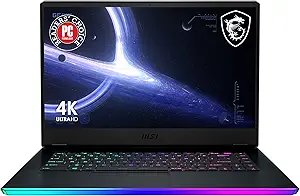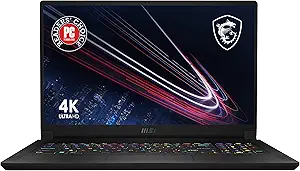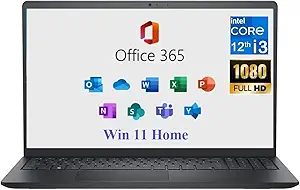








Dell vs MSI: Overview & Brand Philosophy
When navigating the modern laptop landscape, Dell and MSI (Micro-Star International) represent two fundamentally distinct engineering philosophies. Dell, an American titan established in 1984, operates as a comprehensive computing solutions provider. Its philosophy is rooted in versatility, enterprise-grade reliability, and customer-first modularity. Dell builds portable computers designed to seamlessly integrate into corporate environments, home offices, and university lecture halls, anchored by universally recognized lines such as the XPS, Latitude, and Inspiron series, alongside its dedicated gaming subsidiary, Alienware.
In contrast, MSI has forged its identity deep within the hardware enthusiast and competitive gaming scenes. Originating as a motherboard and graphics component manufacturer in Taiwan, MSI pivoted into laptops with an uncompromised focus on raw performance, thermal throughput, and extreme hardware customization. While MSI has recently made deliberate inroads into the thin-and-light productivity and content creation markets with its Modern, Prestige, and Creator series, its core DNA remains unapologetically focused on gamers, streamers, and compute-heavy creative professionals who prioritize frames per second and render speeds above all else.
Choosing between Dell and MSI is rarely a matter of superior versus inferior; rather, it is a calculation of priorities. Dell optimizes for build coherence, premium display technology, customer support networks, and enterprise manageability. MSI, conversely, designs laptops that squeeze maximum wattage out of silicon, offering enthusiast-level BIOS control and hardware tuning that tech-savvy users demand. Understanding this foundational divide is crucial for determining which brand aligns with your digital workflow.
Key Differences & Technological Comparison
The operational differences between Dell and MSI become apparent when examining chassis construction, thermal architectures, and internal software ecosystems. In physical design, Dell sets the industry benchmark for premium minimalism with its XPS line, employing CNC-machined aluminum chassis, woven carbon fiber or glass palm rests, and edge-to-edge "InfinityEdge" displays. MSI employs a more industrial, functional aesthetic across its gaming fleets (such as the Raider and Titan lines), relying heavily on aggressive venting, customizable per-key RGB lighting by SteelSeries, and thicker chassis profiles that accommodate expansive cooling solutions.
Thermal management is a critical battleground. Dell often prioritizes ultra-thin form factors, which can sometimes lead to thermal throttling under prolonged peak loads, particularly in dense models like the XPS 15 and XPS 16. To combat this, Dell utilizes dual-opposite outlet fans and custom vapor chambers, though noise profiles are generally tuned to remain unobtrusive. MSI, by contrast, embraces thermal aggressiveness. Technologies such as MSI Cooler Boost employ up to seven heat pipes and multi-fan arrays, deliberately sacrificing acoustic discretion to keep Intel Core i9 or AMD Ryzen 9 processors and high-wattage NVIDIA GeForce RTX graphics running at maximum clock speeds without downclocking.
Display technology also showcases diverging priorities. Dell collaborates closely with display panels to deliver industry-leading color accuracy, offering 4K+ OLED and high-resolution IPS panels with 16:10 aspect ratios and broad DCI-P3 color gamuts tailored for video editors, coders, and business executives. MSI targets esports responsiveness, pioneering ultra-high refresh rates ranging from 240Hz up to 360Hz and beyond with minimal latency, although its dedicated Creator laptops do match Dell’s color precision with factory-calibrated True Pixel displays.
From an ecosystem and software perspective, Dell offers a cleaner out-of-the-box experience via minimal bloatware and sophisticated power management suites like Dell Optimizer, which uses AI to prioritize system resources based on usage habits. MSI provides the MSI Center, an enthusiast playground that grants granular control over fan curves, GPU overclocking, MUX switch routing, and hardware diagnostics, which is ideal for performance tuners but potentially overwhelming for casual consumers.
Pros & Cons Comparison
Dell
- Pros:
- Industry-leading industrial design, particularly within the XPS and Alienware portfolios.
- Stunning 16:10 display options with class-leading brightness and edge-to-edge bezels.
- Comprehensive customer support infrastructure and globally accessible on-site warranty options.
- Broad portfolio covering budget computing (Inspiron) to enterprise deployments (Latitude).
- Exceptional keyboard tactile response and large, smooth precision trackpads.
- Cons:
- Aggressive thinness can result in higher chassis temperatures and fan noise under sustained computational strain.
- Relatively high price-to-spec ratio on premium models compared to performance-driven rivals.
- Port selection on modern XPS models is heavily reliant on USB-C and Thunderbolt adapters.
MSI
- Pros:
- Superior thermal headroom that allows components to run at peak sustained power (TGP/TDP).
- High hardware value, often delivering faster GPUs and CPUs at lower price tiers than Dell.
- Advanced BIOS accessibility and extensive fan-curve customization via the MSI Center.
- Rich physical I/O selection, frequently retaining HDMI 2.1, full-sized SD card readers, and Ethernet ports.
- Top-tier esports refresh rates and partnerships with gaming-grade audio and keyboard manufacturers.
- Cons:
- Chassis build quality on budget and mid-tier tiers (like the Thin or Katana series) relies on flexible plastics.
- Shorter battery life on gaming models due to high-power components and high-refresh screens.
- Customer service and RMA logistics are less localized and responsive compared to enterprise leaders like Dell.
Performance, Durability & Value Analysis
When assessing raw performance metrics against dollar investment, MSI frequently takes the lead. A consumer spending between $1,200 and $2,000 will generally obtain a higher-tier dedicated GPU and more generous RAM and storage allocations with MSI than with Dell. MSI's laptops are engineered to run graphics cards at their maximum allowed Total Graphics Power (TGP), meaning an RTX 4070 in an MSI chassis often outperforms an RTX 4070 constrained by the thinner thermal envelope of a Dell counterpart. However, this raw performance value equation shifts when structural durability is factored in. While MSI’s high-end Titan and Raider models feature robust metal construction, its entry-level and mid-range devices exhibit noticeable chassis flex, lower-grade trackpad surfaces, and historical consumer vulnerabilities regarding display hinge longevity under rigorous daily transit.
Dell balances the value equation by emphasizing lifecycle longevity, structural integrity, and customer retention. Premium Dell units maintain exceptional resale value, superior keyboard deck stiffness, and scratch-resistant finishes that endure years of enterprise wear and tear. Furthermore, Dell’s extensive post-sale ecosystem—including Next Business Day Onsite service agreements—provides a tier of operational security that MSI cannot match. For professionals whose laptop is their livelihood, a rapid repair turnaround represents tangible financial value that offsets Dell's higher upfront price per hardware specification.
Final Verdict: Which Brand Should You Choose?
The definitive choice between Dell and MSI rests entirely on your daily use case, technical expertise, and operational priorities:
Choose Dell if: You prioritize sophisticated engineering, seamless enterprise integration, superior display aesthetics, and dependable after-sales support. Dell is the definitive pick for corporate professionals, software developers, frequent business travelers, and hybrid home-office workers who need an ultra-refined, reliable machine like the XPS or Latitude that blends seamlessly into any boardroom while lasting through a full working day on battery power.
Choose MSI if: Pure computational throughput, thermal performance, and gaming capabilities are non-negotiable. MSI is the premier choice for hardcore gamers, esports competitors, 3D modelers, and technical creators who view their laptop primarily as a mobile workstation or gaming rig. If you demand extensive physical ports, granular hardware overclocking, high refresh rates, and the most frames per second your budget can buy, MSI delivers precisely what you need.
Affordability
When evaluating affordability between Dell and MSI, consumers are presented with two fundamentally distinct pricing philosophies dictated by product targeting. Dell excels in the traditional consumer and enterprise space, leveraging its immense supply chain scale to dominate the budget and mid-tier markets with models like the Inspiron and entry-level Latitude series. These devices offer high accessibility, with rock-bottom pricing starting well under $500. However, Dell’s cost-cutting measures at this tier are engineering compromises: chassis designs lean heavily on flexible plastics, thermal management is strictly utilitarian, and display panels often suffer from limited color gamuts and low brightness. Conversely, Dell’s premium XPS line commands exorbitant prices that rival Apple, where users pay a steep luxury tax for CNC-machined aluminum and borderless OLED displays, demonstrating that Dell's affordability is concentrated almost entirely at the lower end of the performance spectrum.
MSI approaches affordability with a performance-first mindset, focusing predominantly on delivering maximum raw compute power per dollar, particularly within gaming and content creation. Budget-conscious MSI offerings, such as the Thin or Katana series, aggressively undercut Dell’s performance equivalents (like Alienware or high-spec G-Series machines) by pairing mid-to-high-tier dedicated GPUs and CPUs at lower price points. The trade-offs for MSI’s aggressive spec-to-cost ratio, however, are found in the structural fit-and-finish and battery endurance. MSI's entry-level and mid-range devices frequently feature fragile display hinges, mediocre trackpads, and loud, high-RPM cooling configurations that struggle under sustained thermal loads. While Dell sacrifices component performance to achieve lower base prices in general productivity laptops, MSI sacrifices physical ergonomics, structural rigidity, and secondary components to maximize silicon potential on a tight budget.
Ultimately, determining the more "affordable" brand depends heavily on the user's workload requirements and definitions of long-term value. Dell is objectively more affordable for mainstream office workers, students, and businesses needing dependable, sub-$800 web-browsing and productivity machines, further bolstered by readily available replacement parts and robust post-purchase support ecosystems. MSI, on the other hand, claims the price-to-performance crown for gamers, 3D artists, and engineering students who need dedicated graphics and substantial cooling capacities without paying Dell’s premium Alienware markup. Dell wins on absolute barrier-to-entry pricing, while MSI delivers superior silicon value per dollar spent above the $700 threshold.
Battery Life
When evaluating battery longevity, Dell holds a decisive structural advantage over MSI, largely owing to its broader engineering focus on the mainstream, enterprise, and ultraportable markets. Dell’s flagship lines—most notably the XPS and Latitude series—are engineered from the ground up for energy efficiency. The company invests heavily in proprietary power-management firmware, intelligent display technologies such as low-power IGZO panels and dynamic refresh rate scaling, and sophisticated thermal envelopes that prevent processor throttling from wasting watt-hours. Furthermore, Dell's deep integration with Intel’s Evo platform and aggressive battery optimization software (Dell Optimizer) allows models like the XPS 13 or Latitude 7000-series to regularly achieve between 12 and 18 hours of real-world productivity on a single charge. Even Dell's performance-oriented machines feature advanced battery switching protocols that completely decouple the discrete GPU during non-essential workloads to preserve cell reserves.
Conversely, MSI’s engineering pedigree is steeped in high-performance gaming and content creation, which fundamentally compromises its overall standing in battery endurance. While MSI equips enthusiast models with maximum legal capacity cells (up to the TSA-regulated 99.9Wh limit in flagships like the Raider and Stealth lines), this hardware is forced to feed high-TDP processors, power-hungry discrete graphics, and high-frequency, color-accurate displays. Even with MSI Center software allowing users to toggle between discrete graphics modes and MUX-switch-enabled hybrid modes, idling power draw remains high due to aggressive background fan curves, performance-biased BIOS profiles, and complex cooling systems. While MSI has attempted to broaden its enterprise appeal with the Modern and Prestige series, these ultraportables rarely match Dell’s endurance benchmarks, typically tapping out at 6 to 9 hours of light work due to less refined platform-level power optimizations.
The practical trade-off between the two brands centers on workflow priorities: endurance-first versatility versus raw, uninterrupted power delivery. Dell users benefit from class-leading standby times, rapid-charging ExpressCharge technology that can restore up to 80% capacity in an hour, and extended battery life cycles over years of ownership due to granular charging threshold controls. MSI, on the other hand, trades off-grid longevity for uncompromising performance under heavy thermal loads, effectively treating the battery as an uninterruptible power supply rather than a primary power source. For consumers prioritizing all-day, untethered mobility for business or creative tasks, Dell is the clearly superior choice, whereas MSI remains ideal only for power users who accept staying tethered to an AC adapter in exchange for desktop-grade computational throughput.
Display
When evaluating display engineering between Dell and MSI, consumers are presented with fundamentally different design philosophies that reflect each brand's target demographic. Dell heavily emphasizes visual precision, productivity, and modern industrial design, particularly through its flagship XPS, Latitude, and Alienware lines. Dell pioneered the near-borderless aesthetic with its four-sided "InfinityEdge" bezels and was an early champion of the 16:10 aspect ratio, which provides vital vertical screen real estate for workflow-driven users. Dell’s premium panels frequently incorporate factory-calibrated color profiles reaching 100% DCI-P3 coverage, high peak brightness ratings (often 500 nits on IPS and tandem OLED options), and sophisticated anti-reflective coatings. In contrast, MSI tailors its display hardware predominantly to competitive esports and intensive graphics rendering. MSI’s technical strengths lie in ultra-fast refresh rates and rapid pixel response times, regularly outfitting its Raider, Vector, and Titan gaming laptops with blistering 240Hz to 360Hz QHD and FHD panels. While Dell integrates high refresh rates into its Alienware gaming sub-brand, MSI applies fluid refresh rates and robust NVIDIA G-Sync support across a wider breadth of its portfolio at more aggressive price points.
At the cutting edge of panel technology, both manufacturers offer stunning OLED and Mini-LED variants, yet practical trade-offs emerge in deployment and target use cases. Dell relies heavily on high-resolution 3.5K and 4K OLED touchscreens that deliver infinite contrast ratios, deep inky blacks, and exceptional color fidelity, making them industry benchmarks for photo and video editors. However, Dell's ultrabooks historically traded refresh speed for battery efficiency, typically capping mainstream displays at 60Hz (though newer iterations are increasingly shifting toward dynamic 120Hz). MSI, conversely, prioritizes bleeding-edge speed combined with next-generation illumination; its flagship Creator and Titan series have prominently adopted 4K Mini-LED displays boasting VESA DisplayHDR 1000 certification, high local-dimming zone counts, and 144Hz refresh rates. While MSI delivers unrivaled sustained peak brightness for HDR gaming and content creation without the risk of OLED burn-in, its chassis designs often feature chunkier bottom bezels, and its software calibration suite (MSI True Color) can occasionally feel less seamlessly integrated than Dell’s hardware-level PremierColor solutions.
Ultimately, the display comparison between Dell and MSI rests on the trade-off between productivity-centric fidelity and motion performance. Dell excels in professional and general consumer environments where color accuracy, peak outdoor readability, touch/stylus capability, and sleek edge-to-edge aesthetics are paramount. MSI represents the superior choice for gamers, dynamic 3D animators, and users who prioritize frame delivery, low latency, and blazing-fast refresh speeds. While budget-oriented lines from both brands—such as Dell Inspiron and MSI Thin/Cyborg—exhibit cost-cutting measures like lower color gamuts (around 45% NTSC) and subdued 250-nit brightness, Dell maintains a higher quality floor across its midrange tiers, making it the more reliable display option for everyday versatile use, whereas MSI remains the performance titan for high-octane gaming visuals.
Performance
When evaluating performance between Dell and MSI, consumers are choosing between Dell’s balanced, productivity-oriented system tuning and MSI’s raw, enthusiast-grade thermal and silicon throughput. Dell excels primarily in business, enterprise, and premium creator workflows through lines like the Latitude, Precision, and XPS. Their engineering prioritizes power efficiency, sustained moderate workloads, and low acoustic interference. In contrast, MSI has built its reputation on aggressively engineered gaming systems and creative workstations—such as the Raider, Stealth, and Creator series—which systematically target the highest achievable clock speeds and graphics power. MSI regularly provisions higher Maximum Graphics Power (TGP) allocations to their GPUs, giving models like the Titan or Raider a noticeable frame-rate and rendering advantage over similarly configured Dell consumer machines. While Dell relies on proprietary vapor chamber designs and dual-opposite-outlet fans to maintain a sleek, whisper-quiet chassis, MSI implements dense, multi-heat-pipe layouts with aggressive fan curves that prioritize maximum thermal headroom over acoustics.
The feature sets and component synergy further define this performance divide. MSI provides users with deep, granular hardware control via utilities like the MSI Center, which allows for manual fan curve adjustments, dynamic GPU overclocking, and hardware MUX switch toggling for bypassing integrated graphics completely. Dell, through software like Dell Power Manager and Alienware Command Center (for its gaming subsidiary), offers a more sanitized, user-friendly approach with predefined thermal profiles (e.g., Ultra Performance, Quiet, Cool). However, Dell often implements stricter Dynamic Platform and Thermal Framework (DPTF) power limits to avoid chassis heat build-up. This architectural difference means that during short, bursty tasks like opening large applications or running office suites, both brands perform identically, but in prolonged, punishing workloads—such as 3D rendering, video encoding, or high-refresh-rate gaming—MSI maintains higher sustained boost clocks, while Dell thin-and-light models may throttle slightly to preserve skin temperatures.
Ultimately, the practical trade-off centers on stability, refined integration, and sustained thermal tolerance. Dell represents the pinnacle of reliability for enterprise workflows, data crunching, and creative tasks where stability, unified memory support, and ISV (Independent Software Vendor) certifications—particularly on the Dell Precision line—outweigh bleeding-edge wattage. MSI, conversely, is the definitive choice for power users, competitive gamers, and animators seeking uncompromised silicon performance and peak hardware utilization per dollar, accepting the compromise of louder fan noise and larger, less conservative chassis footprints to achieve industry-leading benchmark scores.
Compare current retail pricing, active promotions, and verified stock availability directly from authorized stores:
Compare current retail pricing, active promotions, and verified stock availability directly from authorized stores: