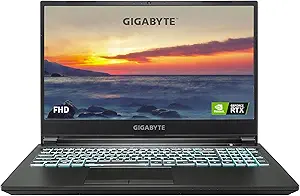







Asus vs GigaByte: Overview
Comparing Asus and GigaByte helps you determine which brand is best suited for your needs in Laptops. Both brands offer strong choices depending on your budget and key feature requirements.
Key Features & Comparison
Evaluate factors such as build quality, warranty, customer satisfaction, and total value before making your final purchase choice between Asus and GigaByte.
Affordability
When analyzing pricing and value-to-cost metrics, Asus provides an exceptionally broad spectrum that covers virtually every price tier, from budget Chromebooks and mainstream Vivobooks to ultra-premium ROG gaming rigs. In the budget-to-midrange gaming segment, the Asus TUF Gaming series represents a compelling proposition by packaging capable thermal solutions and solid chassis design at accessible price points. However, Asus frequently applies a noticeable brand premium to its flagship ZenBook and ROG Zephyrus/Strix lineups, meaning consumers often pay extra for refined acoustics, bespoke CNC-milled aluminum chassis, and cutting-edge software ecosystems like Armoury Crate.
Gigabyte, in contrast, adopts a far more targeted and value-aggressive pricing strategy that heavily caters to budget-conscious gamers and content creators. The Gigabyte G-series (such as the G5 and G6) consistently undercut rival laptops, including Asus TUF, by delivering top-tier GPU wattages and modern high-core-count processors at remarkably low entry costs. While Gigabyte's premium AORUS and AERO lines command higher prices, they typically bundle high-end hardware specifications—such as factory-calibrated displays and mechanical switches—for substantially less money than similarly configured Asus ROG machines. The trade-off is often found in Gigabyte's more utilitarian plastic construction and bare-bones control center software, making it a pure performance-per-dollar champion compared to Asus's more polished product tiers.
Battery Life
Asus has invested heavily in system-level power efficiency, making it one of the market leaders in portable battery longevity. Across their ultrabook and creative ranges, ZenBooks equipped with low-power OLED displays and high-capacity batteries frequently achieve ten to twelve hours of productivity workloads. Even in the gaming sector, models like the ROG Zephyrus G14 and G16 routinely surpass competitor averages due to Asus's advanced MUX switch implementations, smart hybrid graphics switching (NVIDIA Advanced Optimus), and fine-tuned power profiles that aggressively throttle background draw when disconnected from the wall.
Gigabyte generally struggles in direct battery comparisons against Asus, as its laptop engineering is primarily oriented around wall-powered desktop replacement paradigms. Even in the creator-focused AERO series, which packs sizable 99Wh batteries, aggressive component tuning, high-drain hardware configurations, and bright 4K/OLED panels mean that real-world battery life rarely exceeds five to seven hours under mixed use. Gigabyte's budget G-series gaming laptops exhibit even shorter battery endurance due to smaller capacity battery packs and less sophisticated dynamic idle power management, rendering them largely dependent on their AC adapters for sustained use.
Display
In display technology, Asus stands out as an aggressive pioneer, having democratized high-refresh OLED panels across both gaming and non-gaming portfolios through its 'ASUS Lumina OLED' branding. Gamers benefit from ROG Nebula and Nebula HDR displays that utilize Mini-LED backlighting to reach extreme peak brightness levels exceeding 1100 nits, combined with high refresh rates and ultra-fast gray-to-gray response times. Furthermore, Asus factory-calibrates many of its panels with Pantone Validated certifications and 100% DCI-P3 color coverage, satisfying the visual demands of both competitive gamers and professional colorists alike.
Gigabyte counters with a display lineup that emphasizes clinical color accuracy and panel utilitarianism, particularly through its AERO and flagship AORUS machines. The AERO series was among the first to feature individual panel calibration certified by X-Rite and Pantone, yielding exceptionally low Delta-E values straight out of the box, making them favorites for digital designers and video editors. However, on Gigabyte's budget-focused gaming laptops, screen quality is a notable compromise; these models frequently use budget-tier IPS panels with lower peak brightness (around 250-300 nits) and muted color gamuts (around 45% NTSC). Consequently, while Gigabyte matches Asus at the high end for color fidelity, Asus maintains a clear advantage across the broader product range in brightness, contrast, and panel innovation.
Performance
Asus achieves top-tier performance through cutting-edge thermal engineering and custom silicon tuning. High-end ROG and Strix Scar laptops frequently utilize custom vapor chambers, full-width heatsinks, and factory-applied liquid metal thermal compound on both CPU and GPU dies. This aggressive cooling allows Asus to run components at maximum Total Graphics Power (TGP) ratings while sustaining high boost clocks over prolonged gaming and rendering sessions. The result is class-leading raw computing power and gaming frame rates, backed by deeply customizable fan curves and manual overclocking profiles within the software suite.
Gigabyte's approach to performance is grounded in brute-force delivery and exceptional price-to-performance efficiency. Their proprietary Windforce Infinity cooling system delivers competent airflow using multiple dedicated heat pipes and dense fin arrays, ensuring that high-TGP NVIDIA GeForce RTX graphics cards perform close to their theoretical maximums. While Gigabyte matches Asus in synthetic benchmarks and raw compute throughput on paper, it often operates with noticeably higher fan noise levels and higher chassis surface temperatures to maintain those clocks. Asus offers a more refined acoustic-to-performance equilibrium, but Gigabyte consistently proves that users do not need to spend flagship money to achieve desktop-class processing power.